
On this page
Hybrid work fails when the office and the remote team use different tools: half the meeting cannot hear, and decisions vanish into chat threads. Slack leads this list as the cheapest paid hub for async hybrid work, and the other six are ranked on the same test: what an enterprise actually pays per user each month, and how well each tool keeps office and remote staff on the same page. The quote-only enterprise suites publish no prices, so they are not in this list.
How we researched this
We checked every price on the vendor pricing page on November 27, 2026, and only included tools with a published US dollar list price and a free plan or free trial. We ranked each tool on what an enterprise actually pays per user, including meeting, chat, docs and whiteboard coverage, and whether guests need a paid seat. Quote-only enterprise suites were excluded, so this list covers only the priced tools an enterprise can budget for.
Compare the tools
| Name | Best for | Starting price | Free plan | |
|---|---|---|---|---|
| Microsoft Teams | Enterprises that live in Microsoft 365 and want chat plus meetings in one place | $4/user/mo | Free plan available | Visit |
| Zoom Workplace | Enterprises that want reliable video meetings at scale | $14.16/user/mo | Free Basic plan with 40-minute meeting cap | Visit |
 Cisco Webex | Enterprises that want Cisco-grade meetings with strong security | $12/user/mo | Free plan for up to 100 participants, 40-minute cap | Visit |
 Slack | Enterprises that want fast async chat as the hybrid work hub | $7.25/user/mo | Free plan with 90-day history and 10 apps | Visit |
 Google Workspace | Enterprises that want email, docs, drive and meetings in one subscription | $7/user/mo | 14-day free trial, no free plan | Visit |
 Confluence | Enterprises that need a shared wiki for hybrid documentation | $7.15/user/mo | Free plan for up to 10 users | Visit |
 Miro | Enterprises that run workshops and planning on a shared whiteboard | $8/member/mo | Free plan with 3 editable boards | Visit |
The hybrid work software for enterprises, compared
1. Microsoft Teams
Best for: Enterprises that live in Microsoft 365 and want chat plus meetings in one place
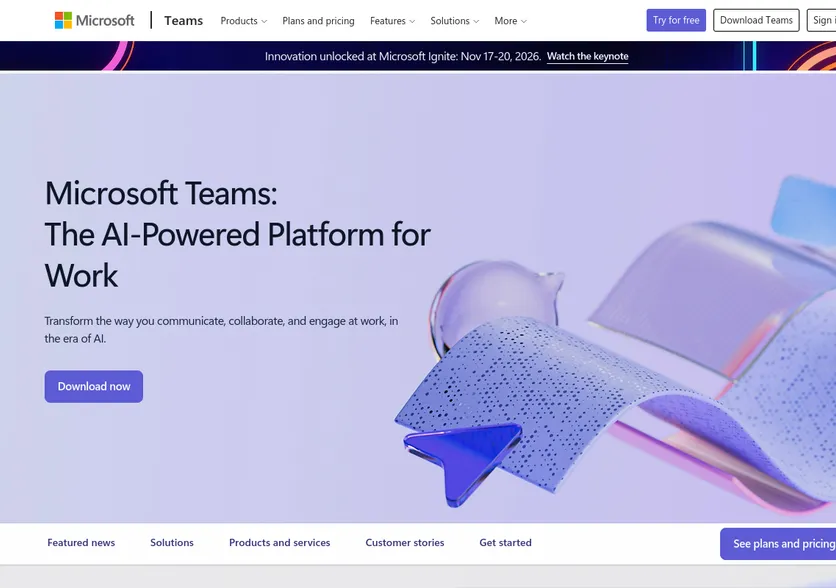
Paid tool Starting price: $4/user/mo · Essentials is four dollars per user a month billed annually, or four dollars eighty month to month; a free plan is available, Teams Enterprise is eight dollars fifty-five per user a month, and Microsoft 365 Business Basic is seven dollars and Standard is fourteen dollars after the July first 2026 increases
Free plan: Free plan available
Microsoft Teams Essentials costs four dollars per user a month billed annually, and it is the cheapest entry point in this list for an enterprise already on Microsoft. It covers chat, meetings and file sharing in one app, which suits a company that wants hybrid work inside the Microsoft 365 tools it already pays for. Teams Enterprise costs eight dollars fifty-five per user a month, while Microsoft 365 Business Basic is seven dollars and Standard fourteen dollars after the July first 2026 increases.
What we like
- Cheapest entry price in this list
- Deep integration with Microsoft 365 apps
- Free plan available to start
Watch out for
- Best value only inside Microsoft 365
- Essentials lacks the full enterprise controls
How to try it
- Sign in with a Microsoft 365 account
- Create teams for departments and projects
- Schedule the first hybrid meeting and test room systems
2. Zoom Workplace
Best for: Enterprises that want reliable video meetings at scale
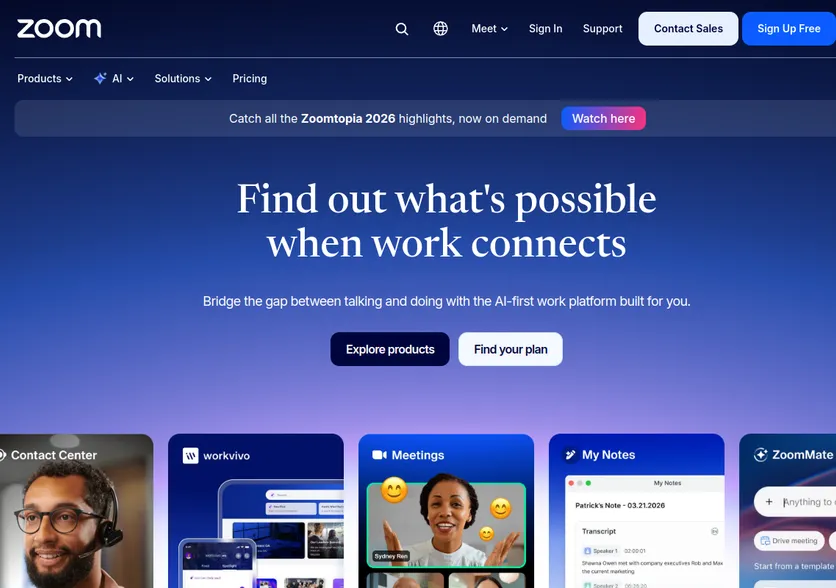
Paid tool Starting price: $14.16/user/mo · Workplace Pro is fourteen dollars sixteen per user a month billed annually, or one hundred sixty-nine dollars ninety-two a year, or sixteen dollars ninety-nine month to month; the price rose in March 2026 from thirteen dollars thirty-three annual, so older fourteen dollars ninety-nine figures are stale, Business is eighteen dollars thirty-three annual, and the free Basic plan caps meetings at forty minutes
Free plan: Free Basic plan with 40-minute meeting cap
Zoom Workplace Pro costs fourteen dollars sixteen per user a month billed annually, and it is the video-first pick in this list. It covers meetings, chat, phone and whiteboards in one app, which suits an enterprise that runs most of its hybrid work over video. The price rose in March 2026 from thirteen dollars thirty-three annual, so older fourteen ninety-nine figures are stale, and Business costs eighteen dollars thirty-three a month billed annually.
What we like
- Most reliable video meetings at scale
- Meetings, chat and phone in one app
- Strong room system support for offices
Watch out for
- Pro plan is capped at nine licences
- Price rose in March 2026, old figures are stale
How to try it
- Create a Zoom account and set up the company workspace
- Add users and configure meeting rooms
- Run the first hybrid meeting with office and remote staff
3. Cisco Webex
Best for: Enterprises that want Cisco-grade meetings with strong security
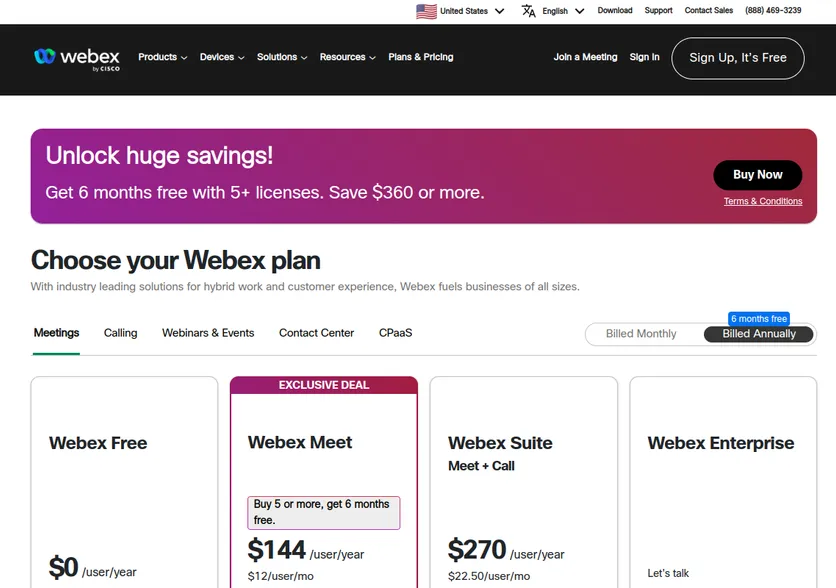
Paid tool Starting price: $12/user/mo · Meet is twelve dollars per user a month billed annually, or one hundred forty-four dollars a year, or fourteen dollars fifty month to month; Call is fifteen dollars thirty annual and Suite is twenty-two dollars fifty annual, Enterprise is quoted, and the free plan covers one hundred participants with a forty-minute cap
Free plan: Free plan for up to 100 participants, 40-minute cap
Cisco Webex Meet costs twelve dollars per user a month billed annually, and it is the security-first pick in this list. It covers video meetings, messaging and calling with enterprise-grade encryption and compliance controls, which suits a regulated enterprise that needs meetings to pass a security review. Call costs fifteen dollars thirty a month billed annually, Suite twenty-two dollars fifty, and Enterprise is quoted, while the free plan covers one hundred participants with a forty-minute cap.
What we like
- Enterprise-grade security and compliance
- Meetings, messaging and calling in one app
- Strong admin controls for large teams
Watch out for
- Enterprise pricing needs a quote
- Interface feels heavier than newer rivals
How to try it
- Create a Webex account and set up the organization
- Add users and configure security policies
- Schedule the first meeting and test the controls
4. Slack
Best for: Enterprises that want fast async chat as the hybrid work hub
Paid tool Starting price: $7.25/user/mo · Pro is seven dollars twenty-five per user a month billed annually, or eight dollars seventy-five month to month; a current promo of fifty percent off three months is not the list price, Business Plus is fifteen dollars annual, and the free plan keeps ninety days of history with ten apps
Free plan: Free plan with 90-day history and 10 apps
Slack Pro costs seven dollars twenty-five per user a month billed annually, and it is the cheapest per-user paid plan in this list. It organizes work into channels with searchable history, huddles and app integrations, which suits an enterprise that wants hybrid teams to work async instead of living in meetings. A current promo of fifty percent off three months is not the list price, Business Plus costs fifteen dollars a month billed annually, and the free plan keeps ninety days of history with ten apps.

What we like
- Cheapest paid per-user price here
- Best async chat for hybrid teams
- Huge app directory for integrations
Watch out for
- Full history needs a paid plan
- Heavy video use needs a separate meeting tool
How to try it
- Create a Slack workspace and set up channels
- Invite the team and connect the apps they use
- Move one project out of email and into a channel
5. Google Workspace
Best for: Enterprises that want email, docs, drive and meetings in one subscription
Paid tool Starting price: $7/user/mo · Business Starter is seven dollars per user a month billed annually, or eight dollars forty flexible monthly; Standard is fourteen dollars and Plus is twenty-two dollars, with thirty gigabytes pooled per user on Starter, a fourteen-day trial, and a promo of fifty percent off the first three months for new customers
Free plan: 14-day free trial, no free plan
Google Workspace Business Starter costs seven dollars per user a month billed annually, and it is the all-in-one pick in this list. It bundles Gmail, Drive, Docs, Sheets and Meet in one subscription, which suits an enterprise that wants hybrid work to run on documents and video without buying separate tools. Standard costs fourteen dollars a month billed annually and Plus twenty-two, with thirty gigabytes pooled per user on Starter, and a fourteen-day trial is available.

What we like
- Email, docs, drive and meetings in one price
- Strong real-time document collaboration
- Fourteen-day trial to test with a real team
Watch out for
- Starter storage is only thirty gigabytes pooled per user
- No free plan, only a trial
How to try it
- Create a Google Workspace account for the company
- Add users and set up Gmail and Drive
- Run the first hybrid meeting in Google Meet
6. Confluence
Best for: Enterprises that need a shared wiki for hybrid documentation
Paid tool Starting price: $7.15/user/mo · Standard is seven dollars fifteen per user a month on monthly billing for users one to one hundred, after the October thirteenth 2026 price rise from six dollars seventy; the five dollars seventy-eight figure on the plan cards is the blended rate for a three-hundred-user team, not a small team's rate, and annual tiers start at seven hundred twenty dollars a year for up to ten users
Free plan: Free plan for up to 10 users
Confluence Standard costs seven dollars fifteen per user a month on monthly billing for the first one hundred users, and it is the documentation pick in this list. It gives hybrid teams a shared wiki for meeting notes, project pages and decisions, which suits an enterprise that wants knowledge written down instead of lost in chat. Annual tiers start at seven hundred twenty dollars a year for up to ten users, and the free plan covers up to ten users.

What we like
- Best shared wiki for hybrid documentation
- Strong permissions and page controls
- Free plan for small teams
Watch out for
- Per-user price drops only past one hundred users
- Needs a meeting tool alongside it
How to try it
- Create a Confluence site and set up spaces
- Move meeting notes and decisions into pages
- Connect Jira or Slack for a full workflow
7. Miro
Best for: Enterprises that run workshops and planning on a shared whiteboard
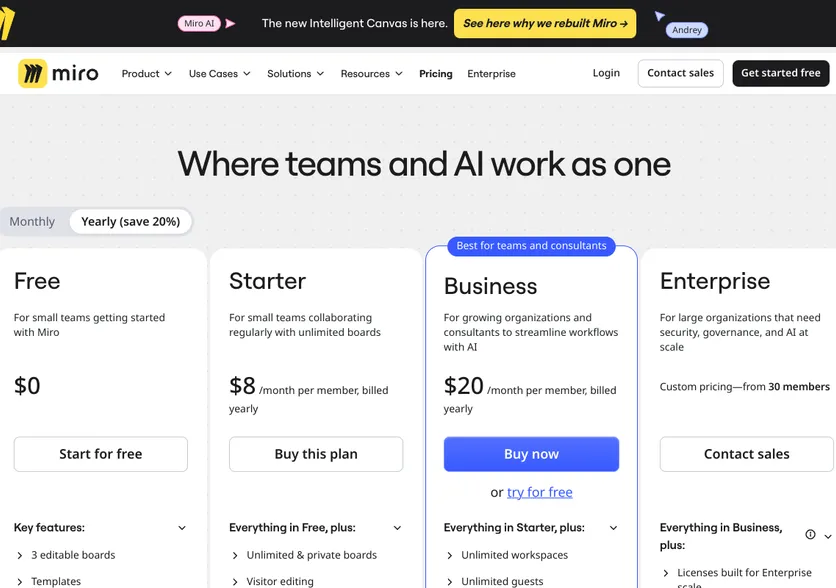
Paid tool Starting price: $8/member/mo · Starter is eight dollars per member a month billed yearly, or ten dollars billed monthly; Business is twenty dollars yearly or twenty-five dollars monthly, the free plan covers three editable boards, and Enterprise is custom from thirty members
Free plan: Free plan with 3 editable boards
Miro Starter costs eight dollars per member a month billed yearly, and it is the visual collaboration pick in this list. It gives hybrid teams an infinite canvas for workshops, planning and brainstorming, which suits an enterprise that runs design sprints and retros with people in the room and on video at the same time. Business costs twenty dollars a member a month billed yearly, the free plan covers three editable boards, and Enterprise is custom from thirty members.
What we like
- Best shared whiteboard for hybrid workshops
- Unlimited boards on the Starter plan
- Strong templates for planning and retros
Watch out for
- Every member is a paid seat, guests cost more
- Single sign-on needs the Business plan
How to try it
- Create a Miro workspace and invite the team
- Start a board from a workshop template
- Run the first hybrid workshop with in-room and remote staff
Prices above were checked on each vendor’s own website on Nov 27, 2026 and can change — the vendor’s page is the final word. Vendor links are editorial: nobody paid to be listed or ranked here. Vendors who want a featured listing can see how it works on our Get listed page.
How an enterprise should pick hybrid work software
Start with the meeting that matters most: a hybrid meeting with half the team in a room and half on video. If the remote half cannot hear or see the whiteboard, no feature list will save the tool. Next, count the real per-user cost at full scale, because a two-dollar difference becomes real money across a thousand seats. Check guest access too, since external partners who need a paid seat will quietly double the bill. Finally, test the security controls with IT early, because single sign-on and data residency are hard to add after a rollout has started.
Before you buy
- Check whether meetings, chat, docs and whiteboards are included or sold as add-ons
- Confirm the tool meets your security needs, including SSO and data residency
- Count the real monthly cost per user including meeting and storage limits
- Ask whether guests and external partners can join without a paid seat
- Run a real hybrid meeting with office and remote staff before you roll it out
Official websites
Official websites of the products reviewed above. Features and prices were checked against these sites when this guide was written, and they can change, so confirm on the vendor site before you buy.
Frequently asked questions
What is the cheapest hybrid work software for enterprises?
Microsoft Teams Essentials is the cheapest entry here at four dollars per user a month billed annually, with a free plan available. Slack Pro costs seven dollars twenty-five per user a month, and Google Workspace Starter seven dollars. Zoom Workplace Pro costs fourteen dollars sixteen, and Webex Meet twelve dollars. The cheapest pick depends on whether the enterprise already pays for Microsoft 365 or Google Workspace, since the suite price beats any standalone tool.
What should hybrid work software include for enterprises?
Hybrid work software should cover meetings, chat, document collaboration and scheduling in one place, with room systems for the office and a good mobile app for remote staff. Security matters at enterprise scale, so look for single sign-on, data residency and admin controls. Guest access for external partners is often overlooked, so check whether guests need a paid seat before you buy.
Is there free hybrid work software for enterprises?
Teams, Zoom, Webex, Slack, Confluence and Miro all offer free plans, while Google Workspace offers a fourteen-day trial instead. The free plans limit meeting length, history or board count, so they suit a pilot team rather than a whole enterprise. Run the pilot on the free plan, then move to the paid plan once the team has picked a winner.
Which tools work best for async hybrid teams?
Slack is the best pick for async-first teams, with channels, searchable history and a huge app directory at seven dollars twenty-five per user a month. Confluence adds the shared wiki for decisions and meeting notes. Together they cut meeting load, because most updates can live in a channel or a page instead of a video call. Add Zoom or Webex only for the meetings that truly need video.
How do I pick hybrid work software for an enterprise?
Count the users honestly, because every tool here bills per user or per member, and the total changes fast at enterprise scale. Check whether meetings, chat, docs and whiteboards are included or sold as add-ons. Test security controls and guest access early, then run a real hybrid meeting with office and remote staff before rolling the tool out company-wide.
Compare the seven tools above, then run a real hybrid meeting with office and remote staff on the one that fits your enterprise.
Browse Productivity Tools tools


