
On this page
An IDE is where a developer spends the whole working day, so the wrong one costs more in friction than it saves in licence fees. Cursor leads this list as the best AI-first daily driver, and the other seven are ranked on the same test: what a developer actually pays each year, and how well each tool supports the language, the framework and the workflow they use every day. The free-only editors are not in this list, because this comparison covers the paid tools.
How we researched this
We checked every price on the vendor pricing page on November 27, 2026, and only included tools with a published US dollar list price and a free plan, free core or free trial. We ranked each tool on what a developer actually pays, including individual versus organization pricing, renewal discounts and AI credit limits. Free-only tools like Visual Studio Code, Xcode and Android Studio were excluded, so this list covers only the paid IDEs and editors a developer can budget for.
Compare the tools
| Name | Best for | Starting price | Free plan | |
|---|---|---|---|---|
 IntelliJ IDEA | Java and Kotlin developers who want the deepest refactoring tools | $199/yr | Free core usable commercially; 30-day trial of Ultimate | Visit |
| Visual Studio | Windows .NET and C++ developers who need the full Microsoft toolchain | $45/user/mo | Free Community edition for eligible developers | Visit |
| PyCharm | Python developers and data scientists who want a dedicated IDE | $109/yr | Free core usable commercially; 30-day trial of Pro | Visit |
| WebStorm | JavaScript and TypeScript developers who want a dedicated front-end IDE | $79/yr | Free for non-commercial use; 30-day trial | Visit |
 Cursor | Developers who want an AI-first editor as their daily driver | $20/mo | Free Hobby plan with limited agent requests | Visit |
 GitHub Copilot | Developers who want AI assistance inside the editor they already use | $10/mo | Free plan with limited monthly allowance | Visit |
| Sublime Text | Developers who want a fast, lightweight editor with a one-time licence | $99 one-time | Free evaluation with no time limit | Visit |
| Nova | Mac developers who want a fully native editor and lightweight IDE | $99 one-time | 30-day free trial, no free plan | Visit |
The IDE for software development, compared
1. IntelliJ IDEA
Best for: Java and Kotlin developers who want the deepest refactoring tools
Paid tool Starting price: $199/yr · Ultimate is one hundred ninety-nine dollars a year for individuals in year one, then one hundred fifty-nine dollars, then one hundred nineteen dollars; organizations pay seven hundred nineteen dollars per user a year, a free core is usable commercially, and some November 2026 reads still cite the older one hundred sixty-nine dollar figure, which predates the October 2025 increase
Free plan: Free core usable commercially; 30-day trial of Ultimate
IntelliJ IDEA Ultimate costs one hundred ninety-nine dollars a year for individuals in year one, and it is the flagship JetBrains IDE in this list. It offers deep code analysis, refactoring and framework support for Java, Kotlin and full-stack work, which suits a developer who spends every day in a large JVM codebase. Renewals drop to one hundred fifty-nine dollars in year two and one hundred nineteen from year three, while organizations pay seven hundred nineteen dollars per user a year.

What we like
- Deepest refactoring for JVM languages
- Strong Spring and Jakarta EE support
- Free core is usable commercially
Watch out for
- Organization pricing is far above individual pricing
- AI features use a credit system on top
How to try it
- Download IntelliJ IDEA and start the Ultimate trial
- Open a real Java or Kotlin project
- Test refactoring and framework support for two weeks
2. Visual Studio
Best for: Windows .NET and C++ developers who need the full Microsoft toolchain
Paid tool Starting price: $45/user/mo · Professional is forty-five dollars per user a month as a monthly subscription; Enterprise is two hundred fifty dollars, a standalone Professional licence costs four hundred ninety-nine dollars one time, and the annual Standard subscription lists at ninety-nine dollars ninety-nine a month and includes perpetual use rights the monthly plan lacks
Free plan: Free Community edition for eligible developers
Visual Studio Professional costs forty-five dollars per user a month as a monthly subscription, and it is the Windows-native IDE in this list. It covers C#, .NET, C++ and Azure DevOps in one integrated environment, which suits a team building Windows and cloud apps on the Microsoft stack. A standalone Professional licence costs four hundred ninety-nine dollars one time, and Enterprise costs two hundred fifty dollars per user a month.
What we like
- Full .NET and C++ toolchain in one IDE
- Strong debugger and profiler built in
- Azure DevOps access included
Watch out for
- Monthly plan has no perpetual use rights
- Windows only for the full IDE
How to try it
- Download Visual Studio and pick the workloads you need
- Open a .NET or C++ project and build it
- Connect Azure DevOps for source control and pipelines
3. PyCharm
Best for: Python developers and data scientists who want a dedicated IDE
Paid tool Starting price: $109/yr · Pro is one hundred nine dollars a year for individuals in year one, then eighty-seven dollars, then sixty-five dollars; organizations pay two hundred ninety-nine dollars per user a year, a free core is usable commercially, and a thirty-day trial is available
Free plan: Free core usable commercially; 30-day trial of Pro
PyCharm Pro costs one hundred nine dollars a year for individuals in year one, and it is the Python-focused IDE in this list. It offers smart code completion, remote interpreters, database tools and Jupyter support, which suits a developer who works in Python and data science every day. Renewals drop to eighty-seven dollars in year two and sixty-five from year three, while organizations pay two hundred ninety-nine dollars per user a year.
What we like
- Best Python-specific tooling here
- Remote interpreters and Jupyter support
- Free core is usable commercially
Watch out for
- Organization pricing is far above individual pricing
- Overkill for occasional Python scripting
How to try it
- Download PyCharm and start the Pro trial
- Open a Python project with its virtual environment
- Test the debugger and database tools
4. WebStorm
Best for: JavaScript and TypeScript developers who want a dedicated front-end IDE
Paid tool Starting price: $79/yr · Seventy-nine dollars a year for individuals in year one, then sixty-three dollars, then forty-seven dollars; organizations pay one hundred ninety-nine dollars per user a year, and it is free for non-commercial use
Free plan: Free for non-commercial use; 30-day trial
WebStorm costs seventy-nine dollars a year for individuals in year one, and it is the JavaScript and TypeScript IDE in this list. It offers smart completion, refactoring, debugging and framework support for React, Angular, Vue and Node, which suits a front-end developer who wants an IDE that understands the whole JavaScript ecosystem. Renewals drop to sixty-three dollars in year two and forty-seven from year three, while organizations pay one hundred ninety-nine dollars per user a year.
What we like
- Deepest JavaScript and TypeScript support here
- Framework-aware completion and refactoring
- Free for non-commercial use
Watch out for
- Organization pricing is far above individual pricing
- No free commercial tier, unlike IntelliJ and PyCharm
How to try it
- Download WebStorm and start the trial
- Open a JavaScript or TypeScript project
- Test framework support and the debugger
5. Cursor
Best for: Developers who want an AI-first editor as their daily driver
Paid tool Starting price: $20/mo · Pro is twenty dollars a month with a monthly usage pool in dollars; Pro Plus is sixty dollars and Ultra is two hundred dollars, Teams is forty dollars per user a month, and the Hobby plan is free with limited requests
Free plan: Free Hobby plan with limited agent requests
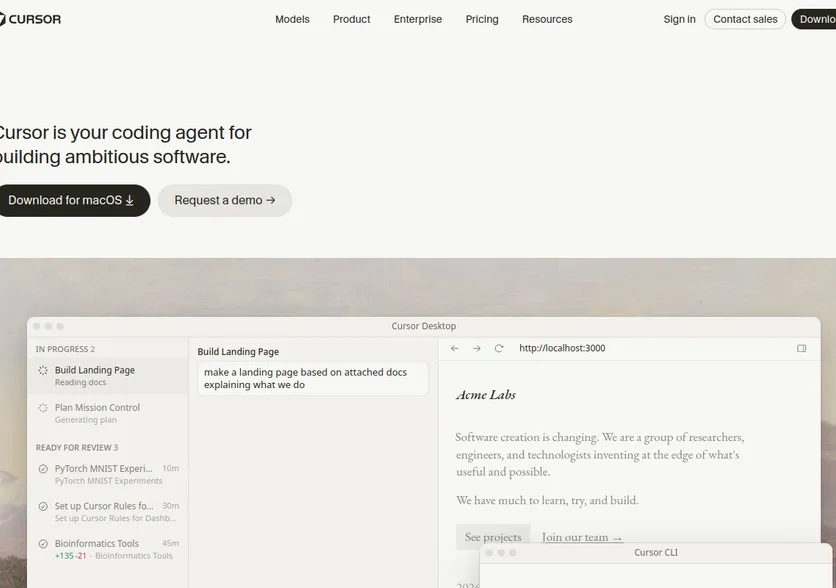
Cursor Pro costs twenty dollars a month, and it is the AI-first IDE in this list. Built on the VS Code codebase with AI baked into every layer, it offers agent mode, multi-file editing and frontier model access, which suits a developer who wants the editor to write, refactor and explain code alongside them. The Pro plan includes a monthly usage pool in dollars, Pro Plus costs sixty dollars a month, and the free Hobby plan has limited requests.
What we like
- Best AI-first editing experience here
- Agent mode handles multi-file changes
- Familiar VS Code foundation and extensions
Watch out for
- Usage pool can run out on heavy agent days
- Heavy AI use needs the higher Pro Plus plan
How to try it
- Download Cursor and sign in
- Open a project and try agent mode on a real task
- Check the usage pool before the billing cycle ends
6. GitHub Copilot
Best for: Developers who want AI assistance inside the editor they already use
Paid tool Starting price: $10/mo · Pro is ten dollars a month, or one hundred dollars a year billed annually; Pro Plus is thirty-nine dollars and Max is one hundred dollars, Business is nineteen dollars per user a month, and since June 2026 plans include AI credits, with code completions unmetered on paid plans
Free plan: Free plan with limited monthly allowance
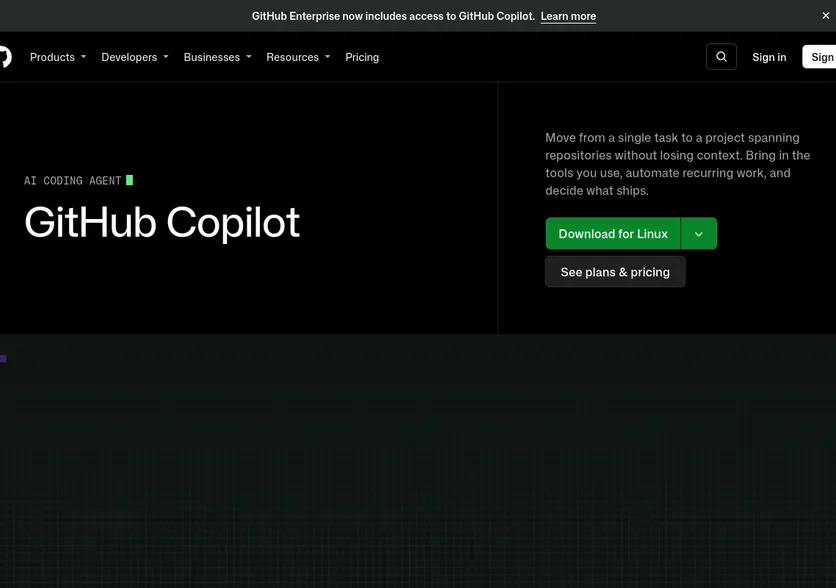
GitHub Copilot Pro costs ten dollars a month, and it is the cheapest AI coding option in this list. It plugs into VS Code, JetBrains, Visual Studio and Neovim, offering code completions, chat, agent mode and a coding agent, which suits a developer who wants AI help without switching editors. The annual plan costs one hundred dollars a year, Business is nineteen dollars per user a month, and since June 2026 plans include AI credits, with completions unmetered on paid plans.
What we like
- Cheapest AI coding entry here
- Works inside the editors you already use
- Deep GitHub integration with a coding agent
Watch out for
- Agent and premium model use draws down credits
- Best value only for GitHub-centric teams
How to try it
- Install Copilot in your editor of choice
- Sign in with a GitHub account and start Pro
- Try agent mode on a real issue or pull request
7. Sublime Text
Best for: Developers who want a fast, lightweight editor with a one-time licence
Paid tool Starting price: $99 one-time · Ninety-nine dollars one time for a personal licence with three years of updates; business licences are sixty-five dollars per seat a year for the first ten seats
Free plan: Free evaluation with no time limit
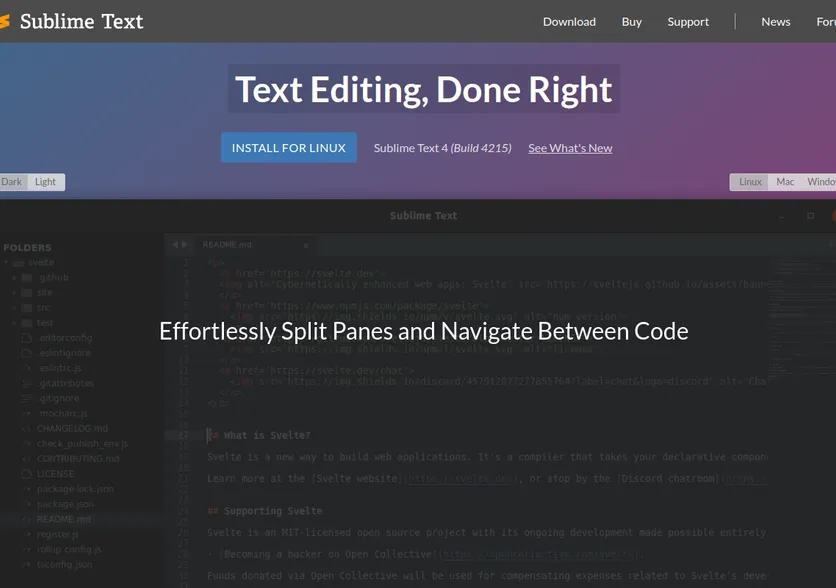
Sublime Text costs ninety-nine dollars one time for a personal licence, and it is the speed-first editor in this list. It opens huge files instantly, runs on very little memory and supports every language through packages, which suits a developer who values raw speed over built-in IDE features. The personal licence includes three years of updates, and business licences cost sixty-five dollars per seat a year for the first ten seats.
What we like
- Fastest editor in this list, even on huge files
- One-time licence, no subscription
- Very low memory use
Watch out for
- No built-in debugger or AI features
- Package setup takes time to get right
How to try it
- Download Sublime Text and install it
- Open a large project and test the speed
- Buy the licence when the evaluation ends
8. Nova
Best for: Mac developers who want a fully native editor and lightweight IDE
Paid tool Starting price: $99 one-time · Ninety-nine dollars plus tax one time, including one full year of updates; an optional renewal at forty-nine dollars a year keeps receiving updates and auto-renews unless cancelled, cancel any time and keep the software, with a thirty-day trial, and it is macOS only, requiring macOS fifteen point six or later
Free plan: 30-day free trial, no free plan
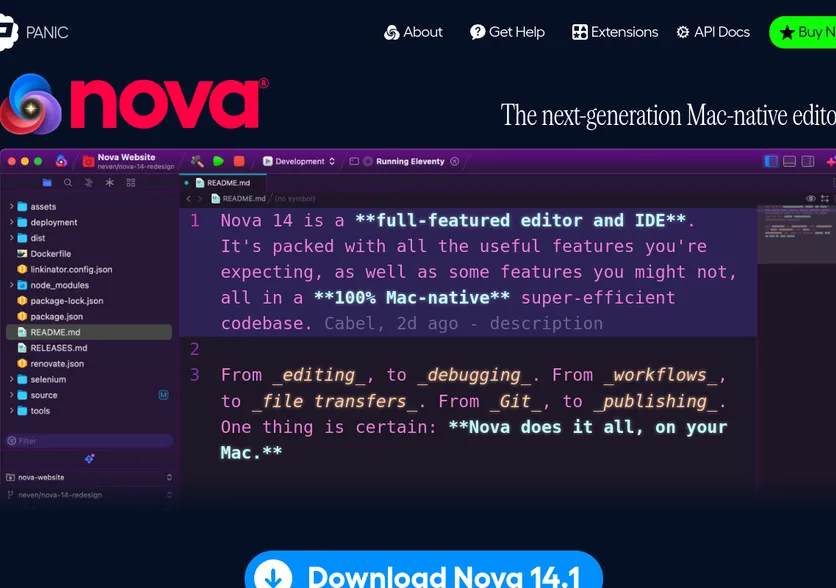
Nova costs ninety-nine dollars plus tax one time, and it is the Mac-native editor in this list. Built entirely on native Mac frameworks, it combines an editor, terminal, Git, debugging and file transfers in one workspace that feels like a first-party Apple app, which suits a Mac developer who cares about speed, battery life and native behavior. The licence includes one full year of updates, with an optional forty-nine dollar a year renewal, and a thirty-day trial is available.
What we like
- Fully native Mac app, fast and light
- Editor, terminal, Git and debugging in one place
- One-time licence, no subscription
Watch out for
- Mac only, no Windows or Linux version
- Updates after year one need the renewal
How to try it
- Download Nova and start the thirty-day trial
- Open a project and set up the built-in terminal
- Test Git, debugging and remote file sync
Prices above were checked on each vendor’s own website on Nov 27, 2026 and can change — the vendor’s page is the final word. Vendor links are editorial: nobody paid to be listed or ranked here. Vendors who want a featured listing can see how it works on our Get listed page.
How a developer should pick an IDE
Start with the language you write most, because an IDE built for your stack will always beat a general editor with plugins. A Java developer needs IntelliJ IDEA, a Python developer needs PyCharm, and a front-end developer needs WebStorm, while a Mac developer may prefer Nova. Next, test the paid edition against the free one on a real project, since the paid features should save time every single day to justify the price. Check the AI limits too, because credit pools and model access decide whether the AI assistant helps or frustrates. Finally, count the team cost, since organization pricing is often far above the individual price.
Before you buy
- Check whether the paid edition adds real value over the free edition for your language
- Confirm the AI features and their limits, including credits and model access
- Count the real yearly cost including renewal discounts and team pricing
- Ask whether the licence is per user and what happens when a developer leaves
- Trial the IDE on a real project for two weeks before you buy a team licence
Official websites
Official websites of the products reviewed above. Features and prices were checked against these sites when this guide was written, and they can change, so confirm on the vendor site before you buy.
Frequently asked questions
What is the cheapest IDE for software development?
GitHub Copilot Pro is the cheapest AI option here at ten dollars a month, or one hundred dollars a year. Cursor Pro costs twenty dollars a month. For a traditional IDE, WebStorm costs seventy-nine dollars a year for individuals, PyCharm Pro one hundred nine dollars and IntelliJ IDEA Ultimate one hundred ninety-nine dollars. Sublime Text and Nova both cost ninety-nine dollars one time, which is the cheapest way to own an editor outright.
What features matter most in an IDE?
A good IDE should offer smart code completion, refactoring, debugging and version control in one place, with support for the frameworks the team actually uses. AI features matter in 2026, so check whether the tool includes an agent mode and how its credits work. The free edition matters too: IntelliJ IDEA and PyCharm have free cores usable commercially, while WebStorm is free only for non-commercial use.
Why are VS Code, Xcode and Android Studio not in this list?
Visual Studio Code, Xcode and Android Studio are all free, which is why they are not in this paid comparison. VS Code is free for private and commercial use, Xcode is free for Apple development, and Android Studio is free for Android development. This list covers the paid IDEs and editors that charge a licence or subscription, so compare the free tools separately before you buy.
Which IDE has the best AI features?
Cursor is the best AI-first pick, with agent mode and multi-file editing built into the editor at twenty dollars a month. GitHub Copilot is the best budget AI pick at ten dollars a month, working inside the editor you already use. JetBrains IDEs include an AI assistant in their paid editions, with credits included. The right AI pick depends on whether you want a new editor or AI inside your current one.
How do I pick an IDE for software development?
Start with the language and stack, because a Java developer needs IntelliJ IDEA while a Mac developer may prefer Nova. Check whether the paid edition adds real value over the free edition for your language, and count the yearly cost including renewals. Trial the IDE on a real project for two weeks, because an editor that feels wrong on day one will not feel better on day thirty.
Compare the eight tools above, then trial the one that fits your stack on a real project for two weeks before you buy.
Browse Developer Tools tools


