
On this page
Multicam editing falls apart when the angles do not line up, and good sync software turns hours of manual alignment into a few clicks. The seven tools below run from about fifty dollars a year to three hundred dollars paid once, and every price was checked on the vendor site on November 26, 2026. Most sync by sound as well as timecode, so compare the workflow and the license rather than the price alone. Final Cut Pro is our first pick — the fastest editor with a license that never expires.
How we researched this
We started with the editors and sync apps video makers actually buy for multicam work, then read each price on the vendor pricing page on November 26, 2026 and noted the free plan or trial each one carries. We judged them for an editor who needs angles lined up fast, a timeline that opens in their editor, and a price that fits a working budget, and we kept only tools with a published price. We dropped PluralEyes, because its standalone version was discontinued and now ships only inside a subscription bundle.
Compare the tools
| Name | Best for | Starting price | Free plan | |
|---|---|---|---|---|
 Adobe Premiere Pro | Editors who want the industry-standard timeline with built-in multicam sync | $34.49/month | No free plan; 7-day free trial | Visit |
 Final Cut Pro | Mac owners who want the fastest editor with a one-time purchase | $299.99 one-time | No free plan; 90-day free trial | Visit |
 DaVinci Resolve Studio | Editors who want a full professional editor for one payment | $295 one-time | Free version with full editing and color tools | Visit |
 Syncaila | Editors who want a dedicated sync app with a permanent license | $249 one-time | Free for up to 20 clips on 2 tracks; 20-day full trial | Visit |
 CamHeard | Shooters who want a modern sync app with a buy-once option | $249 one-time | Free for projects up to 20 clips after the 14-day trial | Visit |
 Wondershare Filmora | Creators who want easy multicam editing at the lowest yearly price | $49.99/year | Free plan with watermarked exports | Visit |
 PowerDirector 365 | Editors who want a full-featured subscription editor with stock media included | $79.99/year | Free Essential plan with limited features | Visit |
The multicam sync software for video editing, compared
1. Adobe Premiere Pro
Best for: Editors who want the industry-standard timeline with built-in multicam sync
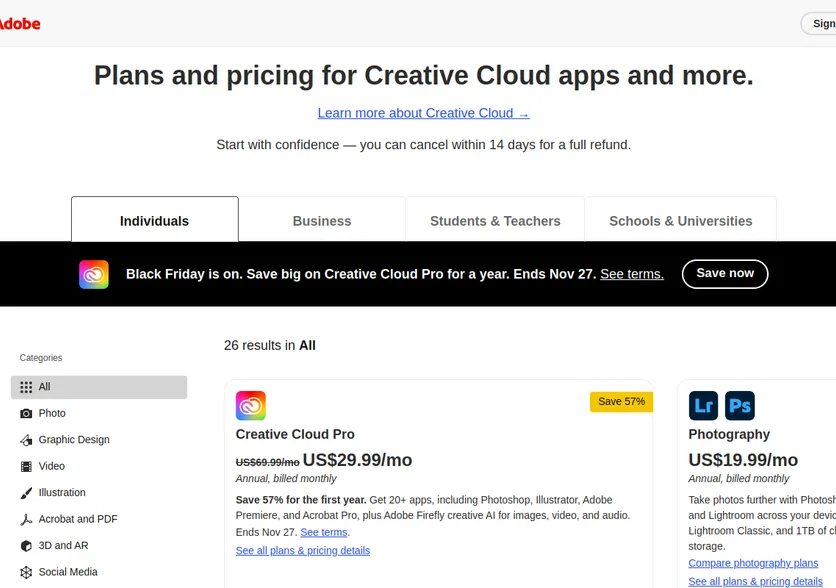
Paid tool Starting price: $34.49/month · Single-app plan, $34.49 a month month-to-month; the annual plan shows $22.99 a month billed monthly, marked first year only for new subscribers
Free plan: No free plan; 7-day free trial
Adobe Premiere Pro is the editor most clients expect, and its multicam mode lines up angles by audio waveforms or timecode without leaving the timeline. This Adobe Premiere Pro single-app plan includes the desktop and mobile apps plus cloud storage, so an editor can cut a wedding or a podcast on the machine in front of them. A freelancer working with client footage will find the widest plugin and template support in this comparison.
What we like
- Multicam sync built into the timeline
- Widest plugin and template support
- Desktop and mobile apps in one plan
Watch out for
- Subscription only, with no one-time purchase
- Annual rate is marked first year only for new subscribers
How to try it
- Start the 7-day trial from the Adobe Premiere Pro page
- Import your camera angles and sync them into a multicam sequence
- Cut between angles live and export the finished edit
2. Final Cut Pro
Best for: Mac owners who want the fastest editor with a one-time purchase
Paid tool Starting price: $299.99 one-time · Mac App Store license, $299.99 paid once; also in Apple Creator Studio at $12.99 a month
Free plan: No free plan; 90-day free trial
Final Cut Pro is the fastest editor on a Mac, built around a magnetic timeline that keeps connected clips in sync as you trim. This Final Cut Pro Mac license costs once and never charges again, and its multicam mode syncs up to sixty-four angles by audio or timecode. A Mac owner cutting weddings, events or interviews will finish the sync step in minutes and keep the software for years.
What we like
- Fastest editing on Apple silicon
- One-time license with no monthly bill
- Multicam clips sync up to sixty-four angles
Watch out for
- Mac only, with no Windows version
- Some premium content needs the Creator Studio subscription
How to try it
- Download the 90-day trial from the Apple Final Cut Pro page
- Import your angles and build a multicam clip
- Switch angles in real time and share the finished video
3. DaVinci Resolve Studio
Best for: Editors who want a full professional editor for one payment
Paid tool Starting price: $295 one-time · Studio license, $295 paid once with free updates; the free version costs nothing
Free plan: Free version with full editing and color tools
DaVinci Resolve Studio is the complete post-production app in this list, with editing, color, audio and effects in one download. This DaVinci Resolve Studio license costs once and covers Windows, Mac and Linux, and its multicam viewer syncs angles by sound, timecode or markers. An editor who grades as well as cuts will find the color tools alone justify the price.
What we like
- One payment covers Windows, Mac and Linux
- Best color grading tools in this comparison
- Free version handles most edits on its own
Watch out for
- Studio-only features include noise reduction and some AI tools
- Learning curve is steeper than simpler editors
How to try it
- Download the free version from the Blackmagic Resolve page
- Buy the Studio license key and enter it in the app
- Sync your angles into a multicam clip and start cutting
4. Syncaila
Best for: Editors who want a dedicated sync app with a permanent license
Paid tool Starting price: $249 one-time · Full license, $249 paid once plus tax; a 3-track license costs $125 and a 6-month license $42
Free plan: Free for up to 20 clips on 2 tracks; 20-day full trial
Syncaila is the specialist of this list, doing one job only: lining up video and audio from many cameras and recorders. This Syncaila Full license is a permanent one-time purchase, and it exports synced timelines to six editing apps including Premiere, Final Cut and Resolve. A wedding videographer or event shooter with separate audio will save hours of manual alignment on every job.
What we like
- Permanent license with lifetime upgrades
- Exports to six editing apps
- Syncs by sound with no timecode needed
Watch out for
- Works through an XML round trip, not inside the editor
- No refunds, so test with the trial first
How to try it
- Download Syncaila and start the 20-day trial
- Export your timeline as XML from your editor
- Sync in Syncaila and import the result back
5. CamHeard
Best for: Shooters who want a modern sync app with a buy-once option
Paid tool Starting price: $249 one-time · Pro for life, $249 paid once for one machine; subscription $12 a month billed annually
Free plan: Free for projects up to 20 clips after the 14-day trial
CamHeard is the newest standalone sync tool in this list, built to replace the discontinued PluralEyes workflow. This CamHeard Pro license is a one-time purchase for one machine, and it syncs footage by sound then exports a timeline to Premiere, Resolve or Final Cut. A shooter who drops in folders and wants a synced timeline back will find it the closest thing to the old PluralEyes habit.
What we like
- Drop folders in, get a synced timeline out
- One-time Pro license with offline activation
- Works fully offline with no account needed
Watch out for
- Needs macOS 15 or later on Apple silicon
- Pro license covers one machine only
How to try it
- Download CamHeard and start the 14-day trial
- Drop your footage folders in and press sync
- Export the timeline to your editor of choice
6. Wondershare Filmora
Best for: Creators who want easy multicam editing at the lowest yearly price
Paid tool Starting price: $49.99/year · Basic plan, $49.99 a year billed annually; Advanced $59.99 a year and Perpetual $79.99 once
Free plan: Free plan with watermarked exports
Filmora is the friendly editor of this list, with a clean timeline, templates and automatic audio sync for multicam projects. This Filmora Basic plan costs less per year than any other subscription here, and it exports watermark-free video in 4K. A YouTuber or small creator cutting interviews and events will get a finished video without learning a professional editor.

What we like
- Cheapest yearly subscription in this comparison
- Simple timeline that new editors learn fast
- Watermark-free 4K export on paid plans
Watch out for
- AI features need credits bought separately on Basic
- Perpetual license covers one platform and one version only
How to try it
- Download Filmora and start with the free plan
- Import your camera angles and sync them by audio
- Edit the multicam clip and export without a watermark
7. PowerDirector 365
Best for: Editors who want a full-featured subscription editor with stock media included
Paid tool Starting price: $79.99/year · 365 plan, $79.99 a year list price; promotions show lower, and monthly billing is $24.99 a month
Free plan: Free Essential plan with limited features
PowerDirector 365 is the value subscription of this list, bundling the editor with stock assets, cloud storage and a monthly allowance of AI credits. This PowerDirector 365 plan syncs multicam clips by audio and includes a large stock library, so a creator can cut an event and dress it with music and b-roll from the same app. A Windows or Mac editor who publishes every week will use the included assets more than the price suggests.
What we like
- Stock library and AI credits included in the price
- Multicam sync with audio matching built in
- Perpetual license available for one payment
Watch out for
- Promotional prices change often, so confirm the list price
- Monthly billing costs far more than the annual rate
How to try it
- Download PowerDirector and try the free Essential plan
- Subscribe to 365 from the CyberLink store
- Sync your multicam clips and cut with the stock library
Prices above were checked on each vendor’s own website on Nov 26, 2026 and can change — the vendor’s page is the final word. Vendor links are editorial: nobody paid to be listed or ranked here. Vendors who want a featured listing can see how it works on our Get listed page.
What multicam sync software costs in 2026
Multicam sync software runs from about fifty dollars a year to three hundred dollars paid once, and the license type matters more than the headline number. A one-time license from Final Cut Pro, DaVinci Resolve Studio, Syncaila or CamHeard stops costing money after day one, while Premiere Pro, Filmora and PowerDirector charge every month or year you keep editing. The headline plan each vendor shows on its own pricing page is the number in the table above, checked on November 26, 2026.
Test the sync on your messiest real footage before you pay, because clean studio audio syncs easily and noisy event audio does not. Run two tools through the same shoot, compare how many clips each one lines up correctly, and check that the synced timeline opens cleanly in your editor. Pick the tool that gets the most clips right, because a sync you must fix by hand is no sync at all.
Before you buy
- Check the sync method, because Syncaila and CamHeard sync by sound while editors sync by timecode too.
- Count the cameras first, because a two-camera shoot and a six-camera shoot need different tools.
- Compare the license type, because Resolve, Final Cut and CamHeard sell once while Premiere rents monthly.
- Test the sync on real footage, because clean studio audio syncs far easier than noisy event audio.
- Confirm the export format, because the synced timeline must open in the editor you already use.
Official websites
Official websites of the products reviewed above. Features and prices were checked against these sites when this guide was written, and they can change, so confirm on the vendor site before you buy.
Frequently asked questions
Which multicam sync software is best for video editing in 2026?
Final Cut Pro, at two hundred ninety-nine dollars and ninety-nine cents paid once, is the safest default for Mac owners because it is the fastest editor here and never charges again. DaVinci Resolve Studio costs a similar one-time price and runs on every platform, while Premiere Pro suits editors who need the industry-standard timeline and client compatibility. Syncaila is the pick when syncing alone is the job.
How much does multicam sync software cost?
One-time licenses here cost between two hundred forty-nine and three hundred dollars, while subscriptions run from about fifty dollars a year for Filmora to about four hundred fourteen dollars a year for Premiere Pro on monthly billing. A one-time license stops costing money after day one, so it wins for anyone who edits for more than a year. Compare the total over two years before you choose.
Is there a free multicam sync tool?
Yes. DaVinci Resolve has a genuinely free version with full editing and multicam tools, and PowerDirector offers a free Essential plan with limits. Syncaila and CamHeard stay free for small projects of up to twenty clips, and Final Cut Pro offers a ninety-day trial. The free options cover most small shoots without paying anything.
What is the best dedicated multicam sync app?
Syncaila and CamHeard are the dedicated sync apps, and both sync by sound with no timecode needed. Syncaila exports through an XML round trip to six editors, while CamHeard drops footage folders in and hands back a timeline. Editors like Premiere, Final Cut and Resolve also sync inside the timeline, so a dedicated app only pays when shoots get messy.
What should I look for in multicam sync software?
Look for sync by sound as well as timecode, because real shoots rarely have clean timecode on every camera. Check the export format, since the synced timeline must open in your editor, and test with noisy audio before you buy. Count the cameras too, because a two-camera interview and a six-camera concert need different tools.
Need more video help too? Try Toolsvine's free video tools right in your browser.
Browse Video Tools tools


