
On this page
Freelance work is a juggling act: client calls, deadlines, invoices and the actual work, all competing for the same hours. Productivity software gives you one place to track time, block distractions and plan the day, so the hours you bill match the hours you work. The eight tools below cover three jobs: time tracking, focus and distraction blocking, and calendars that plan the day for you. Toggl Track is our first pick — simple time tracking for nine dollars a user a month, with a free plan for five users.
How we researched this
We started with the productivity tools freelancers actually use to track time, stay focused and plan the day, then read each price on the vendor pricing page on November 26, 2026 and noted what the free plan really covers. We judged them for a freelancer who bills by the hour, fights distractions alone, and needs the tool to stay simple. We kept only tools with a published price, and we dropped any tool whose price we could not verify; Forest was dropped because its pricing model changed and the old one-time price no longer applies.
Compare the tools
| Name | Best for | Starting price | Free plan | |
|---|---|---|---|---|
 Toggl Track | Freelancers who bill by the hour and want simple tracking | $9/user/month | Free plan for up to 5 users | Visit |
 Clockify | Freelancers who want a tracker that costs almost nothing | $5.49/user/month | Free plan, unlimited users | Visit |
 RescueTime | Freelancers who lose hours to the browser | $7/month | Free Lite plan | Visit |
 Freedom | Freelancers who open social media on autopilot | $3.33/month | Free basic blocking plan | Visit |
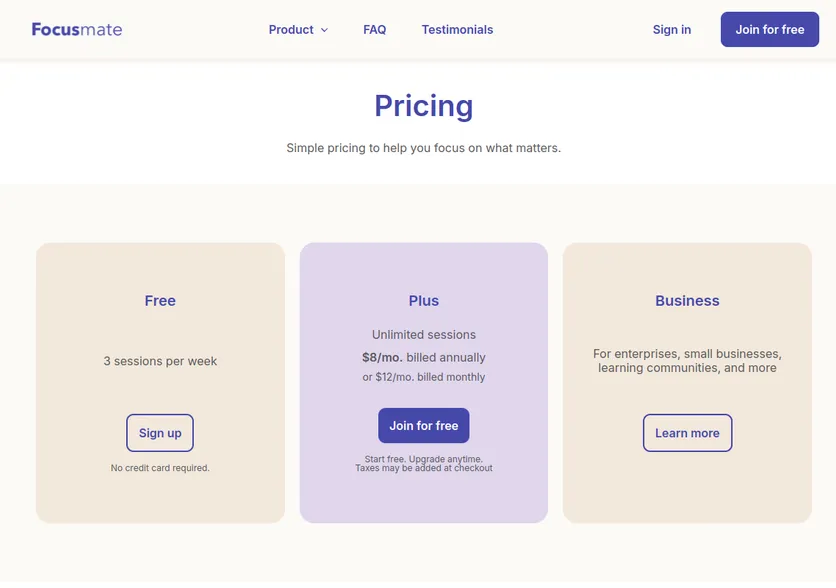
 Focusmate | Freelancers who focus better with a partner | $8/month | Free plan, 3 sessions a week | Visit |
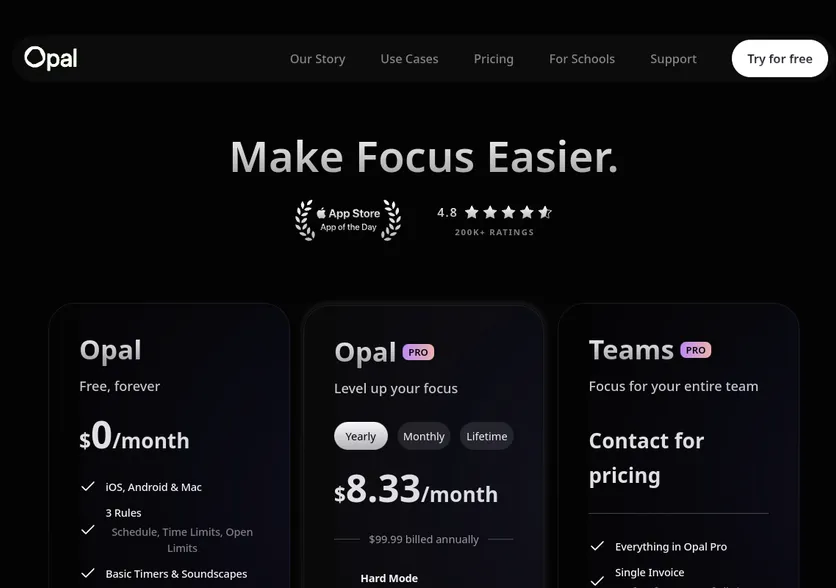
 Opal | Freelancers who lose hours to the phone | $8.29/month | Free plan, 1 rule | Visit |
 Motion | Freelancers whose days change constantly and need auto-scheduling | $19/seat/month | 7-day free trial; no free plan | Visit |
 Sunsama | Freelancers who want one realistic plan for each day | $20/month | 14-day free trial; no free plan | Visit |
The productivity software for freelancers, compared
1. Toggl Track
Best for: Freelancers who bill by the hour and want simple tracking
Paid tool Starting price: $9/user/month · Starter plan, $9 a user a month billed annually or $10 a user a month billed monthly; free plan covers 5 users
Free plan: Free plan for up to 5 users
Toggl Track is the time tracker freelancers reach for when they want to log hours without learning a new system. This Toggl Track Starter plan covers unlimited time entries, billable rates, project tracking and reports for nine dollars a user a month. A freelancer who bills by the hour can start a timer in one click, see the week at a glance, and send a client an honest invoice.

What we like
- One-click timer that just works
- Billable rates and reports on Starter
- Free plan for five users
Watch out for
- Starter costs nine dollars a user a month billed annually
- No built-in invoicing on the tracker
How to try it
- Open the Toggl Track pricing page and create a free account
- Add your clients and projects
- Start the timer when you begin work and stop it when you finish
2. Clockify
Best for: Freelancers who want a tracker that costs almost nothing
Paid tool Starting price: $5.49/user/month · Basic plan, $5.49 a user a month billed annually or $6.99 a user a month billed monthly; free plan covers unlimited users
Free plan: Free plan, unlimited users
Clockify is the free-first time tracker that gives a freelancer unlimited users and solid reports at no cost. This Clockify Basic plan covers unlimited projects, time off, invoicing and admin controls for about five dollars fifty cents a user a month. A freelancer who wants a tracker that costs almost nothing can start free, add clients and projects, and upgrade only when the team grows.

What we like
- Free plan covers unlimited users
- Basic costs about five dollars fifty cents a user
- Invoicing included on Basic
Watch out for
- Basic is about five dollars fifty cents a user a month billed annually
- The interface is plainer than Toggl
How to try it
- Open the Clockify pricing page and create a free account
- Add your projects and clients
- Track time with the timer or enter it by hand
3. RescueTime
Best for: Freelancers who lose hours to the browser
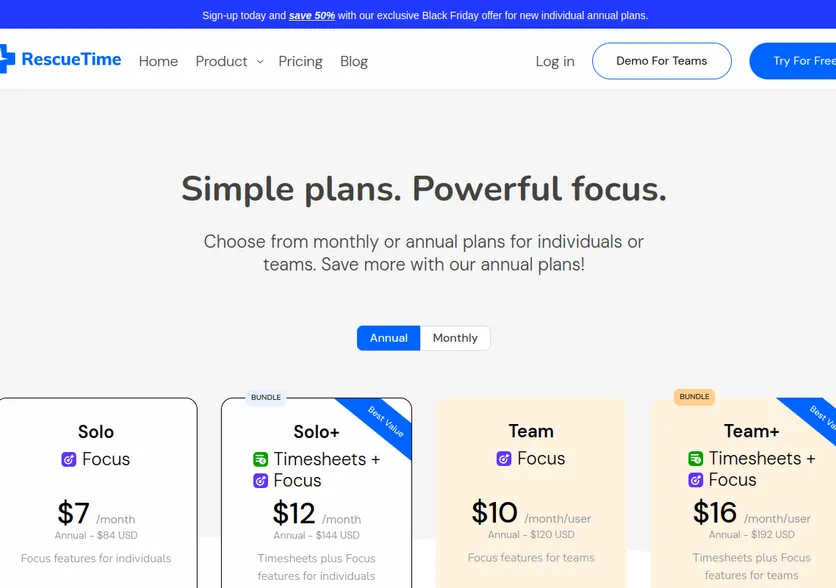
Paid tool Starting price: $7/month · Solo Focus plan, $7 a month billed annually or $9 a month billed monthly; Lite plan is free
Free plan: Free Lite plan
RescueTime is the focus coach that shows a freelancer exactly where the day went, then helps them get it back. This RescueTime Solo Focus plan covers automatic time tracking, focus sessions, goals and detailed reports for seven dollars a month. A freelancer who loses hours to the browser can see the pattern, block the worst sites, and protect two focused hours a day.
What we like
- Automatic tracking shows where time really goes
- Focus sessions block distracting sites
- Free Lite plan to try it
Watch out for
- Solo Focus costs seven dollars a month billed annually
- Reports take a week to become useful
How to try it
- Open the RescueTime pricing page and create a free account
- Install the app and let it track your day
- Start a focus session and block distracting sites
4. Freedom
Best for: Freelancers who open social media on autopilot
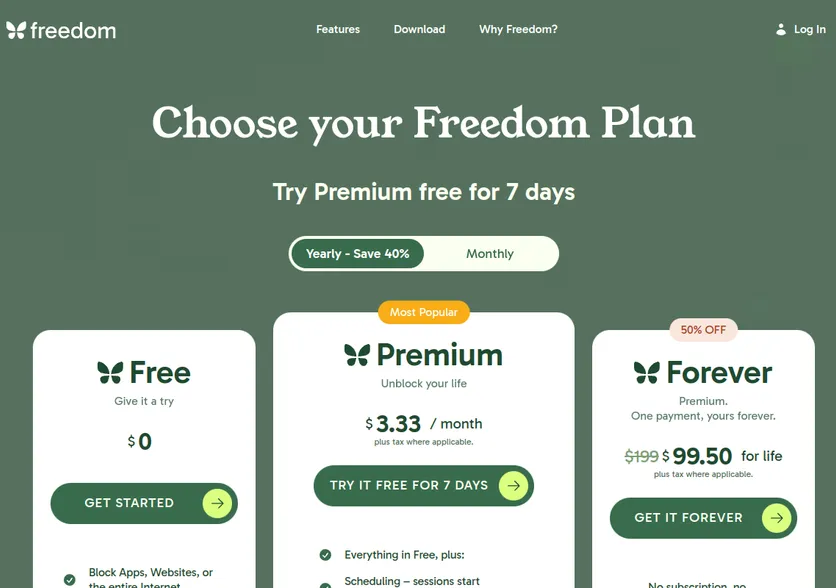
Paid tool Starting price: $3.33/month · Premium plan, $3.33 a month billed annually or $8.99 a month billed monthly; Forever plan is $99.50 one-time
Free plan: Free basic blocking plan
Freedom is the distraction blocker that locks the apps and sites a freelancer keeps opening instead of working. This Freedom Premium plan covers unlimited blocklists, scheduled sessions, locked mode and sync across devices for about three dollars thirty three cents a month. A freelancer who opens social media on autopilot can start a session, lock the distractions, and work without willpower.
What we like
- Blocks sites and apps across all devices
- Premium costs about three dollars a month billed annually
- Locked mode stops you cheating
Watch out for
- Premium is about three dollars a month billed annually
- No time tracking built in
How to try it
- Open the Freedom pricing page and create a free account
- Build a blocklist of your distracting sites and apps
- Start a session and work until it ends
5. Focusmate
Best for: Freelancers who focus better with a partner
Paid tool Starting price: $8/month · Plus plan, $8 a month billed annually or $12 a month billed monthly; free plan covers 3 sessions a week
Free plan: Free plan, 3 sessions a week
Focusmate is the virtual coworking tool that pairs a freelancer with a real person for a focused work session. This Focusmate Plus plan covers unlimited sessions, scheduling, community events and accountability for eight dollars a month. A freelancer who works alone can book a fifty-minute session, state the goal out loud, and work alongside a partner who keeps them honest.
What we like
- A real partner makes focus easier
- Plus covers unlimited sessions
- Free plan covers three sessions a week
Watch out for
- Plus costs eight dollars a month billed annually
- Needs a quiet space and a webcam
How to try it
- Open the Focusmate pricing page and create a free account
- Book a fifty-minute session
- State your goal, work quietly, and report back at the end
6. Opal
Best for: Freelancers who lose hours to the phone
Paid tool Starting price: $8.29/month · Pro plan, $8.29 a month billed annually ($99.99 a year) or $19.99 a month billed monthly; free plan covers 1 rule
Free plan: Free plan, 1 rule
Opal is the screen-time app that helps a freelancer reclaim the hours lost to the phone. This Opal Pro plan covers unlimited blocking, focus sessions, app limits and detailed screen-time reports for about eight dollars a month. A freelancer who checks the phone a hundred times a day can set a limit, see the pattern, and get the hours back.
What we like
- Clear screen-time reports show the pattern
- Pro costs about eight dollars a month billed annually
- Focus sessions built in
Watch out for
- Pro is about eight dollars a month billed annually
- Works best on mobile, less so on desktop
How to try it
- Open the Opal pricing page and create a free account
- Set a limit on your most distracting apps
- Start a focus session when you begin work
7. Motion
Best for: Freelancers whose days change constantly and need auto-scheduling
Paid tool Starting price: $19/seat/month · Pro AI plan, $19 a seat a month billed annually; Business AI is $29 a seat a month
Free plan: 7-day free trial; no free plan
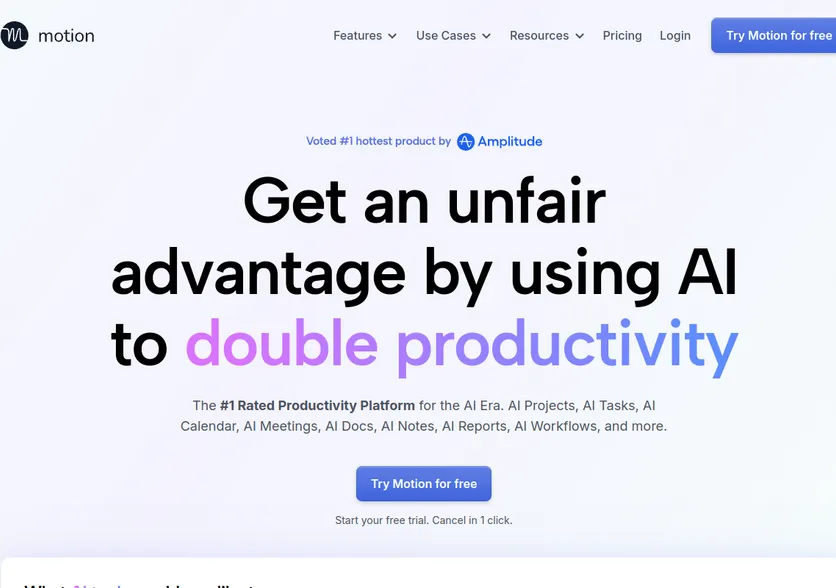
Motion turns a freelancer calendar into a plan that rebuilds itself every time a client moves a deadline. This Motion Pro AI plan covers automatic scheduling, task management, calendar sync and project management for nineteen dollars a seat a month. A freelancer who spends the morning re-planning can let the tool do it instead, and follow the plan it builds.
What we like
- The calendar rebuilds itself when priorities change
- Tasks and projects in one place
- Saves an hour of planning a day
Watch out for
- Pro AI costs nineteen dollars a seat a month
- No free plan, only a seven-day trial
How to try it
- Open the Motion pricing page and start the 7-day trial
- Add your tasks and connect your calendar
- Follow the schedule Motion builds each morning
8. Sunsama
Best for: Freelancers who want one realistic plan for each day
Paid tool Starting price: $20/month · Pro plan, $20 a month billed annually or $25 a month billed monthly
Free plan: 14-day free trial; no free plan
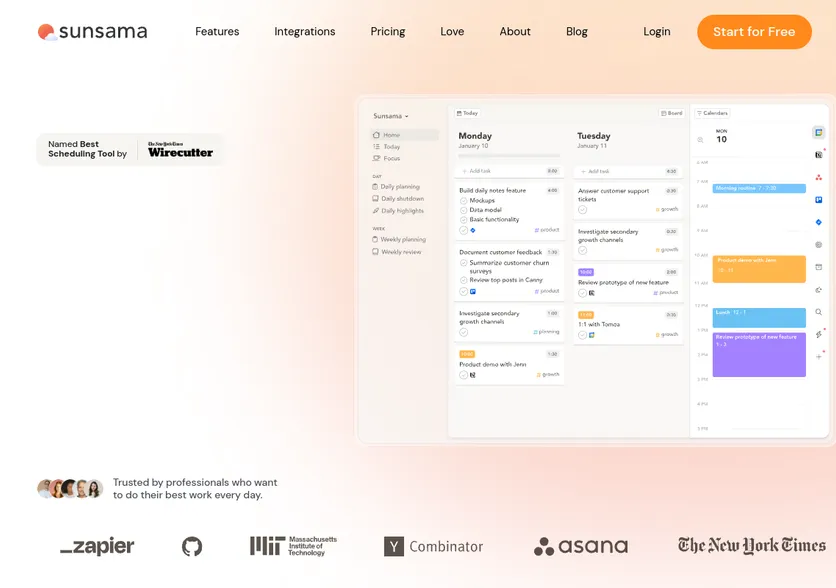
Sunsama turns a long freelance task list into one realistic day, then guides you through it without the guilt. This Sunsama Pro plan covers guided planning, focus mode, calendar integration and task imports for twenty dollars a month. A freelancer who ends the day with a full list and no sense of progress can plan one day at a time and actually finish it.
What we like
- Guided planning that ends each day
- Focus mode keeps you on one task
- Imports tasks from the tools you already use
Watch out for
- Pro costs twenty dollars a month billed annually
- No free plan, only a fourteen-day trial
How to try it
- Open the Sunsama pricing page and start the 14-day trial
- Pull in your tasks and drag them into today
- Use focus mode to work through one task at a time
Prices above were checked on each vendor’s own website on Nov 26, 2026 and can change — the vendor’s page is the final word. Vendor links are editorial: nobody paid to be listed or ranked here. Vendors who want a featured listing can see how it works on our Get listed page.
What productivity software costs a freelancer in 2026
Productivity for freelancers is cheap, and the free plans are genuinely usable. Clockify is free for unlimited users, Toggl Track is free for five, and RescueTime Lite, Focusmate and Opal all have a free tier. The paid plans run three to nine dollars a month for trackers and blockers: Freedom about three, Clockify Basic about five dollars fifty cents a user, RescueTime seven, Focusmate eight, Opal about eight, and Toggl Track Starter nine. The calendar planners cost more: Motion nineteen dollars a seat a month and Sunsama twenty.
Start free on a tracker and a blocker, and add a planner only if your days keep changing.
Before you buy
- Start with the free plan, because Clockify is free for unlimited users and Toggl Track for five.
- Pick tracking or blocking first, because a timer and a blocker solve different problems.
- Check the device support, because Opal works best on mobile and Freedom syncs everywhere.
- Compare the annual price, because monthly billing costs roughly a third more on most of these tools.
- Test the focus feature, because a blocker you can switch off in one tap is worthless.
Official websites
Official websites of the products reviewed above. Features and prices were checked against these sites when this guide was written, and they can change, so confirm on the vendor site before you buy.
Frequently asked questions
What is the best productivity software for a freelancer in 2026?
Toggl Track Starter, at nine dollars a user a month billed annually, is the best default for freelancers who bill by the hour because the timer is one click and the free plan covers five users. Clockify is the cheapest tracker, free for unlimited users, and Freedom Premium is the best focus buy at about three dollars a month billed annually.
How much does productivity software cost a freelancer?
Most trackers and blockers cost three to nine dollars a month: Freedom about three, Clockify Basic about five dollars fifty cents a user, RescueTime seven, Focusmate eight, Opal about eight, and Toggl Track Starter nine. Calendar planners cost more, with Motion at nineteen dollars a seat a month and Sunsama at twenty. Clockify is free for unlimited users.
Is Clockify really free?
Yes, for time tracking. Clockify is free for unlimited users, with unlimited projects, reports and a timer at no cost. The Basic plan, at about five dollars fifty cents a user a month billed annually, adds invoicing, time off and admin controls. A solo freelancer can run on the free plan for months before needing to pay.
What is the cheapest focus app for freelancers?
Freedom Premium, at about three dollars a month billed annually, is the cheapest focus app here, and it blocks sites and apps across all your devices. RescueTime Solo Focus is seven dollars a month and adds automatic tracking, while Focusmate Plus is eight dollars a month and adds a real accountability partner. Start with Freedom if blocking is the job.
Do I need a calendar planner like Motion, or is a tracker enough?
A tracker is enough when your days are mostly yours to plan, and Toggl Track or Clockify will serve you well. A calendar planner earns its price when clients interrupt your day, because Motion rebuilds your schedule the moment priorities change. Try a tracker first, and add Motion only if you keep re-planning the day by hand.
Work smarter every day? Explore Toolsvine's free productivity tools right in your browser.
Browse Productivity Tools tools


