
On this page
Deployment automation turns a stressful manual release into a button press, and the right tool pays for itself the first time a deploy goes wrong at midnight. DeployHQ leads this list for simplicity at $9 a month, but the best pick depends on whether you need CI, GitOps or formal releases. These seven paid tools cover deployment from $6 a month, with prices verified on each vendor site in November 2026.
How we researched this
We picked tools with published per-month prices, a plan a small team can afford, and deployment automation that works on real projects rather than demo apps. Every price below was read on the vendor pricing page and checked against a second source where the page was hard to read. Tools with usage-only pricing and no plan price were left out.
Compare the tools
| Name | Best for | Starting price | Free plan | |
|---|---|---|---|---|
 DeployHQ | Small teams that want simple deployments without a CI pipeline | $9/month | Free plan with 1 project | Visit |
 CircleCI | Teams that want CI/CD with usage-based pricing | $15/month | Free plan with 6,000 build minutes a month | Visit |
 Azure DevOps | Teams that want DevOps with the first five users free | $6/month | First 5 users free | Visit |
 GitLab | Teams that want code, CI and issues in one platform | $29/month | Free tier available | Visit |
 Buddy | Small teams that want visual pipelines with simple pricing | $29/month | Free plan with usage credit | Visit |
 Codefresh | Teams that deploy to Kubernetes with GitOps workflows | $99/month | Free plan for up to 3 users | Visit |
 Octopus Deploy | Teams that need structured releases with approvals and rollbacks | $360/month | Free tier with 10 projects | Visit |
The 7 best deployment automation tools
1. DeployHQ
Best for: Small teams that want simple deployments without a CI pipeline
Paid tool Starting price: $9/month · Solo $9 a month, 3 projects and 15 servers; Pro $19, Business $39, Enterprise $99
Free plan: Free plan with 1 project
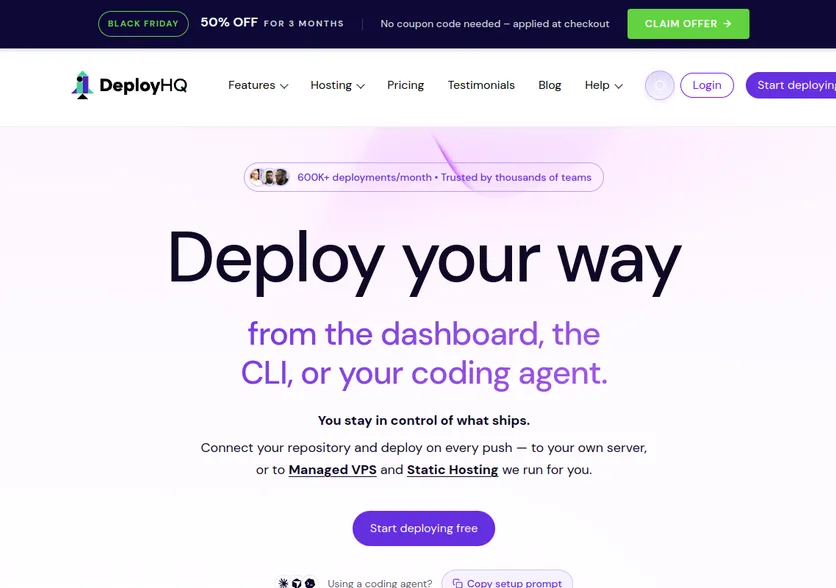
DeployHQ does one job well: it takes code from a repository and ships it to a server, with no CI pipeline to learn. This DeployHQ Solo plan costs $9 a month and covers three projects and fifteen servers, with a free tier for a single project. The vendor currently runs a seasonal offer, but the list price is the honest number to budget around.
What we like
- Simplest deployment flow on this list
- Free tier covers one project
- Fast setup with no pipeline config
Watch out for
- No CI features, deployment only
- Solo plan caps at three projects
How to try it
- Start the free plan and connect one repository
- Add a server and set the deployment path
- Run the first deploy and check the site updates
2. CircleCI
Best for: Teams that want CI/CD with usage-based pricing
Paid tool Starting price: $15/month · Performance from $15 a month with 30,000 credits included; 1 credit costs $0.0006
Free plan: Free plan with 6,000 build minutes a month
CircleCI is the CI/CD veteran, running builds and tests in the cloud with a credit system that scales with use. This CircleCI Performance plan starts from $15 a month and includes 30,000 credits, with extra users and credits billed on top. The free plan covers 6,000 build minutes a month, so small projects can run CI without paying.
What we like
- Mature CI with a huge integration library
- Free plan covers 6,000 build minutes
- Credit pricing scales with real use
Watch out for
- Credit maths takes time to learn
- Costs can spike on busy months
How to try it
- Start the free plan and connect your repository
- Add a config file to define the build and test steps
- Run the first build and watch the credits used
3. Azure DevOps
Best for: Teams that want DevOps with the first five users free
Paid tool Starting price: $6/month · Basic $6 per user a month after the first 5 users free; Basic plus Test Plans $52
Free plan: First 5 users free
Azure DevOps is the Microsoft platform for code, pipelines and boards, and its pricing is kind to small teams. This Azure DevOps Basic plan costs $6 per user a month after the first five users are free, which makes a five-person team effectively free. Extra hosted parallel jobs cost $40 a month, so check whether one job is enough before budgeting.
What we like
- First five users are free
- Full DevOps suite in one place
- Strong integration with Microsoft tools
Watch out for
- Interface can feel heavy for small teams
- Extra parallel jobs cost $40 a month
How to try it
- Create an organisation and invite up to five users free
- Add a pipeline for your main repository
- Run the first build and deploy to your target
4. GitLab
Best for: Teams that want code, CI and issues in one platform
Paid tool Starting price: $29/month · Premium $29 per user a month billed annually, SaaS; 10,000 CI/CD minutes included
Free plan: Free tier available
GitLab is the all-in-one DevOps platform, covering code hosting, CI/CD and issue tracking in a single system. This GitLab Premium plan costs $29 per user a month on annual billing for the SaaS version, with 10,000 CI/CD minutes included. The free tier covers the basics, so small teams can run the whole workflow before paying for the extras.

What we like
- Code, CI and issues in one platform
- Free tier covers the basics well
- Strong security scanning built in
Watch out for
- Premium tier is a jump from free
- Top tier pricing is now custom only
How to try it
- Create a free account and import your repository
- Add a CI config to build and test on every push
- Upgrade to Premium for more minutes and advanced features
5. Buddy
Best for: Small teams that want visual pipelines with simple pricing
Paid tool Starting price: $29/month · Pro $29 a month, 1 seat, with pay-as-you-go usage on top; Team $299
Free plan: Free plan with usage credit
Buddy builds deployment pipelines with a visual editor, which suits teams that prefer dragging boxes to writing config files. This Buddy Pro plan costs $29 a month for one seat, with pay-as-you-go usage charged on top for build minutes. The free plan includes a small monthly usage credit, so a tiny project can run without a bill.
What we like
- Visual pipeline editor is easy to learn
- Free plan includes a usage credit
- Fast setup for small projects
Watch out for
- Usage fees stack on top of the plan price
- Smaller community than bigger CI tools
How to try it
- Start the free plan and connect your repository
- Build a pipeline by dragging actions onto the canvas
- Run the first deploy and check the result
6. Codefresh
Best for: Teams that deploy to Kubernetes with GitOps workflows
Paid tool Starting price: $99/month · Basic $99 a month billed annually; Professional $250; free plan up to 3 users
Free plan: Free plan for up to 3 users
Codefresh is the GitOps-native platform for teams that deploy to Kubernetes and want every release tracked in Git. This Codefresh Basic plan costs $99 a month on annual billing, with a free plan for up to three users and 120 builds a month. The price is higher than simpler tools, but the GitOps workflow is the point for teams that live in Kubernetes.
What we like
- GitOps workflow built for Kubernetes
- Free plan covers three users
- Dashboards show every deployment clearly
Watch out for
- Overkill for teams not on Kubernetes
- Price is high for small teams
How to try it
- Start the free plan and connect your Git repository
- Add a GitOps runtime for your cluster
- Run the first deploy and watch it sync from Git
7. Octopus Deploy
Best for: Teams that need structured releases with approvals and rollbacks
Paid tool Starting price: $360/month · Professional Cloud $4,330 a year, annual billing only; Professional Server $2,080 a year; free tier covers 10 projects
Free plan: Free tier with 10 projects
Octopus Deploy is the release management specialist, built for teams that deploy often and need approvals, rollbacks and audit trails. This Octopus Deploy Professional Cloud plan costs $360 a month on annual billing, or $4,330 a year, with a free tier covering ten projects. Older figures still circulate online, but the current vendor price list is the source used here.

What we like
- Approvals and rollbacks built in
- Free tier covers ten projects
- Strong audit trails for regulated teams
Watch out for
- Highest price on this list by far
- Annual billing only on the cloud plan
How to try it
- Start the free tier and add your first project
- Define the deployment steps and approval gates
- Run the first release and test the rollback
Prices above were checked on each vendor’s own website on Nov 26, 2026 and can change — the vendor’s page is the final word. Vendor links are editorial: nobody paid to be listed or ranked here. Vendors who want a featured listing can see how it works on our Get listed page.
How to automate deployments without breaking production
Start with one project and one environment, automate the deploy to staging first, and only point the pipeline at production once staging deploys have worked ten times in a row. Add a rollback step before you add new features, because the ability to undo a bad release matters more than any other feature on this list. Keep the deployment log where the whole team can see it, so everyone knows what shipped and when, without asking in chat.
Before you buy
- Count the projects, users and build minutes you need, because deployment tools bill on all three.
- Check whether the plan covers your deployment targets, such as cloud, servers and Kubernetes, not just one of them.
- Confirm the rollback flow before you buy, because a bad deploy needs a one-click undo.
- Ask whether build minutes are included or metered separately, since usage billing surprises teams.
- Run one real deploy on the free tier to test the pipeline end to end before moving production over.
Official websites
Official websites of the products reviewed above. Features and prices were checked against these sites when this guide was written, and they can change, so confirm on the vendor site before you buy.
Frequently asked questions
What is the cheapest deployment automation tool?
Azure DevOps costs $6 per user a month after the first five users are free, the lowest paid entry here. DeployHQ follows at $9 a month flat, CircleCI from $15 and GitLab at $29. Octopus Deploy is the premium pick at $360 a month, aimed at teams that need formal release management rather than simple deploys.
Can small teams automate deployments for free?
Yes, every tool here offers a free tier, and Azure DevOps gives the first five users free, which covers a whole small team. DeployHQ free covers one project, Octopus free covers ten, and CircleCI free covers 6,000 build minutes a month. Start free and pay only when a limit you actually hit forces the upgrade.
Which deployment tool is easiest for beginners?
DeployHQ is the simplest pick, because it ships code to a server with no CI pipeline to configure. Buddy is also visual and easy to learn. CircleCI and GitLab need config files and more setup, but they handle testing and building as well as deployment, so the extra effort buys more capability.
Do these tools support rollbacks?
Yes, Octopus Deploy and GitLab both support approvals, audit trails and one-click rollbacks on paid tiers. Octopus is built around release management, so it is the strongest pick when a bad deploy must be undone fast. Check that the rollback feature sits on the plan you buy, because it is often a paid-tier feature.
What is GitOps and do I need it?
GitOps means the desired state of your system lives in Git, and the deployment tool syncs the cluster to match it. Codefresh is built around this model, which suits teams running Kubernetes. For simpler setups, a push-to-deploy tool like DeployHQ is faster to set up and easier to reason about.
Keep the rest of your toolkit free — try Toolsvine's browser tools for invoices, budgets and time right now.
Browse Developer Tools tools


