
On this page
A deploy that ships a known vulnerability costs far more than the scan that would have caught it, so compliance tooling belongs in the pipeline, not after it. The eight tools below run from five dollars a contributor a month to three hundred ninety-nine dollars a month, and every price was checked on the vendor site on November 27, 2026. Some bill per developer and others charge a flat monthly rate, while a few gate deploys on lines of code. Snyk is our first pick — code and dependency scanning that blocks risky deploys.
How we researched this
We started with the code scanners and deployment tools teams actually use to gate releases, then read each price on the vendor pricing page on November 27, 2026 and noted the free plan each one carries. We judged them for a team that deploys often and needs security and quality checks to block a bad release without slowing delivery. We dropped Harness, Checkmarx, Veracode and Endor Labs because none of them publishes a list price, and we dropped Jenkins because it is free open source with no paid plan to compare.
Compare the tools
| Name | Best for | Starting price | Free plan | |
|---|---|---|---|---|
 Snyk | Teams that want code and dependency scanning that blocks risky deploys | $25/developer/month | Free plan, $0 for individual developers | Visit |
 Semgrep | Teams that want fast static analysis with clear rules for every finding | $30/contributor/month | Free Edition, up to 10 contributors | Visit |
 SonarQube Cloud | Small teams that want code quality and security gates at the lowest entry price | $34/month | Free tier, up to 50,000 lines of private code | Visit |
 Octopus Deploy | Teams that deploy the same app to many servers and need staged releases | $45/month | Free tier, 10 projects, 10 targets and 10 users | Visit |
 GitLab Ultimate | Teams already on GitLab that want compliance controls inside the same platform | $99/user/month | Free tier exists, with basic CI and repos | Visit |
 Spacelift | Infrastructure teams that want policy checks on every Terraform change | $399/month | Free plan, 2 users | Visit |
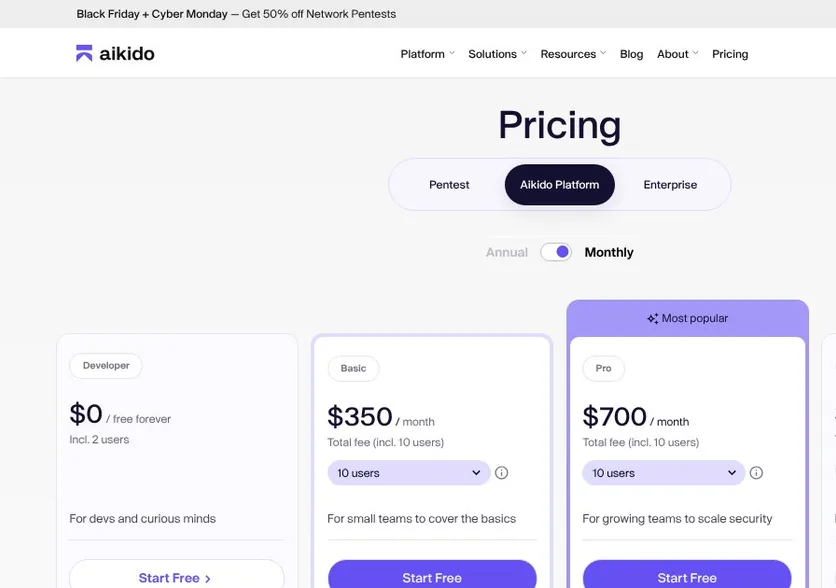
| Aikido Security | Small security teams that want a flat monthly price for code and cloud scanning | $350/month | Free Developer plan, 2 users and 10 repos | Visit |
 Qodana Ultimate | JetBrains teams that want code quality gates at five dollars per contributor | $5/contributor/month | Free Community tier exists | Visit |
The deployment compliance software, compared
1. Snyk
Best for: Teams that want code and dependency scanning that blocks risky deploys
Paid tool Starting price: $25/developer/month · Team plan, twenty-five dollars per contributing developer a month; five-developer minimum and ten-developer maximum; smallest monthly bill is one hundred twenty-five dollars
Free plan: Free plan, $0 for individual developers
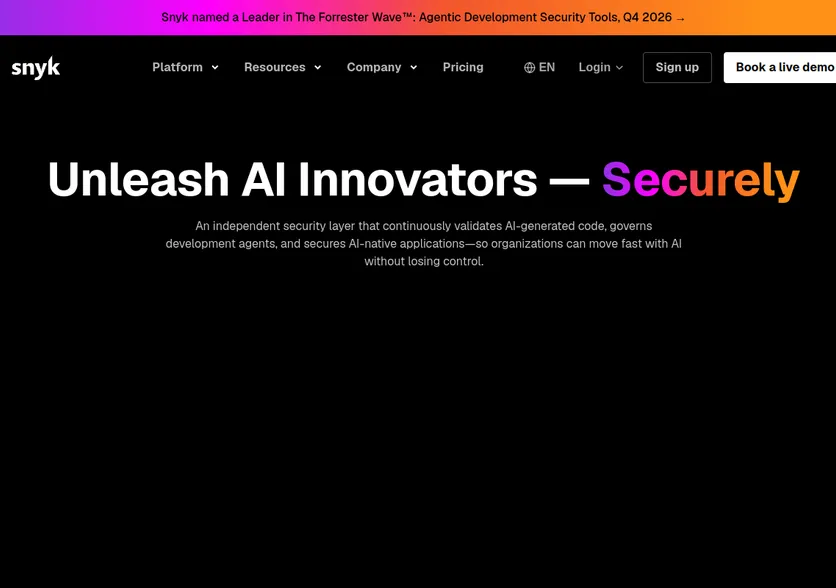
Snyk scans code, dependencies, containers and infrastructure as code, then blocks a deploy when a known vulnerability slips through. This Snyk Team plan costs twenty-five dollars per contributing developer a month, with a five-developer minimum and a ten-developer maximum. A small team gets vulnerability scanning across its whole stack for a smallest bill of one hundred twenty-five dollars a month, though larger teams must move to the Business tier and the per-developer meter rewards keeping the contributor count low.
What we like
- Scans code, dependencies and containers in one place
- Blocks risky deploys with clear policies
- Free plan for individual developers
Watch out for
- Five-developer minimum, so a two-person team pays for five
- Larger teams must move to the dearer Business tier
How to try it
- Open the Snyk plans page and check the Team limits
- Connect your repos and run a first scan on the free plan
- Set a policy that blocks deploys with critical vulnerabilities
2. Semgrep
Best for: Teams that want fast static analysis with clear rules for every finding
Paid tool Starting price: $30/contributor/month · Teams plan, thirty dollars per contributor a month for Code; Supply Chain costs thirty dollars and Secrets fifteen dollars, each bought separately
Free plan: Free Edition, up to 10 contributors
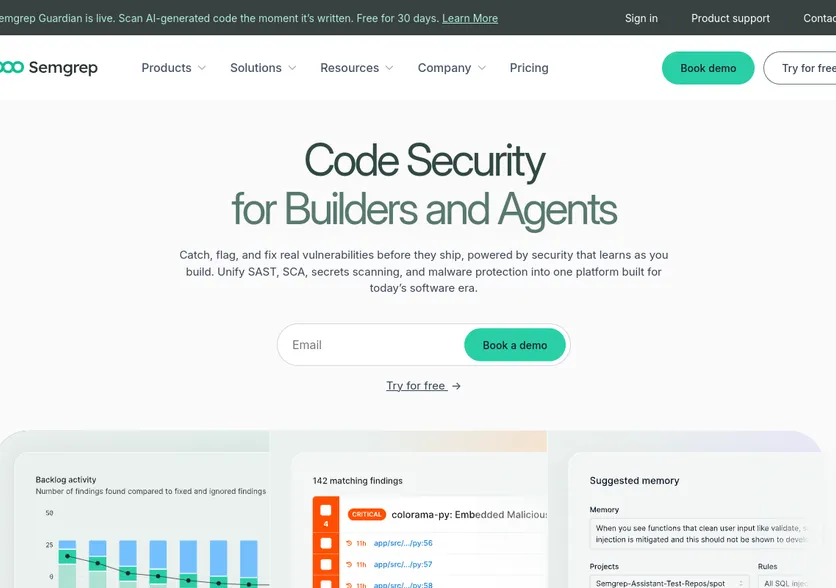
Semgrep scans code with readable rules that a team can write and tune itself, so findings come with a clear reason instead of a black-box warning. This Semgrep Teams plan costs thirty dollars per contributor a month for Code, with Supply Chain and Secrets sold as separate products at the same style of pricing. A team that wants to gate deploys on its own rules gets a fast scanner with a free edition for up to ten contributors, though each product is bought separately and the bill grows with every add-on.
What we like
- Readable rules a team can write and tune itself
- Fast scans that fit into a deploy pipeline
- Free edition for up to ten contributors
Watch out for
- Each product is bought separately, so the bill grows fast
- Supply Chain and Secrets need their own subscriptions
How to try it
- Open the Semgrep pricing page and check the Teams limits
- Run a scan on the free edition with your own rules
- Set a blocking rule for high-severity findings before deploy
3. SonarQube Cloud
Best for: Small teams that want code quality and security gates at the lowest entry price
Paid tool Starting price: $34/month · Team plan, thirty-four dollars a month for up to one hundred thousand lines of code; free tier covers fifty thousand lines of private code
Free plan: Free tier, up to 50,000 lines of private code
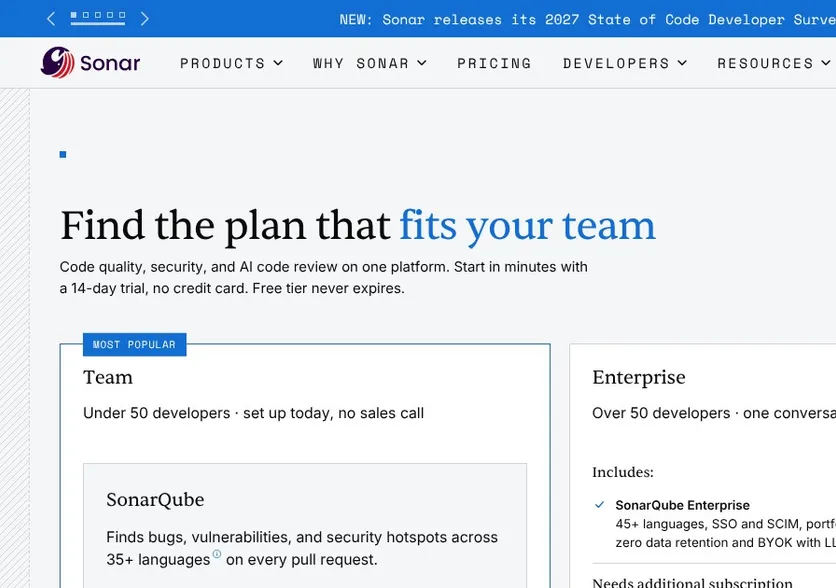
SonarQube Cloud scans code for bugs, vulnerabilities and code smells, then gates a deploy until the quality bar is met. This SonarQube Cloud Team plan costs thirty-four dollars a month for up to one hundred thousand lines of code, with a free tier covering fifty thousand lines of private code. A small team gets the cheapest paid entry here with a fourteen-day trial, though software composition analysis is an Advanced Security add-on and is not in the thirty-four-dollar base.
What we like
- Cheapest paid entry here at thirty-four dollars a month
- Quality gates that block a bad deploy automatically
- Free tier for small private codebases
Watch out for
- Software composition analysis is a paid add-on, not included
- Line-of-code meter means a large codebase costs more
How to try it
- Open the SonarQube Cloud pricing page and check the line limits
- Connect your repo and run a first scan on the free tier
- Set a quality gate that blocks deploys below the bar
4. Octopus Deploy
Best for: Teams that deploy the same app to many servers and need staged releases
Paid tool Starting price: $45/month · Cloud plan, forty-five dollars a month for up to five deployment targets; each extra target costs nine dollars a month; older sources cite a higher Starter price from a different tier
Free plan: Free tier, 10 projects, 10 targets and 10 users
Octopus Deploy promotes an application version across environments with approvals and runbooks, so a release moves from dev to production the same way every time. This Octopus Deploy Cloud plan costs forty-five dollars a month for up to five deployment targets, with each extra target at nine dollars a month. A team that ships to many servers gets staged releases with compliance gates, though the bill grows with the target count and a large estate can cost far more than the headline price.

What we like
- Staged releases with approvals and runbooks
- Bills by target, not by user, so big teams share one plan
- Free tier covers ten projects and ten targets
Watch out for
- Bill grows with every extra deployment target
- Handles releases, not code hosting or work planning
How to try it
- Open the Octopus Deploy pricing page and count your targets
- Start on the free tier with your first ten targets
- Add an approval step to the production environment
5. GitLab Ultimate
Best for: Teams already on GitLab that want compliance controls inside the same platform
Paid tool Starting price: $99/user/month · Ultimate plan, ninety-nine dollars per user a month billed annually; Premium costs twenty-nine dollars per user a month; free tier exists
Free plan: Free tier exists, with basic CI and repos
GitLab Ultimate adds security scanning, compliance pipelines and audit controls to the DevSecOps platform teams already use for code and CI. This GitLab Ultimate plan costs ninety-nine dollars per user a month billed annually, or one thousand one hundred eighty-eight dollars per user a year. A team that lives in GitLab gets vulnerability management and compliance reporting without a second tool, though the per-user price is the dearest here and small teams may find Premium at twenty-nine dollars a user enough.

What we like
- Compliance controls inside the platform teams already use
- Security scanning, audit and reporting in one place
- Free tier for small teams starting out
Watch out for
- Dearest per-user price in this comparison
- Many teams find Premium enough without Ultimate
How to try it
- Open the GitLab pricing page and compare Ultimate with Premium
- Turn on security scanning in your existing GitLab project
- Add a compliance pipeline that blocks risky merges
6. Spacelift
Best for: Infrastructure teams that want policy checks on every Terraform change
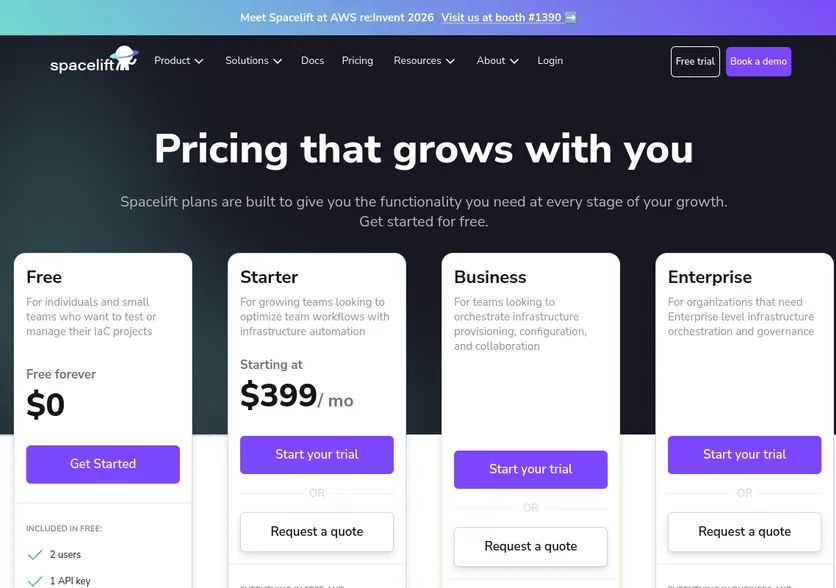
Paid tool Starting price: $399/month · Starter plan, three hundred ninety-nine dollars a month billed annually; ten users and two public workers; Business and Enterprise are quote-only
Free plan: Free plan, 2 users
Spacelift runs Terraform and other infrastructure as code with policy checks that block a bad change before it reaches production. This Spacelift Starter plan costs three hundred ninety-nine dollars a month billed annually, with ten users and two public workers included. An infrastructure team gets policy as code, drift detection and audit trails in one place, though the entry price is high for a small team and the Business and Enterprise tiers are quote-only.
What we like
- Policy checks on every infrastructure change
- Drift detection and audit trails built in
- Free plan for two users to test with
Watch out for
- High entry price for a small infrastructure team
- Higher tiers are quote-only, so scaling costs are unclear
How to try it
- Open the Spacelift pricing page and check the Starter limits
- Connect your Terraform repos on the free plan
- Write a policy that blocks deploys outside approved regions
7. Aikido Security
Best for: Small security teams that want a flat monthly price for code and cloud scanning
Paid tool Starting price: $350/month · Basic plan, three hundred fifty dollars a month flat; ten users and one hundred repos; ten percent off on annual billing; price rose during 2026 from a lower rate
Free plan: Free Developer plan, 2 users and 10 repos
Aikido Security scans code, dependencies, containers and cloud setups from one dashboard, with a flat monthly price instead of a per-developer meter. This Aikido Security Basic plan costs three hundred fifty dollars a month flat, covering ten users and one hundred repos, with ten percent off on annual billing. A small security team gets broad coverage without counting contributors, though the price rose during 2026 and older guides quote a lower rate.
What we like
- Flat monthly price with no per-developer meter
- Scans code, dependencies and cloud setups together
- Free Developer plan for two users
Watch out for
- Price rose during 2026, so older guides quote a stale rate
- Flat price suits small teams more than large ones
How to try it
- Open the Aikido pricing page and start the free Developer plan
- Connect your repos and run a first full scan
- Set a blocking rule for critical findings before deploy
8. Qodana Ultimate
Best for: JetBrains teams that want code quality gates at five dollars per contributor
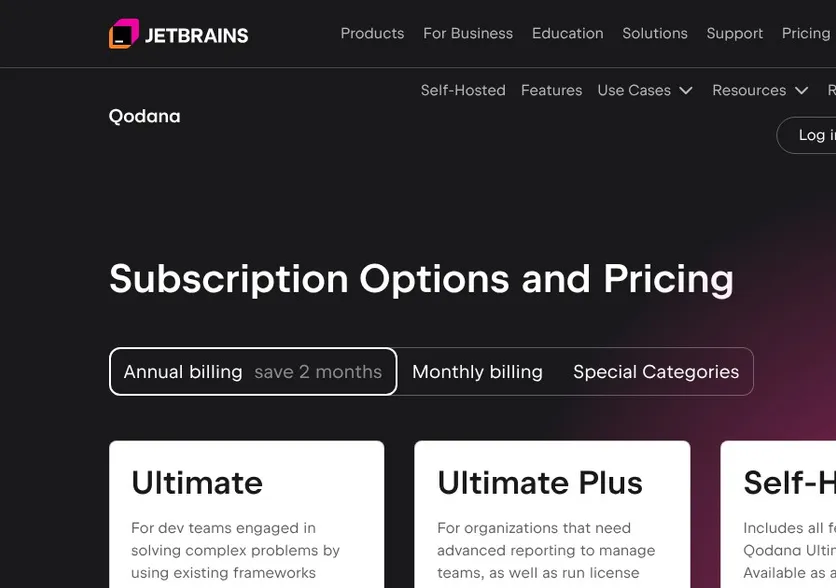
Paid tool Starting price: $5/contributor/month · Ultimate plan, five dollars per active contributor a month billed annually; three-contributor minimum; Ultimate Plus costs fifteen dollars per contributor a month
Free plan: Free Community tier exists
Qodana is the JetBrains code quality platform that scans code in the pipeline and blocks a merge when quality or security rules fail. This Qodana Ultimate plan costs five dollars per active contributor a month billed annually, or sixty dollars a year, with a three-contributor minimum. A JetBrains team gets the cheapest per-contributor price here with deep IDE integration, though the minimum means a small team pays for three contributors and the Community tier covers fewer checks.
What we like
- Cheapest per-contributor price here at five dollars
- Deep integration with JetBrains IDEs
- Free Community tier for basic checks
Watch out for
- Three-contributor minimum, so a solo developer pays for three
- Community tier covers fewer checks than Ultimate
How to try it
- Open the Qodana buy page and check the Ultimate limits
- Connect Qodana to your pipeline on the Community tier
- Turn on a quality gate that blocks failing merges
Prices above were checked on each vendor’s own website on Nov 27, 2026 and can change — the vendor’s page is the final word. Vendor links are editorial: nobody paid to be listed or ranked here. Vendors who want a featured listing can see how it works on our Get listed page.
What deployment compliance costs in 2026
The price meter matters more than the headline here, because the tools bill in four different ways: per developer, per contributor, per line of code and flat monthly. A five-dollar Qodana contributor is cheap until the three-person minimum applies, while a thirty-four-dollar SonarQube plan is cheap until the codebase passes one hundred thousand lines. Flat plans like Aikido at three hundred fifty dollars a month look dear until a team of twenty developers makes the per-head tools cost more.
Start with the free tier on two tools and run a real scan on your own repos. Compare how many findings are real, how the gate blocks a bad deploy, and whether the checks you need sit in the base price or behind an add-on. Pick the tool whose gate you trust to stop a bad release, because a scanner that only reports is a dashboard, not compliance.
Before you buy
- Count your contributing developers first, because Snyk and Semgrep both bill per developer and the minimum can double a small bill.
- Check the line-of-code limit, because SonarQube Cloud Team covers one hundred thousand lines and larger codebases cost more.
- Confirm what the base price actually includes, because SonarQube SCA and several other features are paid add-ons.
- Count your deployment targets, because Octopus Deploy charges nine dollars a month per target past the first five.
- Compare the free tier limits, because most tools here cap users, repos or lines of code on the free plan.
Official websites
Official websites of the products reviewed above. Features and prices were checked against these sites when this guide was written, and they can change, so confirm on the vendor site before you buy.
Frequently asked questions
Which deployment compliance software is best in 2026?
Snyk is the best overall pick at twenty-five dollars per contributing developer a month, with code, dependency and container scanning that blocks risky deploys. SonarQube Cloud is the best budget pick at thirty-four dollars a month for up to one hundred thousand lines of code. Qodana is the best value per contributor at five dollars a month for JetBrains teams.
How much does deployment compliance software cost?
Entry prices in this list run from five dollars per contributor a month for Qodana to three hundred ninety-nine dollars a month for Spacelift, with most code scanners between twenty-five and thirty-five dollars per developer a month. Per-developer meters mean the bill grows with the team, while flat plans like Aikido at three hundred fifty dollars a month stay fixed. Count your contributors before you compare totals.
What is a quality gate?
A quality gate is a rule that blocks a deploy or merge until the code passes a check, such as no critical vulnerabilities or a minimum test coverage. SonarQube Cloud, Qodana and Snyk all set gates that run in the pipeline and stop a bad release before it reaches production. The gate is the compliance part, because it turns a scan into an enforced rule rather than a report nobody reads.
Is there a free deployment compliance tool?
Yes, Snyk, Semgrep, SonarQube Cloud, Octopus Deploy, GitLab, Spacelift, Aikido and Qodana all offer free plans or tiers with real limits. Free plans cap users, repos or lines of code, so they suit testing and small projects rather than a full production pipeline. A small team can run real compliance checks free for weeks before paying.
What should I look for in deployment compliance software?
Look for a scanner that covers your stack, a gate that actually blocks bad deploys, and a price meter that fits your team size. Check whether the base price includes the checks you need or hides them behind add-ons, and whether the free tier covers your repo count. The best tool is the one whose gate stops a bad release, not the one with the longest finding list.
Need everyday developer help too? Try Toolsvine's free developer tools right in your browser.
Browse Developer Tools tools


