
On this page
Remote work runs on chat, video, docs and whiteboards, so the software has to keep a scattered team in sync. The seven tools below run from four dollars a user a month to fifteen dollars a user a month, and every price was checked on the vendor site on November 27, 2026. Some cover one job well, others cover the whole stack, so match the tool to the gap. Slack is our first pick — the most reliable team chat for distributed teams.
How we researched this
We started with the remote working tools distributed teams actually buy, then read each price on the vendor pricing page on November 27, 2026 and noted the free trial each plan carries. We judged them for a team that needs chat, meetings, docs and whiteboards without a sales call, and we kept only tools with a published list price. We left out enterprise-only suites that sell by quote, because a small remote team cannot budget for a price it cannot see.
Compare the tools
| Name | Best for | Starting price | Free plan | |
|---|---|---|---|---|
 Miro | Distributed teams that brainstorm and plan on a shared whiteboard | $8/member/month | Free plan for 3 editable boards | Visit |
 Google Workspace | Remote teams that want email, storage and meetings in one subscription | $7/user/month | No free plan; 14-day free trial | Visit |
 Slack | Distributed teams that want the most reliable team chat | $7.25/user/month | Free plan available | Visit |
 Zoom Workplace | Remote teams that meet on video every day and want AI summaries | $14.16/user/month | Free Basic plan; 40-minute limit on group meetings | Visit |
 Notion | Remote teams that want docs, tasks and wikis in one workspace | $10/user/month | Free plan available | Visit |
 Loom | Remote teams that replace meetings with async video walkthroughs | $15/user/month | Free Starter plan; 25 videos per person, 5-minute recordings | Visit |
 Microsoft Teams | Small teams that want the cheapest paid meetings and chat | $4/user/month | Free plan available | Visit |
The remote working software, compared
1. Miro
Best for: Distributed teams that brainstorm and plan on a shared whiteboard
Paid tool Starting price: $8/member/month · Starter, eight dollars per member a month billed annually; ten dollars billed monthly
Free plan: Free plan for 3 editable boards
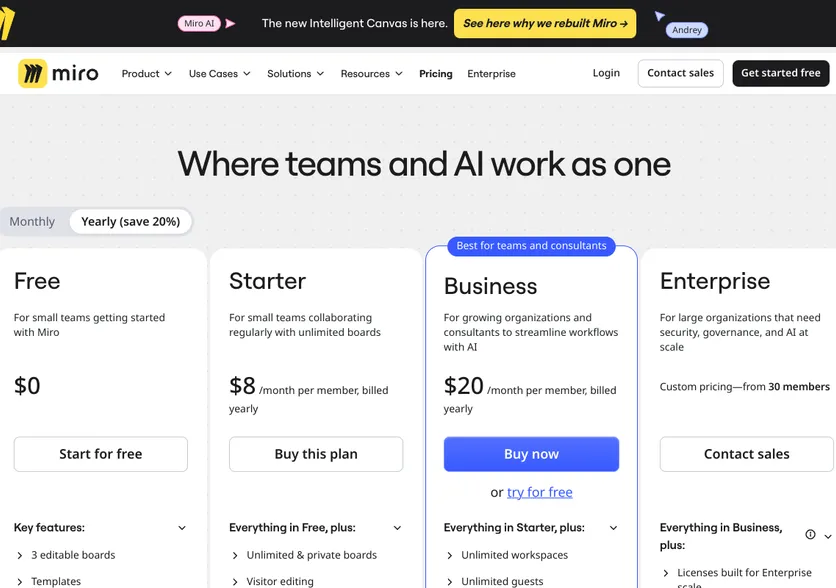
Miro is the whiteboard pick here, giving a distributed team an infinite canvas for brainstorms and planning. This Miro Starter plan costs eight dollars per member a month billed annually, or ten dollars billed monthly, while Business costs twenty dollars. A remote team gets more than one hundred templates and real-time collaboration, though the free plan caps at three editable boards.
What we like
- Infinite canvas for brainstorms and planning
- More than one hundred templates
- Real-time collaboration for distributed teams
Watch out for
- Free plan caps at three editable boards
- Business costs twenty dollars a member a month
How to try it
- Open the Miro pricing page and claim the free plan
- Run a brainstorm on the canvas with your team
- Upgrade to Starter when you need more boards
2. Google Workspace
Best for: Remote teams that want email, storage and meetings in one subscription
Paid tool Starting price: $7/user/month · Business Starter, seven dollars per user a month on an annual plan; eight dollars and forty cents on flexible monthly billing
Free plan: No free plan; 14-day free trial
Google Workspace is the all-in-one pick here, bundling Gmail, Drive and Meet into one subscription. This Google Workspace Business Starter plan costs seven dollars per user a month on an annual plan, or eight dollars and forty cents on flexible monthly billing. A remote team gets thirty gigabytes of pooled storage per user and admin controls, though a fifty percent intro discount ends in February 2027, so budget for the seven dollar list price.

What we like
- Gmail, Drive and Meet in one subscription
- Thirty gigabytes of pooled storage per user
- Admin controls for the whole team
Watch out for
- Standard and Plus plans cost fourteen and twenty-two dollars a user a month
- The fifty percent intro discount ends in February 2027, so budget for the seven dollar list price
How to try it
- Open the Google Workspace pricing page and start the trial
- Set up Gmail and Drive for your team
- Run a Meet call and check the recording options
3. Slack
Best for: Distributed teams that want the most reliable team chat
Paid tool Starting price: $7.25/user/month · Pro, seven dollars and twenty-five cents per user a month billed annually; eight dollars and seventy-five cents billed monthly
Free plan: Free plan available
Slack is the team-chat pick here, keeping conversations in channels instead of scattered inboxes. This Slack Pro plan costs seven dollars and twenty-five cents per user a month billed annually, or eight dollars and seventy-five cents billed monthly. A remote team gets huddles, more than one hundred integrations and searchable history, though a fifty percent promo covers three months only.

What we like
- Channels that keep conversations organized
- Huddles for quick voice chats
- More than one hundred integrations
Watch out for
- The fifty percent promo covers three months only
- Business Plus costs fifteen dollars a user a month
How to try it
- Open the Slack pricing page and claim the free plan
- Set up channels for your team and invite everyone
- Test a huddle and the search before you upgrade
4. Zoom Workplace
Best for: Remote teams that meet on video every day and want AI summaries
Paid tool Starting price: $14.16/user/month · Workplace Pro, fourteen dollars and sixteen cents per user a month billed annually, one hundred sixty-nine dollars and ninety-two cents a year; sixteen dollars and ninety-nine cents billed monthly
Free plan: Free Basic plan; 40-minute limit on group meetings
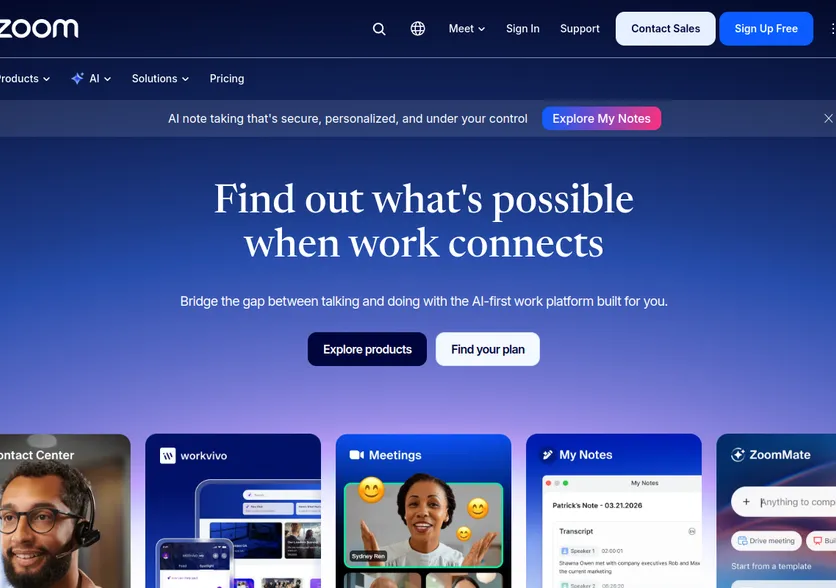
Zoom Workplace is the meetings pick here, with reliable video and AI Companion summaries for busy teams. This Zoom Workplace Pro plan costs fourteen dollars and sixteen cents per user a month billed annually, or one hundred sixty-nine dollars and ninety-two cents a year. A remote team gets ten gigabytes of cloud recording per license, though the annual price rose in March 2026, so older figures are stale.
What we like
- Reliable video with AI Companion summaries
- Ten gigabytes of cloud recording per license
- Works for teams of any size
Watch out for
- The annual price rose in March 2026, so older figures are stale
- Business costs eighteen dollars and thirty-three cents a user a month
How to try it
- Open the Zoom pricing page and claim the free Basic plan
- Run a meeting and check the AI Companion summary
- Upgrade to Pro when you need cloud recording
5. Notion
Best for: Remote teams that want docs, tasks and wikis in one workspace
Paid tool Starting price: $10/user/month · Plus, ten dollars per member a month billed annually; twelve dollars billed monthly
Free plan: Free plan available
Notion is the all-in-one workspace here, holding docs, tasks and wikis in one place a remote team can share. This Notion Plus plan costs ten dollars per member a month billed annually, or twelve dollars billed monthly. A remote team gets unlimited guests and a thirty-day page history, though AI features live on the Business plan, not Plus.

What we like
- Docs, tasks and wikis in one workspace
- Unlimited guests at no extra cost
- Thirty-day page history on Plus
Watch out for
- AI features live on the Business plan, not Plus
- Monthly billing costs twelve dollars instead of ten
How to try it
- Open the Notion pricing page and claim the free plan
- Build a team wiki with docs and tasks
- Upgrade to Plus when you need unlimited blocks
6. Loom
Best for: Remote teams that replace meetings with async video walkthroughs
Paid tool Starting price: $15/user/month · Business, fifteen dollars per user a month billed annually; eighteen dollars billed monthly
Free plan: Free Starter plan; 25 videos per person, 5-minute recordings
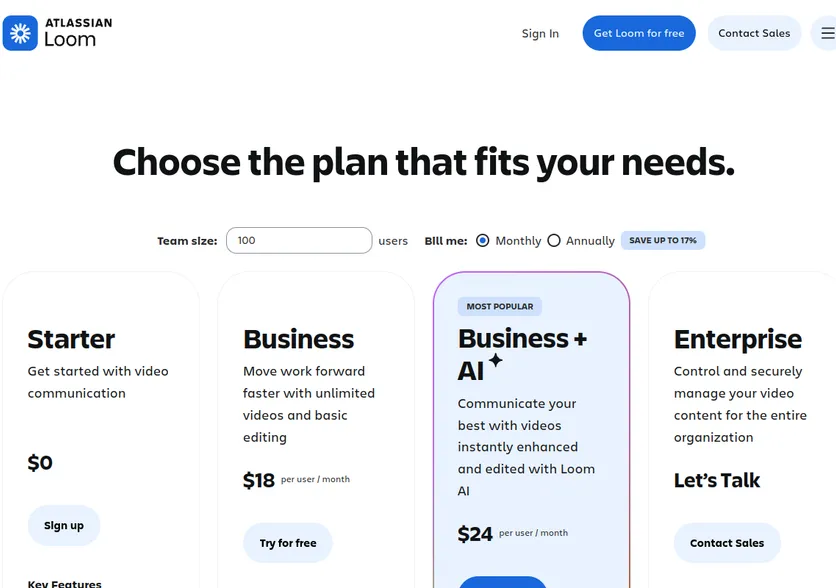
Loom is the async-video pick here, letting a teammate record a walkthrough instead of booking another meeting. This Loom Business plan costs fifteen dollars per user a month billed annually, or eighteen dollars billed monthly. A remote team gets unlimited videos and 4K recording with trim and stitch editing, though the eighteen dollar figure is the monthly-billed rate, not the annual rate.
What we like
- Unlimited videos with unlimited recording time
- 4K recording with trim and stitch editing
- Async video that replaces meetings
Watch out for
- The eighteen dollar figure is the monthly-billed rate, not the annual rate
- AI features need Business Plus AI at twenty dollars a user a month
How to try it
- Open the Loom pricing page and claim the free Starter plan
- Record a walkthrough and share the link
- Upgrade to Business when you need unlimited videos
7. Microsoft Teams
Best for: Small teams that want the cheapest paid meetings and chat
Paid tool Starting price: $4/user/month · Teams Essentials, four dollars per user a month billed annually; four dollars and eighty cents billed monthly
Free plan: Free plan available
Microsoft Teams is the cheapest paid pick here, covering chat and meetings for four dollars a user a month. This Microsoft Teams Essentials plan costs four dollars per user a month billed annually, or four dollars and eighty cents billed monthly. A remote team gets thirty-hour meetings for three hundred participants, though there is no business email on Essentials.

What we like
- Cheapest paid meetings in this list
- Thirty-hour meetings for three hundred participants
- Chat and meetings in one app
Watch out for
- No business email on Essentials
- Desktop Office apps need a Microsoft 365 plan
How to try it
- Open the Microsoft Teams pricing page and claim the free plan
- Run a team meeting and test the chat
- Upgrade to Essentials when you need longer meetings
Prices above were checked on each vendor’s own website on Nov 27, 2026 and can change — the vendor’s page is the final word. Vendor links are editorial: nobody paid to be listed or ranked here. Vendors who want a featured listing can see how it works on our Get listed page.
What remote working software costs in 2026
Most tools here charge per user a month, so the bill grows with every teammate you add. A four dollar seat looks small until you add twenty people, while a fifteen dollar seat costs three hundred dollars a month for the same team. Free plans cover the basics on Miro, Slack, Zoom, Notion, Loom and Teams, so a small team can run for months before paying anything.
Start with the free plan on two tools and run one real week of work in each. Compare how the chat feels, how a meeting runs, and whether the plan you buy covers the storage and history you actually need. Pick the tool your team opens without being asked, because a collaboration tool nobody uses is money wasted.
Before you buy
- Count every teammate first, because per-user pricing multiplies with each person you add.
- Check the free plan limits, because Miro caps at three editable boards and Zoom caps group meetings at forty minutes.
- Confirm the plan includes the features you need, because Notion AI lives on Business, not Plus.
- Test one real week during the trial, because a remote tool lives or dies on daily use.
- Compare annual and monthly billing, because Loom costs fifteen dollars a user a month annually and eighteen dollars monthly.
Official websites
Official websites of the products reviewed above. Features and prices were checked against these sites when this guide was written, and they can change, so confirm on the vendor site before you buy.
Frequently asked questions
Which remote working software is best in 2026?
Slack is the best overall pick at seven dollars and twenty-five cents per user a month billed annually, with the most reliable team chat for distributed teams. Microsoft Teams is the cheapest paid option at four dollars a user a month, while Notion is the best all-in-one workspace at ten dollars a member a month. Pick Slack for chat, Teams for cheap meetings, and Notion when one tool should hold docs and tasks.
How much does remote working software cost?
Paid plans here run from four dollars to fifteen dollars per user a month billed annually, while most tools offer free plans with real limits. A ten-person team pays roughly forty to one hundred fifty dollars a month, depending on the mix. Start on the free plans and pay only for the tools your team actually opens every day.
Do I need all seven tools for remote work?
No, most teams need chat, meetings and one shared workspace, which three tools can cover. Slack or Teams handles chat and meetings, Notion or Miro holds docs and whiteboards, and Loom covers async video. Start with the gap that hurts most, then add a tool only when the free plan blocks real work.
Is there a free remote working tool?
Yes, Miro, Slack, Zoom, Notion, Loom and Microsoft Teams all offer free plans with real limits. The free plans suit small teams, and the paid plans unlock history, storage and admin controls. Start free and upgrade when a limit blocks real work.
What should I look for in remote working software?
Look for chat your team actually reads, meetings that start without a fight, and a shared workspace that stays current. Check the per-user price, the free plan limits and whether the plan covers the history and storage you need. The best tool is the one your team opens without being asked, not the one with the longest feature list.
Need everyday productivity help too? Try Toolsvine's free productivity tools right in your browser.
Browse Productivity Tools tools


