
On this page
Building an app used to mean hiring a developer, but no-code builders let anyone turn an idea into a working app in a weekend. The eight tools below run from five dollars a user a month to sixty-five dollars a month, and every price was checked on the vendor site on November 26, 2026. Most offer a free plan or trial, so you can build a real app before paying. Bubble is our first pick — the most powerful builder, with a Starter plan at thirty-two dollars a month that works from day one.
How we researched this
We started with the no-code app builders that makers actually use, then read each price on the vendor pricing page on November 26, 2026 and noted the free plan or trial each one carries. We judged them for a maker who wants a real published app without hiring a developer. We kept only tools with a published price, and we dropped any builder whose price we could not verify on the vendor site.
Compare the tools
| Name | Best for | Starting price | Free plan | |
|---|---|---|---|---|
 Bubble | Founders who want the most powerful no-code web app builder | $32/month | Free plan for development only | Visit |
 Adalo | Makers who want to publish real mobile apps without code | $65/month | Free plan with 500 records per app | Visit |
 Glide | Teams that want to turn a spreadsheet into an app fast | $49/month | Free plan available | Visit |
 Softr | Teams that want client portals and internal tools from Airtable | $19/month | Free plan available | Visit |
 AppSheet | Google Workspace teams that want apps from spreadsheets | $5/user/month | Free prototyping for up to 10 test users | Visit |
 Thunkable | Makers who want to build and publish mobile apps with AI help | $37/month | Free plan for public projects only | Visit |
 FlutterFlow | Makers who want production-quality Flutter apps without code | $39/month | Free plan available | Visit |
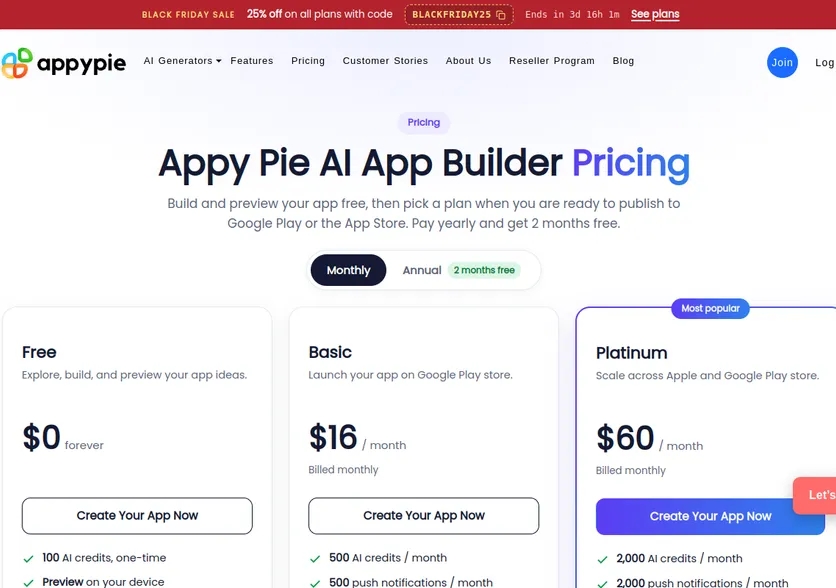
 Appy Pie | Small businesses that want a cheap Android app fast | $13/app/month | No free tier published on the pricing page | Visit |
The software to make apps without coding, compared
1. Bubble
Best for: Founders who want the most powerful no-code web app builder
Paid tool Starting price: $32/month · Starter Web plan, $32 a month billed annually, $384 a year, or $39 billed monthly; Starter Mobile $42 billed annually; Starter Web and Mobile $59 billed annually; Growth $119, Team $349; free plan for development only
Free plan: Free plan for development only
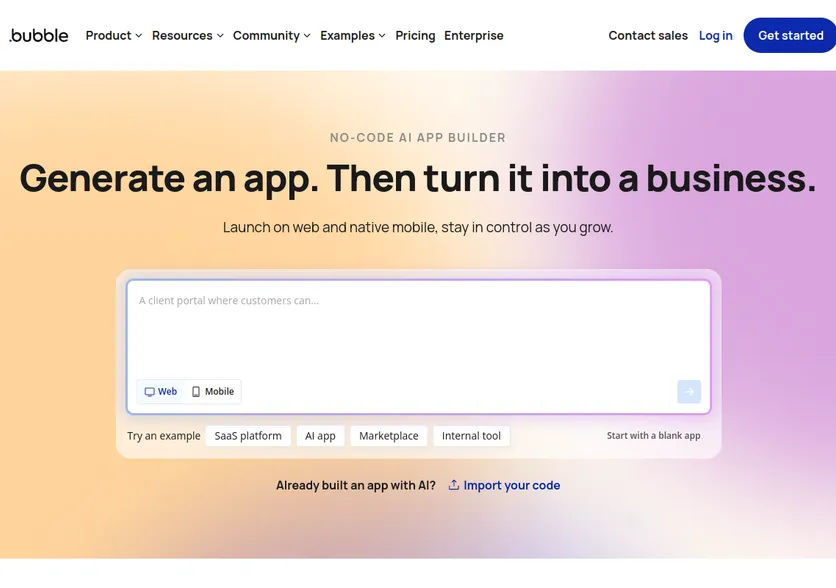
Bubble is the most powerful no-code builder on this list, turning a blank canvas into a full web app with a database, workflows and user accounts. This Bubble Starter Web plan covers a custom domain, scheduled workflows and version control, with enough capacity for a real product launch. A founder can build, launch and grow an app without writing code or hiring a developer.
What we like
- Most powerful no-code builder here
- Database, workflows and user accounts built in
- Free plan for development and learning
Watch out for
- Starter Web costs thirty-two dollars a month billed annually
- Mobile apps need the separate Starter Mobile plan
How to try it
- Open the Bubble pricing page and start a free trial
- Build a page with the visual editor and add a database
- Connect a workflow and publish your app
2. Adalo
Best for: Makers who want to publish real mobile apps without code
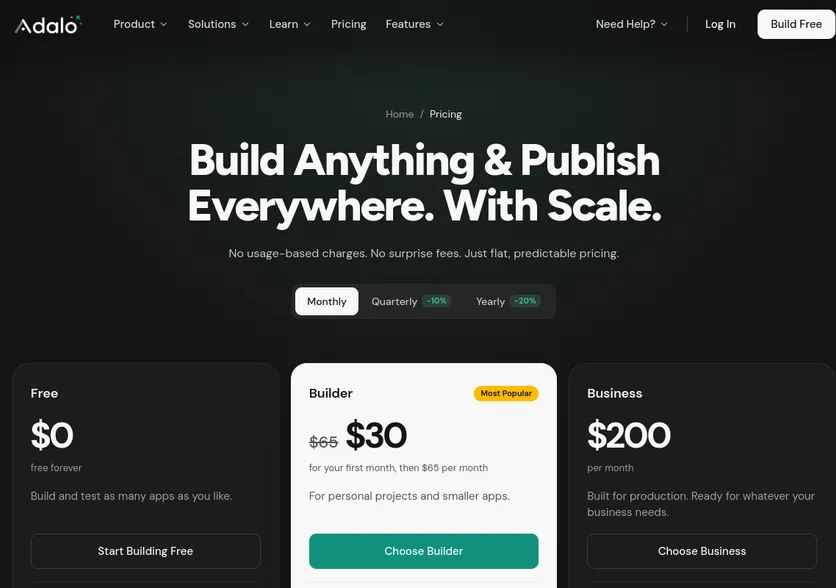
Paid tool Starting price: $65/month · Builder plan, $65 a month billed monthly or $52 a month billed yearly, $624 a year; first month $30 as a launch offer; the old Starter $36 ladder was replaced by Adalo in late 2026
Free plan: Free plan with 500 records per app
Adalo is the mobile-first builder, turning a design into a real app you can publish to the app stores. This Adalo Builder plan covers two published apps, five editors and custom domains, with app store publishing included. A maker can design an app in the morning, publish it in the afternoon, and update it without resubmitting.
What we like
- Real mobile apps published to app stores
- AI building included on paid plans
- Custom domains on the Builder plan
Watch out for
- Builder costs sixty-five dollars a month billed monthly
- Old Starter ladder was replaced by Adalo in late 2026
How to try it
- Open the Adalo pricing page and start a free trial
- Design your app screens with the visual editor
- Publish to the app stores from the Builder plan
3. Glide
Best for: Teams that want to turn a spreadsheet into an app fast
Paid tool Starting price: $49/month · Maker plan, $49 a month billed annually or $60 billed monthly; Explorer $19 billed annually; Business $199 billed annually; free plan; Maker covers 3 published apps and 500 updates a month
Free plan: Free plan available
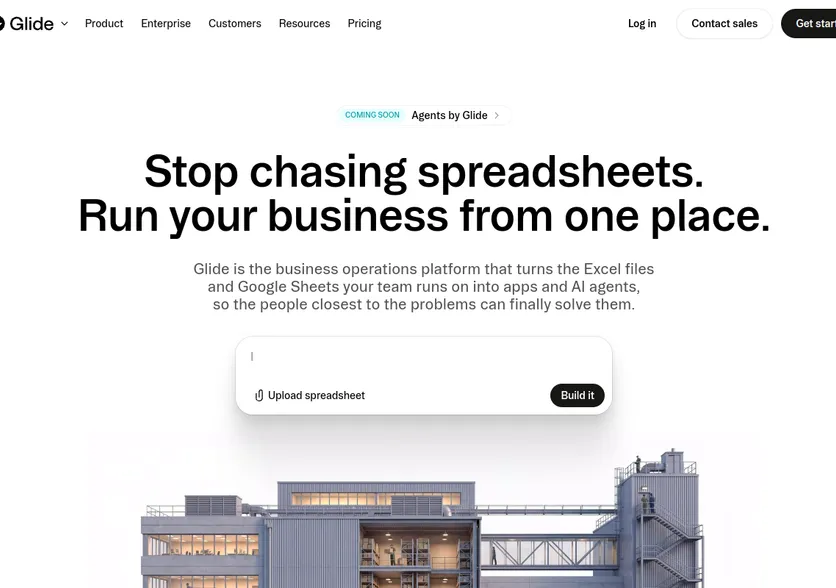
Glide turns a spreadsheet into a working app in minutes, with a clean interface that anyone on the team can use. This Glide Maker plan covers three published apps, unlimited personal users and fifty thousand rows, with AI features built in. A team can turn a shared sheet into a tool the whole company uses without a developer.
What we like
- Spreadsheet to app in minutes
- Unlimited personal users on Maker
- AI features built into every plan
Watch out for
- Maker costs forty-nine dollars a month billed annually
- Work email sign-in needs the Business plan
How to try it
- Open the Glide pricing page and start a free trial
- Connect a spreadsheet and let Glide build the app
- Publish the app and share it with your team
4. Softr
Best for: Teams that want client portals and internal tools from Airtable
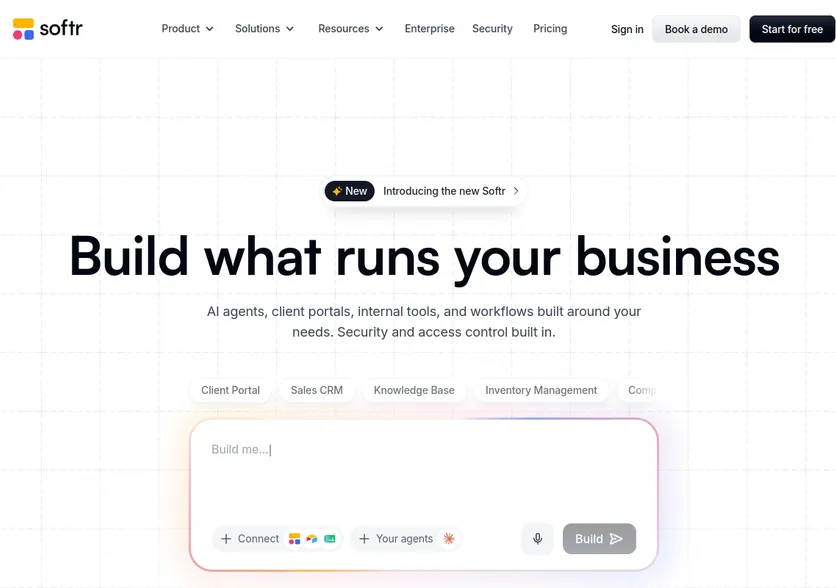
Paid tool Starting price: $19/month · Basic plan, $19 a month billed annually, $228 a year, or $25 billed monthly; Pro $99 billed annually; Business $329 billed annually; free plan; Softr repriced in August 2026 and older $49 Basic figures are stale
Free plan: Free plan available
Softr turns an Airtable base into a client portal, an internal tool or a membership site without writing code. This Softr Basic plan covers unlimited viewers, custom domains and more records, with templates for the most common use cases. A team can give clients a branded portal in a day instead of waiting months for a developer.
What we like
- Airtable to portal in a day
- Unlimited viewers on paid plans
- Templates for common use cases
Watch out for
- Basic costs nineteen dollars a month billed annually
- Softr repriced in August 2026, so older prices are stale
How to try it
- Open the Softr pricing page and start a free trial
- Connect an Airtable base and pick a template
- Publish the portal and invite your clients
5. AppSheet
Best for: Google Workspace teams that want apps from spreadsheets
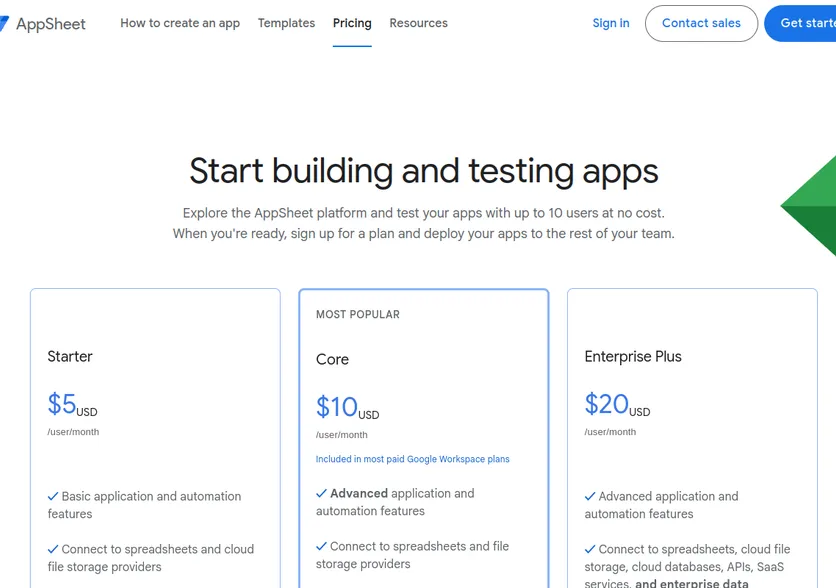
Paid tool Starting price: $5/user/month · Starter plan, $5 a user a month; Core $10 a user a month, Enterprise Plus $20, Publisher Pro $50 an app a month; free prototyping for up to 10 test users; Core is included in most paid Google Workspace editions
Free plan: Free prototyping for up to 10 test users
AppSheet is Google's no-code builder, turning a spreadsheet into a mobile or web app with forms, maps and workflows. This AppSheet Starter plan covers app creation and deployment for your team, with data from Sheets, Excel and databases. A team running on Google Workspace can build a field app in an afternoon without a developer.
What we like
- Cheapest paid plan on this list
- Works with Sheets, Excel and databases
- Core included in most paid Workspace editions
Watch out for
- Starter costs five dollars a user a month
- Google moved AppSheet to stability-first mode in May 2026
How to try it
- Open the AppSheet pricing page and create an account
- Connect a spreadsheet and let AppSheet build the app
- Deploy the app and share it with your team
6. Thunkable
Best for: Makers who want to build and publish mobile apps with AI help
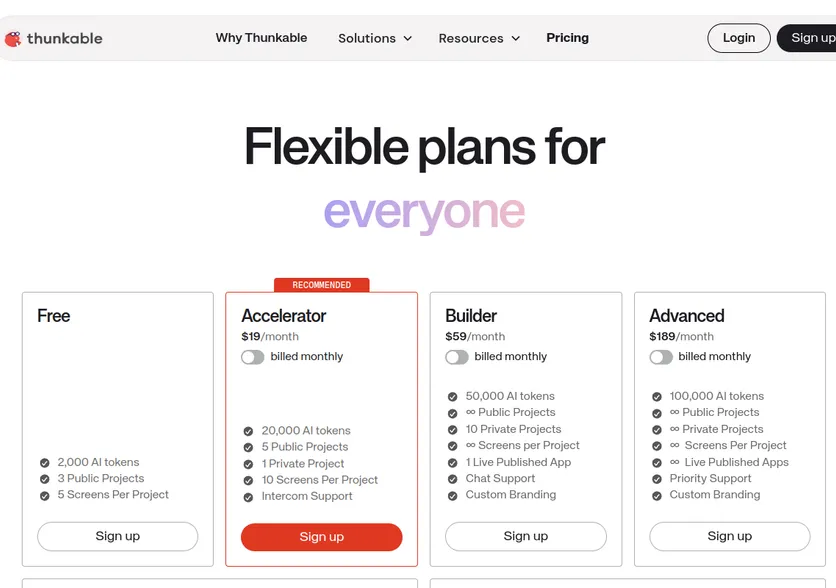
Paid tool Starting price: $37/month · Builder plan, $37 a month billed annually, $444 a year, or $59 billed monthly; Accelerator $19 a month billed annually; Advanced $99 billed annually; free plan for public projects only; published apps go offline if the subscription lapses
Free plan: Free plan for public projects only
Thunkable is the mobile builder with AI help, turning a description into an app you can publish to the stores. This Thunkable Builder plan covers fifty thousand AI tokens, ten private projects and unlimited screens, with custom branding included. A maker can describe an app, refine the design, and publish it without touching code.
What we like
- AI builds the first draft from a description
- Unlimited screens on the Builder plan
- Custom branding included
Watch out for
- Builder costs thirty-seven dollars a month billed annually
- Published apps go offline if the subscription lapses
How to try it
- Open the Thunkable pricing page and start a free trial
- Describe your app and let the AI build the first draft
- Refine the design and publish to the app stores
7. FlutterFlow
Best for: Makers who want production-quality Flutter apps without code
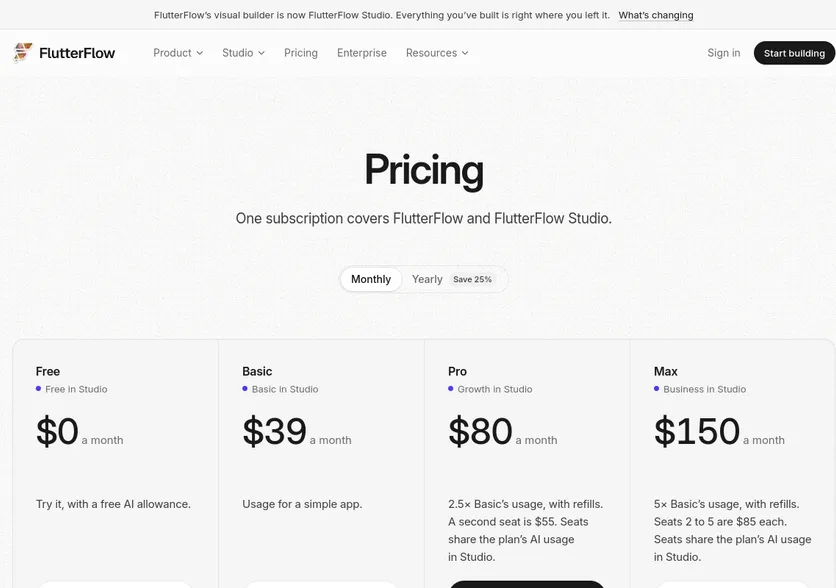
Paid tool Starting price: $39/month · Basic plan, $39 a month billed monthly or $29 a month billed yearly, $351 a year; Pro $80, Max $150; FlutterFlow replaced its old Standard $30 ladder on November 6, 2026
Free plan: Free plan available
FlutterFlow is the visual builder for Flutter apps, turning a drag-and-drop design into clean code you can export and own. This FlutterFlow Basic plan covers code and APK download, app store deployment and a custom domain, with AI help built in. A maker can build a real app, export the code, and keep full control of the result.
What we like
- Exports clean Flutter code you own
- App store deployment included
- AI agent built into every plan
Watch out for
- Basic costs thirty-nine dollars a month billed monthly
- FlutterFlow replaced its old plans on November 6, 2026
How to try it
- Open the FlutterFlow pricing page and start a free trial
- Design your app screens with the visual editor
- Export the code or deploy to the app stores
8. Appy Pie
Best for: Small businesses that want a cheap Android app fast
Paid tool Starting price: $13/app/month · Basic plan, $13 an app a month billed annually, $160 a year, or $16 billed monthly; Android only, iOS publishing needs the Platinum plan at $60 a month; removing Appy Pie branding costs twice the plan price
Free plan: No free tier published on the pricing page
Appy Pie is the cheapest way to get an Android app live, with a simple builder that turns a template into a working app. This Appy Pie Basic plan covers one Android app with push notifications and analytics, at thirteen dollars an app a month billed annually. A small business can launch an app for less than a lunch a month and reach customers on their phones.
What we like
- Cheapest app builder on this list
- Templates for common business apps
- Push notifications included on Basic
Watch out for
- Basic costs thirteen dollars an app a month billed annually
- iOS publishing needs the Platinum plan at sixty dollars a month
How to try it
- Open the Appy Pie pricing page and pick a template
- Customize the app with your branding and content
- Publish to the Android store from the Basic plan
Prices above were checked on each vendor’s own website on Nov 26, 2026 and can change — the vendor’s page is the final word. Vendor links are editorial: nobody paid to be listed or ranked here. Vendors who want a featured listing can see how it works on our Get listed page.
What no-code app builders cost in 2026
No-code builders charge per app or per user, so check which model fits your project before you buy. Per-app plans like Bubble, Adalo and Appy Pie run from thirteen to sixty-five dollars a month, while per-user plans like AppSheet and Glide run from five to forty-nine dollars a month. The headline plan each vendor shows on its own pricing page is the number in the table above, checked on November 26, 2026.
Start with the free plan on two builders and build the same app through both. Compare how fast the first screen comes together, how clean the published app looks, and how easily you fix a bug. A thirty-two-dollar builder you finish an app in beats a sixty-five-dollar builder you abandon.
Before you buy
- Count the apps first, because per-app plans charge for every published app and the bill grows fast.
- Check whether iOS publishing is included, because Appy Pie charges extra for iOS and Adalo includes it.
- Test the builder on a real app idea, because a template demo never shows how it handles your data.
- Ask who owns the code: FlutterFlow exports clean code, while most builders lock you into their platform.
- Add up the publishing costs, because app store fees and branding removal can double the monthly price.
Official websites
Official websites of the products reviewed above. Features and prices were checked against these sites when this guide was written, and they can change, so confirm on the vendor site before you buy.
Frequently asked questions
What is the best no-code app builder in 2026?
Bubble Starter Web, at thirty-two dollars a month billed annually, is the safest default because it is the most powerful builder with a database, workflows and user accounts. Glide is better when your app starts from a spreadsheet, at forty-nine dollars a month. AppSheet wins on price, at five dollars a user a month for Google Workspace teams.
What is the cheapest no-code app builder?
AppSheet Starter, at five dollars a user a month, is the cheapest per-user plan here and it includes app creation and deployment. Appy Pie Basic, at thirteen dollars an app a month billed annually, is the cheapest per-app plan for Android. Softr Basic, at nineteen dollars a month, is next for client portals from Airtable.
Can I build an app for free without coding?
Yes, on most tools here. Bubble, Glide, Softr, FlutterFlow and Adalo all offer free plans, and AppSheet lets you prototype free for up to ten test users. Start free, build a real app, and pay only when you need a custom domain, app store publishing or more users.
Which no-code builder is best for mobile apps?
Adalo is the strongest pick for mobile apps, because it publishes real apps to the app stores with a Builder plan at sixty-five dollars a month. Thunkable is better when you want AI help building the app, at thirty-seven dollars a month billed annually. FlutterFlow wins when you want to own the code, at thirty-nine dollars a month with clean exports.
Do I own the app I build with a no-code tool?
It depends on the builder. FlutterFlow exports clean Flutter code that you own and can host anywhere, which is rare on this list. Most builders, including Bubble, Adalo and Glide, host the app on their platform and you cannot export the code. If owning the code matters, pick FlutterFlow and check the export terms before you build.
Need everyday developer help too? Try Toolsvine's free developer tools for small teams right in your browser.
Browse Developer Tools tools


