
On this page
Nonprofits track time for grants, funders and the board, not for billing clients, so the tracker has to be cheap, honest and easy for volunteers to use. The nine tools below run from free to about nine dollars a user a month, and every price was checked on the vendor site on November 27, 2026. Four of them cost nothing to start, and the paid tiers stay low enough for a small budget. Clockify is our first pick — the cheapest paid plan with a free tier for five users.
How we researched this
We started with the time trackers nonprofits actually buy, then read each price on the vendor pricing page on November 27, 2026 and noted the free plan or trial each one carries. We judged them for a team that tracks grant-funded hours, reports to funders and stretches a small budget, and we kept only tools with a published price. We dropped Monograph because sixty dollars a user a month is far above a nonprofit budget, and we dropped Paymo because published prices conflict across sources.
Compare the tools
| Name | Best for | Starting price | Free plan | |
|---|---|---|---|---|
 Clockify | Nonprofits that want the cheapest paid tracker with a free plan for five users | $3.99/user/month | Free plan for up to five users | Visit |
 TimeCamp | Nonprofits with volunteers that need a free tracker without a user cap | $3.99/user/month | Free plan with unlimited users and projects | Visit |
 Toggl Track | Nonprofits that want a simple timer with strong reporting and no learning curve | $9/user/month | Free plan for up to three users | Visit |
 Harvest | Nonprofits that bill grants and funders for tracked hours | $9/user/month | Free plan, one seat and two projects | Visit |
 Hubstaff | Nonprofits that need oversight of remote staff and volunteers | $4.99/user/month | No free plan on the pricing page; 14-day free trial | Visit |
 Connecteam | Nonprofits with field staff and volunteers that need scheduling and clock-ins | $29/month | Free Small Business plan for up to ten users, all hubs included | Visit |
 Avaza | Small nonprofits that want time, projects and invoicing for one low flat price | $9.96/month | Free plan available | Visit |
 Everhour | Nonprofits already using Asana or Trello that want timers inside those tools | $5/user/month | Free plan for up to five users | Visit |
 Timely | Nonprofits where staff juggle programs, grants and meetings in one week | $9/user/month | No free plan; 14-day free trial | Visit |
The time tracking software for nonprofits, compared
1. Clockify
Best for: Nonprofits that want the cheapest paid tracker with a free plan for five users
Paid tool Starting price: $3.99/user/month · Basic plan, three dollars and ninety-nine cents a user a month billed yearly, four dollars and ninety-nine cents on monthly billing
Free plan: Free plan for up to five users
Clockify is the budget backbone for a nonprofit, with a free plan for five users and the cheapest paid tier in this list. This Clockify Basic plan costs three dollars and ninety-nine cents a user a month billed yearly, and the free plan now covers up to five users. The timer is manual and the interface is plain, but the price leaves more of the budget for the mission itself.

What we like
- Cheapest paid plan in this comparison
- Free plan covers five users with no card required
- Unlimited projects and clients on every plan
Watch out for
- Invoicing and forecasting need the Standard or Pro plan
- The free plan recently shrank from unlimited users to five
How to try it
- Open the Clockify pricing page and claim the free plan
- Set up one project per program or grant
- Track a month and export the report for your board
2. TimeCamp
Best for: Nonprofits with volunteers that need a free tracker without a user cap
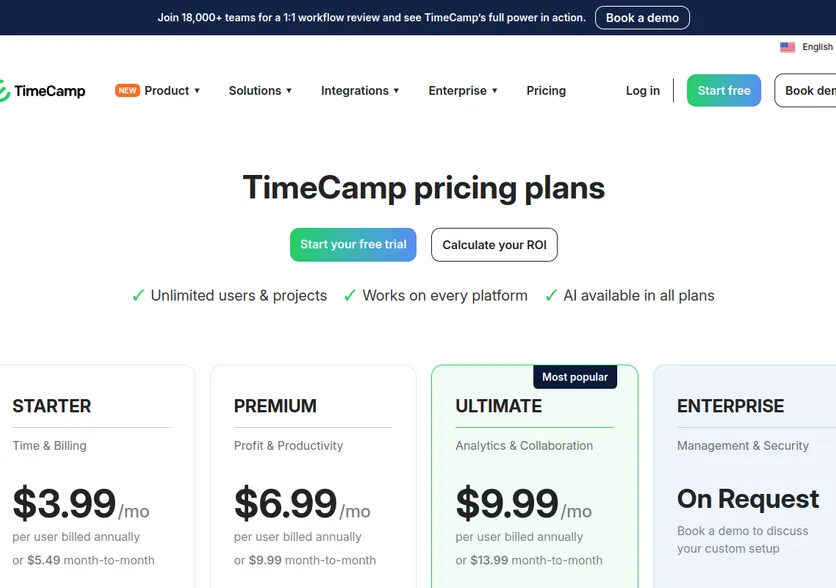
Paid tool Starting price: $3.99/user/month · Starter plan, three dollars and ninety-nine cents a user a month billed yearly, five dollars and forty-nine cents on monthly billing
Free plan: Free plan with unlimited users and projects
TimeCamp suits a nonprofit with volunteers, since the free plan covers unlimited users and projects without a card. This TimeCamp Starter plan costs three dollars and ninety-nine cents a user a month billed yearly, and the free plan covers unlimited users and projects. The automatic tracking fills timesheets from real work, though a manager still needs to review entries before they reach a grant report.
What we like
- Free plan with unlimited users and projects
- Automatic tracking fills timesheets without manual entry
- Invoicing and attendance features on paid plans
Watch out for
- Automatic entries still need review before reporting
- The interface feels dated next to Toggl Track and Timely
How to try it
- Open the TimeCamp pricing page and claim the free plan
- Invite staff and volunteers with no seat limit
- Review the automatic entries and approve them weekly
3. Toggl Track
Best for: Nonprofits that want a simple timer with strong reporting and no learning curve
Paid tool Starting price: $9/user/month · Starter plan, nine dollars a user a month billed yearly, twelve dollars on monthly billing; Premium costs sixteen dollars a user a month billed yearly
Free plan: Free plan for up to three users
Nonprofits pick Toggl Track because the free plan covers three users and the paid tiers stay cheap as the team grows. This Toggl Track Starter plan costs nine dollars a user a month billed yearly, with the free plan covering up to three users. Reporting covers project budgets, billable rates and team summaries, which suits grant reporting without a finance degree.

What we like
- One-click timer that works in the browser and on mobile
- Clear project budgets and billable rate reports
- Free plan covers a three-person team
Watch out for
- No invoicing built in, so billing needs a separate tool
- No automatic tracking, every entry is manual
How to try it
- Open the Toggl Track pricing page and claim the free plan
- Create one project per program or grant and invite staff
- Run a full month and check the project budget report
4. Harvest
Best for: Nonprofits that bill grants and funders for tracked hours
Paid tool Starting price: $9/user/month · Teams plan, nine dollars a user a month billed yearly, eleven dollars on monthly billing; Flex usage charges for active projects, clients, tasks and invoices stack on top of the seat rate
Free plan: Free plan, one seat and two projects
Harvest helps a nonprofit turn grant-funded hours into invoices and reports that funders can read without a finance degree. This Harvest Teams plan costs nine dollars a user a month billed yearly, with a free plan for one seat and two projects. The catch is Flex usage billing, which adds extra charges for active projects, clients, tasks and invoices on top of the seat rate.

What we like
- Time tracking and invoicing in one product
- Expense tracking and project budgets included
- Clean reports funders can understand at a glance
Watch out for
- Flex usage charges can push the bill well past the seat rate
- The free plan covers only one seat and two projects
How to try it
- Open the Harvest pricing page and start with the free plan
- Set rates per program and track a real grant project
- Send your first invoice from the tracked hours
5. Hubstaff
Best for: Nonprofits that need oversight of remote staff and volunteers
Paid tool Starting price: $4.99/user/month · Starter plan, four dollars and ninety-nine cents a user a month billed yearly, seven dollars on monthly billing; a two-seat minimum applies
Free plan: No free plan on the pricing page; 14-day free trial
Hubstaff gives a nonprofit oversight of remote staff and volunteers, with screenshots and activity reports on the Starter plan. This Hubstaff Starter plan costs four dollars and ninety-nine cents a user a month billed yearly, with a two-seat minimum on every plan. The monitoring is the point, so a team that values trust over surveillance should pick a lighter tracker instead.
What we like
- Screenshots and activity levels prove the work happened
- GPS tracking and payroll integrations included
- Strong reporting for remote and distributed teams
Watch out for
- Screenshots and monitoring need clear team consent
- No free plan on the pricing page, trial only
How to try it
- Open the Hubstaff pricing page and start the trial
- Set screenshot and activity rules your team agrees to
- Run one month and review the activity reports
6. Connecteam
Best for: Nonprofits with field staff and volunteers that need scheduling and clock-ins
Paid tool Starting price: $29/month · Operations hub Basic plan, twenty-nine dollars a month billed yearly for the first thirty users, thirty-five dollars on monthly billing; each hub is priced separately
Free plan: Free Small Business plan for up to ten users, all hubs included
Connecteam fits a nonprofit with field staff and volunteers, with scheduling and clock-ins built for deskless teams. This Connecteam Operations hub Basic plan costs twenty-nine dollars a month billed yearly for the first thirty users, with extra users from eighty cents a user a month. The free Small Business plan covers up to ten users across all hubs, which makes it the easiest free start in this list.

What we like
- Buy only the hubs you need instead of a bloated suite
- Free plan covers ten users across every hub
- GPS clock-in and forms built for deskless teams
Watch out for
- Each hub is a separate bill, so the total grows with every hub
- Advanced scheduling rules need the higher hub tiers
How to try it
- Open the Connecteam pricing page and claim the free plan
- Turn on the Operations hub for scheduling and time clock
- Set up GPS clock-in rules and publish the first schedule
7. Avaza
Best for: Small nonprofits that want time, projects and invoicing for one low flat price
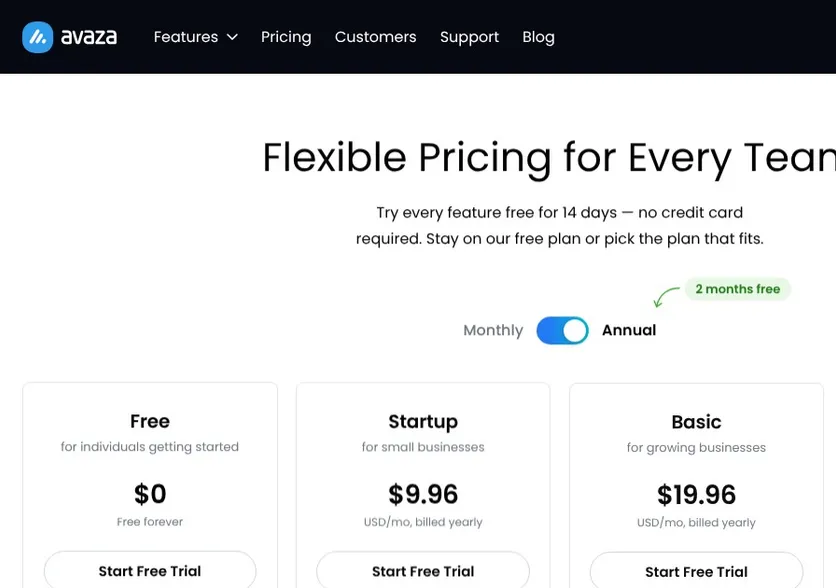
Paid tool Starting price: $9.96/month · Startup plan, nine dollars and ninety-six cents a month billed yearly for the account including two timesheet users, eleven dollars and ninety-five cents on monthly billing; extra role users cost seven dollars each a month
Free plan: Free plan available
Avaza is the low flat price for a small nonprofit, charging per account rather than per user for time, projects and invoicing. This Avaza Startup plan costs nine dollars and ninety-six cents a month billed yearly for the account, including two timesheet users. The account-level price is unusual here, since most rivals charge per user, which makes Avaza cheap for a two-person team.
What we like
- Account-level pricing instead of per-user billing
- Time tracking, projects and invoicing in one product
- Free plan for testing the full workflow
Watch out for
- Extra role users cost seven dollars each a month on top
- Smaller integration library than Toggl Track or Clockify
How to try it
- Open the Avaza pricing page and claim the free plan
- Create a project with tasks, estimates and timesheets
- Invoice the tracked hours and check the payment flow
8. Everhour
Best for: Nonprofits already using Asana or Trello that want timers inside those tools
Paid tool Starting price: $5/user/month · Lite plan, five dollars a user a month billed yearly; Team costs eight dollars and fifty cents a user a month billed yearly; Lite caps at ten users
Free plan: Free plan for up to five users
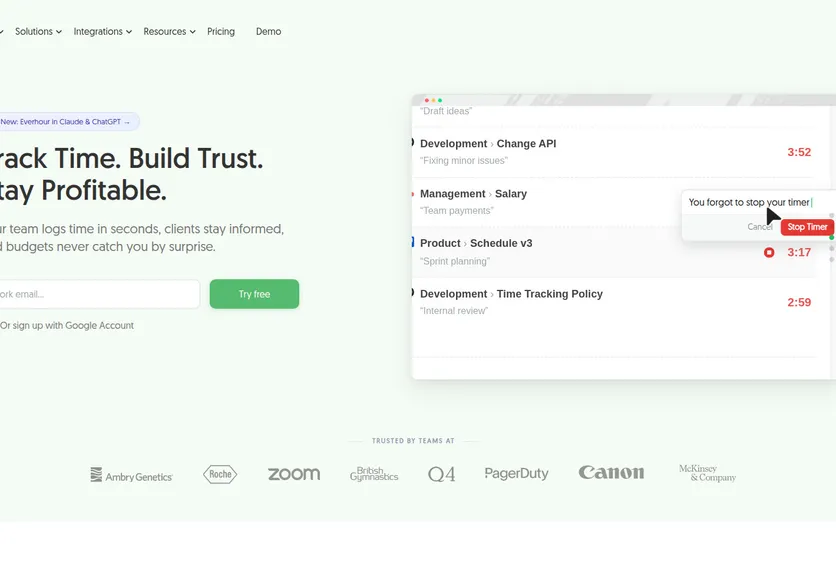
Everhour adds timers and budgets to the project board a nonprofit already uses, with a free plan for five users. This Everhour Lite plan costs five dollars a user a month billed yearly, with the Team plan at eight dollars and fifty cents for invoicing and scheduling. The Lite plan caps at ten users, so a growing team moves to Team sooner than the price suggests.
What we like
- Timers appear inside Asana, Trello and ClickUp tasks
- Project budgets with alerts before they run out
- Invoicing and scheduling on the Team plan
Watch out for
- Lite caps at ten users, so growth forces the Team plan
- No standalone project management, it rides on other tools
How to try it
- Open the Everhour pricing page and claim the free plan
- Connect your project tool and add timers to live tasks
- Set a program budget and watch the burn-down report
9. Timely
Best for: Nonprofits where staff juggle programs, grants and meetings in one week
Paid tool Starting price: $9/user/month · Starter plan, nine dollars a user a month billed yearly, eleven dollars on monthly billing; Starter caps at five users and twenty projects
Free plan: No free plan; 14-day free trial
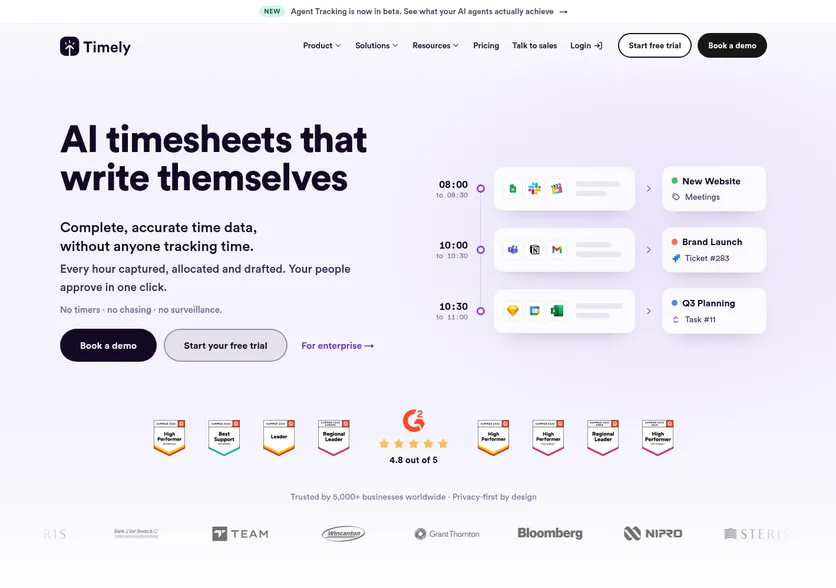
Timely drafts timesheets from calendars and documents, which suits a nonprofit where staff juggle programs, grants and meetings. This Timely Starter plan costs nine dollars a user a month billed yearly, capped at five users and twenty projects. The automatic drafting is genuinely useful, though a team that reports hours to a funder still needs to check every AI entry before it goes out.
What we like
- AI drafts timesheets from calendars and documents
- Capacity planning shows who is overbooked at a glance
- Clean interface with very little manual entry
Watch out for
- Starter caps at five users and twenty projects
- AI entries need checking before they reach a funder report
How to try it
- Open the Timely pricing page and start the trial
- Connect your calendar and let it draft one week of timesheets
- Review the AI entries against your real program hours
Prices above were checked on each vendor’s own website on Nov 27, 2026 and can change — the vendor’s page is the final word. Vendor links are editorial: nobody paid to be listed or ranked here. Vendors who want a featured listing can see how it works on our Get listed page.
What time tracking costs a nonprofit in 2026
A nonprofit should start with the free tier and pay only when the team outgrows it. Clockify is free for five users, TimeCamp is free without a user cap, Toggl Track is free for three users and Everhour is free for five, so a small team can track a whole year without spending anything. Paid tiers here run from three dollars and ninety-nine cents a user a month on Clockify and TimeCamp to nine dollars on Toggl Track, Timely and Harvest.
Count volunteers before you pick, because the free caps differ. TimeCamp covers unlimited users free, Connecteam covers ten, Clockify covers five and Toggl Track covers three. Avaza charges nine dollars and ninety-six cents a month for the whole account instead of per user, which suits a two-person team. Run one grant month on two tools and compare the report each one produces for your funders.
Before you buy
- Start with the free plan, because Clockify, TimeCamp, Toggl Track and Everhour all cost nothing for small teams.
- Count volunteers as well as staff, because TimeCamp is free without a user cap while Clockify caps free at five.
- Check the per-account price, because Avaza charges nine dollars and ninety-six cents a month for the whole account.
- Confirm grant reporting works, because Harvest turns tracked hours into invoices and reports funders can read.
- Test the tool with real volunteers, because a tracker your team will not open produces no useful data.
Official websites
Official websites of the products reviewed above. Features and prices were checked against these sites when this guide was written, and they can change, so confirm on the vendor site before you buy.
Frequently asked questions
Which time tracking software is best for nonprofits in 2026?
Clockify is the best overall pick for nonprofits, with a free plan for five users and the cheapest paid tier at three dollars and ninety-nine cents a user a month. TimeCamp is the best pick for a team with many volunteers, since its free plan covers unlimited users and projects. Toggl Track is the simplest timer, with a free plan for three users and clean grant reporting.
How much does time tracking software cost for nonprofits?
Entry prices in this list run from three dollars and ninety-nine cents a user a month on Clockify and TimeCamp to nine dollars on Toggl Track, Timely and Harvest, with Avaza at nine dollars and ninety-six cents a month for the whole account. Four tools cost nothing to start, so a small nonprofit can run for free until the team outgrows the free limits.
Is there a free time tracking tool for nonprofits?
Yes, four tools here cost nothing to start. Clockify is free for up to five users, TimeCamp is free with unlimited users and projects, Toggl Track is free for up to three users, and Everhour is free for up to five users. Avaza has a free plan too, and Connecteam has a free Small Business plan for up to ten users across all of its hubs.
Which tools work best for volunteers?
TimeCamp is the best fit for volunteers, since its free plan covers unlimited users and projects with no card required. Connecteam is free for up to ten users and adds scheduling and GPS clock-ins for field volunteers. Clockify is free for five users, which suits a small volunteer team, though a larger group needs the paid plan at three dollars and ninety-nine cents a user a month.
Need everyday productivity help too? Try Toolsvine's free productivity tools right in your browser.
Browse Productivity Tools tools


