
On this page
A highlight reel lives or dies on speed, because the best clip is worthless if it posts a week after the game. The eight tools below run from about thirty dollars once to five hundred dollars a team a year, and every price was checked on the vendor site on November 27, 2026. One is built for teams, the rest are editors, and the right mix depends on whether you need tagging or just a fast cut. Hudl is our first pick — the only platform here built for sports teams.
How we researched this
We started with the video editors sports teams and creators actually buy for highlight reels, then read each price on the vendor pricing page on November 27, 2026 and noted the free plan or trial each one carries. We judged them for a team that turns game footage into tagged highlights and social reels fast, and we kept only tools with a published price. We dropped Splice because published prices conflict between nine dollars and ninety-nine cents and fourteen dollars and ninety-nine cents a month, and we dropped Veo because it generates video rather than editing it.
Compare the tools
| Name | Best for | Starting price | Free plan | |
|---|---|---|---|---|
 Hudl | Sports teams that want game film turned into tagged highlights and recruiting reels | $500/team/year | No free plan; 14-day free trial | Visit |
 CapCut | Coaches and creators who need a highlight reel on social media the same night | $19.99/month | Free plan with watermark-free 1080p exports | Visit |
 DaVinci Resolve Studio | Teams that want professional color and audio on their highlight reels for one payment | $295 one-time | Free version with full editing, color and audio | Visit |
 Final Cut Pro | Mac teams that want the fastest highlight editing on Apple hardware | $299.99 one-time | No free plan; 90-day free trial | Visit |
 Adobe Premiere Pro | Teams that need a pro highlight reel with multi-camera editing and broadcast delivery | $22.99/month | No free tier; 7-day free trial | Visit |
 Filmora | Teams that want quick highlight reels with templates and AI captions at a low yearly price | $49.99/year | Free plan with watermarked exports | Visit |
 LumaFusion | Coaches who cut highlights on the sideline on an iPad or iPhone | $29.99 one-time | No free plan; one-time purchase only | Visit |
 PowerDirector | Teams that want fast highlight reels with AI tools and stock music on Windows and Mac | $79.99/year | Free Essential version with limits | Visit |
The video editing software for sports highlights, compared
1. Hudl
Best for: Sports teams that want game film turned into tagged highlights and recruiting reels
Paid tool Starting price: $500/team/year · Core plan, five hundred dollars a team a year for club soccer; Plus costs one thousand dollars and Premier two thousand five hundred dollars a team a year; high school Silver Plus costs one thousand five hundred dollars a program a year
Free plan: No free plan; 14-day free trial
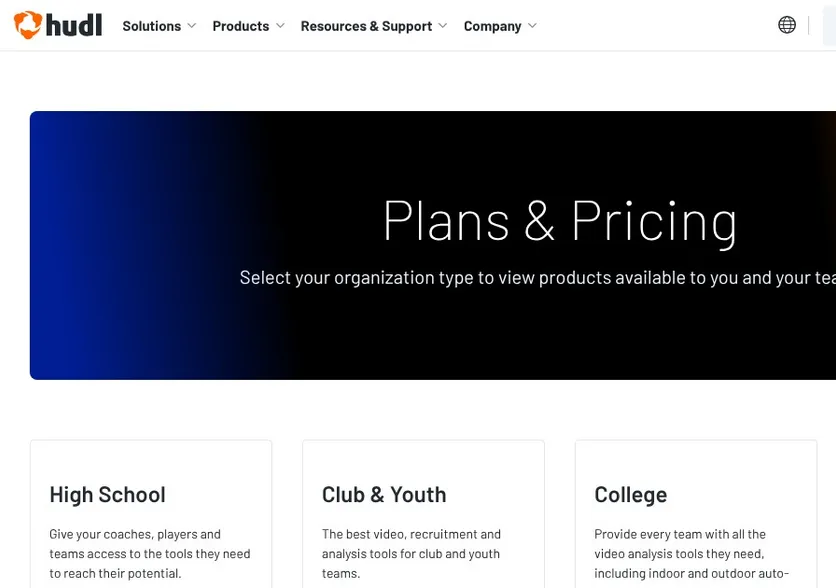
Hudl is the only tool here built for sports teams, turning game film into tagged highlights, breakdowns and recruiting reels. This Hudl Core plan costs five hundred dollars a team a year for club soccer, with Plus at one thousand dollars and Premier at two thousand five hundred dollars. High school plans start at one thousand five hundred dollars a program a year, and the vendor pricing page shows no prices until you pick an organization type.
What we like
- Built for teams, with tagging, breakdowns and recruiting tools
- Focus cameras film the match automatically
- More than two hundred thirty thousand teams use the platform
Watch out for
- The pricing page shows no prices until you pick an organization type
- Cameras and the Pro Suite are quoted separately
How to try it
- Open the Hudl pricing page and pick your organization type
- Upload one game and tag the plays you want highlighted
- Share the highlight reel with the team and check the breakdown
2. CapCut
Best for: Coaches and creators who need a highlight reel on social media the same night
Paid tool Starting price: $19.99/month · Pro plan, nineteen dollars and ninety-nine cents a month or one hundred seventy-nine dollars and ninety-nine cents a year, about fifteen dollars a month; Ultra costs seventy-nine dollars a month
Free plan: Free plan with watermark-free 1080p exports
CapCut is the fastest route from game footage to a social highlight, with auto captions, beat sync and vertical templates. This CapCut Pro plan costs nineteen dollars and ninety-nine cents a month, or one hundred seventy-nine dollars and ninety-nine cents a year. The free plan is genuinely useful, though AI features burn credits and the Pro plan caps at one thousand two hundred a month.
What we like
- Fastest path from game footage to a social post
- Auto captions and beat sync built for highlights
- Desktop and mobile apps share one account
Watch out for
- AI features burn separate credits, Pro is not unlimited AI
- Final price can vary by region, device and app store
How to try it
- Open the CapCut pricing page and compare Pro with Ultra
- Drop game clips on the timeline and let beat sync cut to the music
- Export in 4K vertical and post it the same night
3. DaVinci Resolve Studio
Best for: Teams that want professional color and audio on their highlight reels for one payment
Paid tool Starting price: $295 one-time · Studio licence, two hundred ninety-five dollars one-time; a twenty percent sale at two hundred thirty-six dollars ended on November 20, 2026
Free plan: Free version with full editing, color and audio
DaVinci Resolve Studio turns game footage into a polished reel with professional color and audio for one payment. This DaVinci Resolve Studio licence costs two hundred ninety-five dollars once, after a twenty percent sale at two hundred thirty-six dollars ended on November 20, 2026. The free version is remarkably capable, and Studio adds the Neural Engine, stereoscopic tools and advanced HDR grading.
What we like
- One payment, no subscription and no renewal
- Professional color grading and Fairlight audio included
- Free version covers most highlight editing
Watch out for
- The learning curve is steep for a first-time editor
- No mobile app, and the review workflow is thinner than Frameio
How to try it
- Open the DaVinci Resolve Studio page and check the price
- Download the free version and cut a highlight reel
- Buy Studio when you need the Neural Engine or HDR tools
4. Final Cut Pro
Best for: Mac teams that want the fastest highlight editing on Apple hardware
Paid tool Starting price: $299.99 one-time · Mac licence, two hundred ninety-nine dollars and ninety-nine cents one-time; also in Apple Creator Studio at twelve dollars and ninety-nine cents a month or one hundred twenty-nine dollars a year
Free plan: No free plan; 90-day free trial
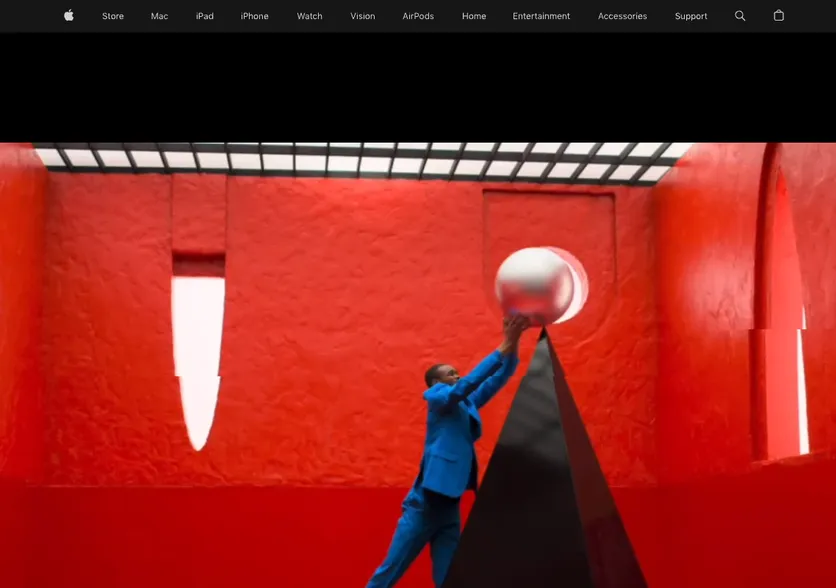
Final Cut Pro is the fastest editor on a Mac, with a magnetic timeline that cuts highlight reels in hours rather than days. This Final Cut Pro licence costs two hundred ninety-nine dollars and ninety-nine cents once on the Mac App Store, with a ninety-day free trial. Apple also sells it inside Creator Studio at twelve dollars and ninety-nine cents a month, which adds premium content the one-time version lacks.
What we like
- Fastest editor on a Mac by a wide margin
- One-time licence with free updates included
- Ninety-day trial to test it on real footage
Watch out for
- Mac only, with no Windows version at all
- The one-time licence misses premium content reserved for subscribers
How to try it
- Open the Final Cut Pro page and start the ninety-day trial
- Cut a highlight reel on the magnetic timeline
- Compare the one-time licence with the Creator Studio subscription
5. Adobe Premiere Pro
Best for: Teams that need a pro highlight reel with multi-camera editing and broadcast delivery
Paid tool Starting price: $22.99/month · Premiere plan, twenty-two dollars and ninety-nine cents a month on an annual plan billed monthly; month-to-month costs about thirty-four dollars and forty-nine cents; the annual rate is marked first-year only for new subscribers
Free plan: No free tier; 7-day free trial
Premiere Pro is the pro choice for highlight reels that need multi-camera editing, color work and broadcast delivery. This Adobe Premiere Pro plan costs twenty-two dollars and ninety-nine cents a month on an annual plan billed monthly, with a seven-day trial and no free tier. The rate is marked first-year only for new subscribers, so confirm the renewal price before you budget for year two.
What we like
- Industry standard that clients and collaborators expect
- Multi-camera editing and the widest format support
- Frameio review and Adobe Express Premium included
Watch out for
- No free tier, and the annual rate is marked first-year only
- Cancelling after fourteen days can trigger a fee on annual plans
How to try it
- Open the Adobe plans page and compare Premiere with Creative Cloud Pro
- Start the seven-day trial and cut a highlight reel
- Check the renewal price before the trial ends
6. Filmora
Best for: Teams that want quick highlight reels with templates and AI captions at a low yearly price
Paid tool Starting price: $49.99/year · Basic plan, forty-nine dollars and ninety-nine cents a year; Advanced costs fifty-nine dollars and ninety-nine cents a year with one thousand AI credits a month; Perpetual costs seventy-nine dollars and ninety-nine cents once for Filmora 16
Free plan: Free plan with watermarked exports
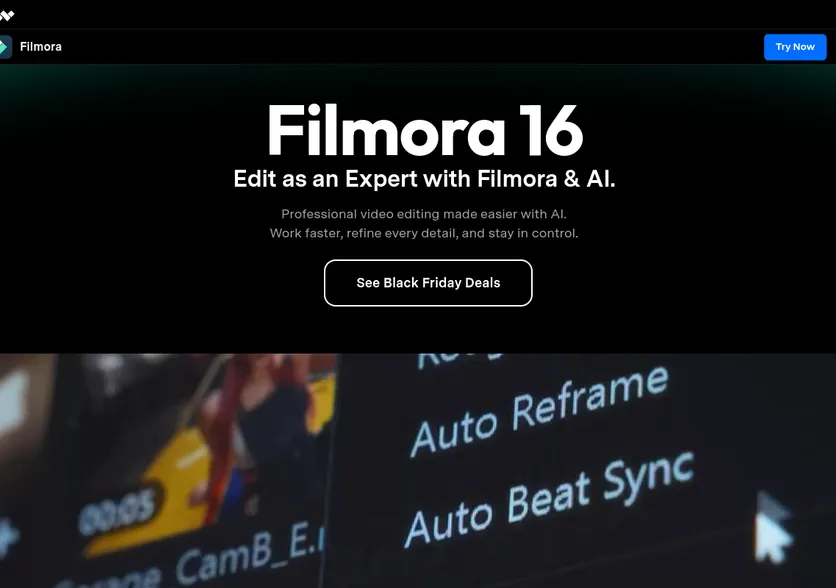
Filmora is the quick pick for highlight reels, with templates, speed ramping and AI captions at a low yearly price. This Filmora Basic plan costs forty-nine dollars and ninety-nine cents a year, with Advanced at fifty-nine dollars and ninety-nine cents for one thousand AI credits a month. The free version exports with a watermark, so the paid plan is the real starting point for team highlights.
What we like
- Lowest yearly price for a full desktop editor
- Sports templates and speed ramping built in
- Perpetual licence available for seventy-nine dollars and ninety-nine cents
Watch out for
- AI features run on credits, and Basic includes none
- The perpetual licence covers Filmora 16 only, not future versions
How to try it
- Open the Filmora pricing page and compare Basic with Advanced
- Start from a sports template and cut a highlight reel
- Export in 4K and check the watermark is gone
7. LumaFusion
Best for: Coaches who cut highlights on the sideline on an iPad or iPhone
Paid tool Starting price: $29.99 one-time · One-time purchase, twenty-nine dollars and ninety-nine cents; add-ons such as Multicam Studio cost nineteen dollars and ninety-nine cents each; Creator Pass costs nine dollars and ninety-nine cents a month
Free plan: No free plan; one-time purchase only
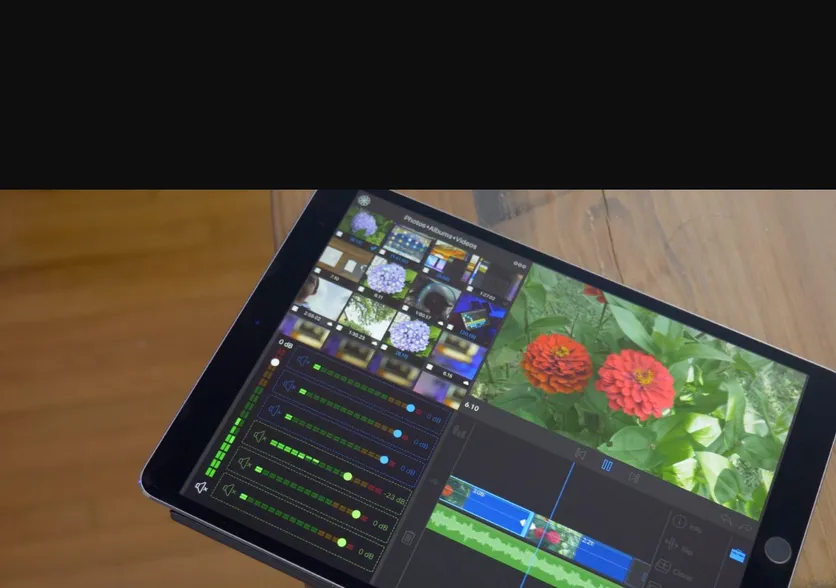
LumaFusion is the sideline editor, cutting multi-track highlights on an iPad or iPhone for twenty-nine dollars and ninety-nine cents once. This LumaFusion app costs twenty-nine dollars and ninety-nine cents as a one-time purchase, with optional add-ons at nineteen dollars and ninety-nine cents each. There is no free plan, and the Creator Pass subscription at nine dollars and ninety-nine cents a month adds stock media and speed ramping.
What we like
- One-time purchase with no subscription for the core app
- Six video tracks with scopes, LUTs and keyframes
- Edits straight from an external USB drive
Watch out for
- No free plan, so you buy before you test it
- Add-ons at nineteen dollars and ninety-nine cents each add up fast
How to try it
- Open the LumaFusion page and check the price
- Buy the app and cut a highlight reel on your iPad
- Add Multicam Studio only if you cut several angles
8. PowerDirector
Best for: Teams that want fast highlight reels with AI tools and stock music on Windows and Mac
Paid tool Starting price: $79.99/year · PowerDirector 365 plan, seventy-nine dollars and ninety-nine cents a year at list; promotions from time to time run as low as fifty-nine dollars and ninety-nine cents a year; monthly billing costs twenty-four dollars and ninety-nine cents
Free plan: Free Essential version with limits
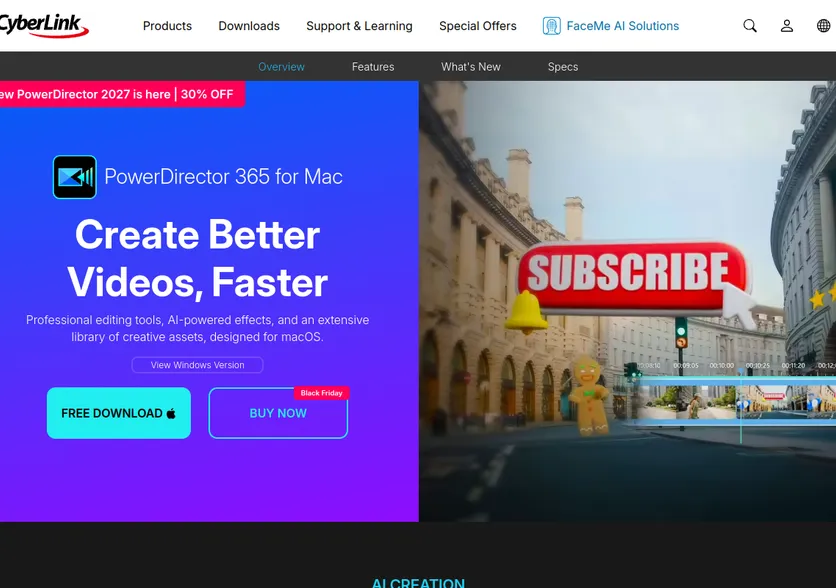
PowerDirector cuts highlight reels fast on Windows and Mac, with AI tools, motion tracking and stock music included. This PowerDirector 365 plan costs seventy-nine dollars and ninety-nine cents a year at list, with promotions from time to time as low as fifty-nine dollars and ninety-nine cents. The one-time 2027 Ultimate licence costs one hundred thirty-nine dollars and ninety-nine cents for teams that dislike subscriptions.
What we like
- AI tools and Getty stock assets included
- One-time licence available for one hundred thirty-nine dollars and ninety-nine cents
- Runs on Windows and Mac with a mobile app too
Watch out for
- The list price is seventy-nine dollars and ninety-nine cents, promos are temporary
- No team-seat pricing, so each editor needs a separate licence
How to try it
- Open the PowerDirector page and compare 365 with the one-time licence
- Cut a highlight reel with motion tracking and AI tools
- Export and check the cloud storage and credit limits
Prices above were checked on each vendor’s own website on Nov 27, 2026 and can change — the vendor’s page is the final word. Vendor links are editorial: nobody paid to be listed or ranked here. Vendors who want a featured listing can see how it works on our Get listed page.
What video editing costs for sports highlights in 2026
Sports highlight pricing splits into team platforms and editors, and most teams need one of each. Hudl Core costs five hundred dollars a team a year and adds tagging, breakdowns and recruiting tools that no editor offers, while editors run from forty-nine dollars and ninety-nine cents a year on Filmora to two hundred ninety-nine dollars and ninety-nine cents once on Final Cut Pro. CapCut Pro at nineteen dollars and ninety-nine cents a month is the cheapest route to a same-night social reel.
Start with the free tier on the editor side and pay for Hudl only when the team needs tagging. CapCut and DaVinci Resolve export free, and LumaFusion costs twenty-nine dollars and ninety-nine cents once for sideline cutting. Cut one real game on two tools, compare the export time and the finished reel, and pick the workflow that posts fastest.
Before you buy
- Count the per-team price, because Hudl Core costs five hundred dollars a team a year while CapCut Pro costs nineteen dollars and ninety-nine cents a month.
- Check the platform, because Final Cut Pro runs on Mac only and LumaFusion runs on phones and tablets.
- Confirm the export quality, because CapCut Pro exports in 4K while Filmora Basic needs the paid plan for watermark-free 4K.
- Watch the one-time price, because DaVinci Resolve Studio costs two hundred ninety-five dollars once and Final Cut Pro costs two hundred ninety-nine dollars and ninety-nine cents once.
- Test the highlight workflow on real game footage, because a tool that cannot cut a reel fast is money wasted.
Official websites
Official websites of the products reviewed above. Features and prices were checked against these sites when this guide was written, and they can change, so confirm on the vendor site before you buy.
Frequently asked questions
Which video editing software is best for sports highlights in 2026?
Hudl is the best pick for a team, because it is built for sports, with tagging, breakdowns and recruiting reels from five hundred dollars a team a year. CapCut is the best pick for fast social highlights at nineteen dollars and ninety-nine cents a month, with auto captions and beat sync. DaVinci Resolve Studio is the best pro finish at two hundred ninety-five dollars once.
How much does sports highlight software cost?
A team plan on Hudl starts at five hundred dollars a team a year for club soccer, with high school plans from one thousand five hundred dollars a program a year. Editors cost far less, from forty-nine dollars and ninety-nine cents a year on Filmora to two hundred ninety-nine dollars and ninety-nine cents once on Final Cut Pro, with CapCut Pro at nineteen dollars and ninety-nine cents a month.
What is the difference between Hudl and a video editor?
Hudl is not a general editor, it is a sports platform that tags game film, breaks down plays and builds highlight reels for coaches, athletes and recruiters. A video editor cuts and colors the footage but does not tag plays or track stats. Most teams use both, with Hudl for analysis and an editor like CapCut or Premiere Pro for the finished reel.
Is there a free video editor for sports highlights?
Yes, several tools cost nothing to start. CapCut has a free plan with watermark-free 1080p exports, DaVinci Resolve has a free version that covers most highlight editing, and PowerDirector has a free Essential version with limits. Filmora is free with a watermark, while Hudl, Final Cut Pro and LumaFusion need payment or a trial first.
Which editor is best for cutting highlights on a phone or tablet?
LumaFusion is the best sideline editor, cutting multi-track highlights on an iPad or iPhone for twenty-nine dollars and ninety-nine cents once. CapCut is the best phone editor for social highlights, with a free plan and Pro at nineteen dollars and ninety-nine cents a month. Both export in 4K, though LumaFusion has the deeper timeline and CapCut has the faster social workflow.
Need everyday video help too? Try Toolsvine's free video tools right in your browser.
Browse Video Tools tools


