
On this page
UpdraftPlus is the most installed backup plugin on WordPress, but its premium restores still need WordPress running, and its best features sit behind a 70 dollar a year plan. WPvivid is the pick that gives the most for the least, with a free version that covers cloud backups and a Pro plan from 49 dollars a year. This guide compares eight WordPress backup alternatives to UpdraftPlus, from a two dollar a month backup add on to a 99 dollar a year off server service, with live 2026 prices and free plans, so you can pick by restore speed and storage.
How we researched this
We checked the pricing page of every vendor on this list on November 26, 2026, and kept only tools that publish a real dollar price. Each tool had to back up a full WordPress site and restore it, and we compared entry prices, free plans, storage location and whether the site can be restored when WordPress itself is down.
Compare the tools
| Name | Best for | Starting price | Free plan | |
|---|---|---|---|---|
| WPvivid | Budget backups with migration and a lifetime option | $49/year | Free version with full backups and cloud storage | Visit |
| ManageWP | Agencies managing many sites from one dashboard | $2/month | Free plan with basic backups | Visit |
| BackWPup | Free scheduled backups with cloud restore in Pro | $49/year | Free version with scheduled backups | Visit |
| WP Time Capsule | Real time backups on your own storage | $49/year | Free version with basic backups | Visit |
| CodeGuard | Automatic daily backups with one click restore | $60/year | 14-day free trial | Visit |
| BlogVault | Business sites that cannot afford to lose data | $99/year | 7-day full free trial | Visit |
| Duplicator | Backups plus migrations in one package | $79/year | Free Lite version with manual backups and migration | Visit |
| Jetpack VaultPress Backup | WooCommerce stores that need real time backups | $9.95/month | No free plan for Backup itself | Visit |
The WordPress backup plugins, compared
1. WPvivid
Best for: Budget backups with migration and a lifetime option
Paid tool Starting price: $49/year · Blogger Pro is $49 a year or $99 lifetime for 2 sites; Freelancer is $69 a year for 10 sites
Free plan: Free version with full backups and cloud storage
WPvivid gives the most for the money in this category, because the free version already covers cloud backups, scheduling, one click restore and a basic staging site. This WPvivid Pro plan costs 49 dollars a year for two sites and adds incremental backups, selective backups and migration. It is the value pick for a hobbyist or small business on a tight budget.
What we like
- Free version covers cloud backups and scheduling
- Lifetime licence at 99 dollars for two sites
- Migration included in the Pro plan
Watch out for
- Restore needs WordPress working
- Incremental backups need the Pro plan
How to try it
- Open the WPvivid pricing page and install the free plugin
- Connect Dropbox or Google Drive as storage
- Schedule a weekly backup and test the restore
2. ManageWP
Best for: Agencies managing many sites from one dashboard
Paid tool Starting price: $2/month · Free plan includes basic backups; Premium backup starts at $2 a month per site
Free plan: Free plan with basic backups
ManageWP is a management dashboard first, and its backup add on is the cheapest per site price on this list. This ManageWP Premium backup costs two dollars a month per site and adds scheduled off site backups with one click restore. It suits an agency that already manages dozens of sites from one dashboard.
What we like
- Cheapest per site backup here
- One dashboard for dozens of sites
- Free plan covers basic backups
Watch out for
- Backup is an add on, not the core product
- Restore options are simpler than BlogVault
How to try it
- Open the ManageWP pricing page and add a site
- Turn on Premium backup for two dollars a month
- Schedule backups and test a restore
3. BackWPup
Best for: Free scheduled backups with cloud restore in Pro
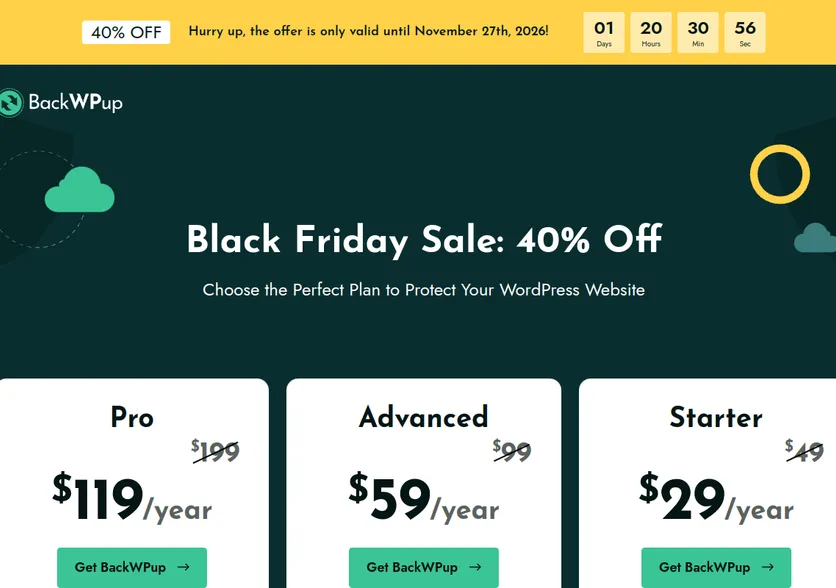
Paid tool Starting price: $49/year · Pro is listed at $49 a year for 2 domains; sale prices are lower and renewals are at list price
Free plan: Free version with scheduled backups
BackWPup is the quiet veteran of WordPress backups, with a free version that schedules backups to cloud storage and a Pro version that restores from the cloud. This BackWPup Pro plan costs 49 dollars a year for two domains and adds premium storage destinations plus priority support. It fits a site owner who wants scheduled backups without a subscription maze.
What we like
- Free version schedules real backups
- Cloud storage destinations included
- Lightweight plugin with a long track record
Watch out for
- Pro restore needs the paid plan
- Interface looks dated next to rivals
How to try it
- Open the BackWPup pricing page and install the free plugin
- Schedule a backup to your cloud storage
- Upgrade to Pro for cloud restore and support
4. WP Time Capsule
Best for: Real time backups on your own storage
Paid tool Starting price: $49/year · Pro starts at $49 a year for 2 sites; higher tiers cover up to unlimited sites
Free plan: Free version with basic backups
WP Time Capsule backs up only what changed, so backups run in real time without slowing the site, and files live on your own cloud storage. This WP Time Capsule Pro plan costs 49 dollars a year for two sites and adds incremental backups with up to a year of retention. It suits a site that changes often and cannot wait for a nightly backup.
What we like
- Incremental backups use your own storage
- Real time backups, no nightly window
- Restore to any point in time
Watch out for
- Restore needs WordPress working
- No off server storage included
How to try it
- Open the WP Time Capsule pricing page and install the plugin
- Connect your own Dropbox or Google Drive
- Turn on incremental backups and test a restore
5. CodeGuard
Best for: Automatic daily backups with one click restore
Paid tool Starting price: $60/year · Basic starts at $60 a year with a 14-day free trial; higher plans add more storage and sites
Free plan: 14-day free trial
CodeGuard is a hands off backup service that watches a site, backs it up daily and restores it with one click when something breaks. This CodeGuard Basic plan costs 60 dollars a year and covers automatic daily backups with malware monitoring. It fits a site owner who wants backups handled without touching a plugin setting.
What we like
- Fully automatic daily backups
- One click restore from the dashboard
- Malware monitoring included
Watch out for
- No free plan, trial only
- Storage limits are lower than rivals
How to try it
- Open the CodeGuard pricing page and start the trial
- Connect the site and pick the Basic plan
- Let the first backup run and check the report
6. BlogVault
Best for: Business sites that cannot afford to lose data
Paid tool Starting price: $99/year · Personal is $99 a year list ($49.50 intro) for 1 site; Business is $299 a year; WooCommerce is $499 a year
Free plan: 7-day full free trial
BlogVault runs backups on its own servers, so a backup never slows the site and a restore works even when WordPress itself is down. This BlogVault Personal plan lists at 99 dollars a year for one site, with daily backups, 30 day retention and one click restore from its dashboard. It is the safest choice for a business site that cannot afford downtime.
What we like
- Backups run off server, site stays fast
- Restore works when WordPress is down
- Staging and migration included
Watch out for
- List price is 99 dollars, intro is lower
- No free plan, trial only
How to try it
- Open the BlogVault pricing page and start the trial
- Connect the site and let the first backup run
- Test a one click restore to staging
7. Duplicator
Best for: Backups plus migrations in one package
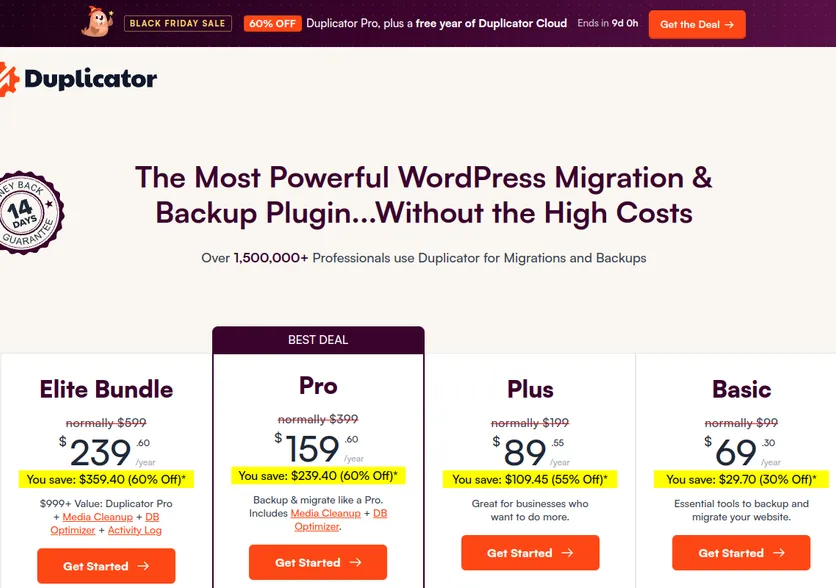
Paid tool Starting price: $79/year · Basic lists at $79 a year for 2 sites; Plus is $199 a year; Pro is $399 a year with staging and multisite
Free plan: Free Lite version with manual backups and migration
Duplicator packages a whole site into an archive plus a small installer file, which makes it a backup tool and a migration tool at the same time. This Duplicator Basic plan lists at 79 dollars a year for two sites and adds scheduled backups, cloud storage and drag and drop imports. It fits anyone who moves sites between hosts as often as they back them up.
What we like
- One package backs up and migrates
- Installer rebuilds a site with no WordPress
- Cloud storage on Pro plans
Watch out for
- First year is 79 dollars; renewals are at full price
- Staging needs the 399 dollar Pro tier
How to try it
- Open the Duplicator pricing page and install Lite
- Create a package and download the archive
- Upgrade to Pro for scheduled cloud backups
8. Jetpack VaultPress Backup
Best for: WooCommerce stores that need real time backups
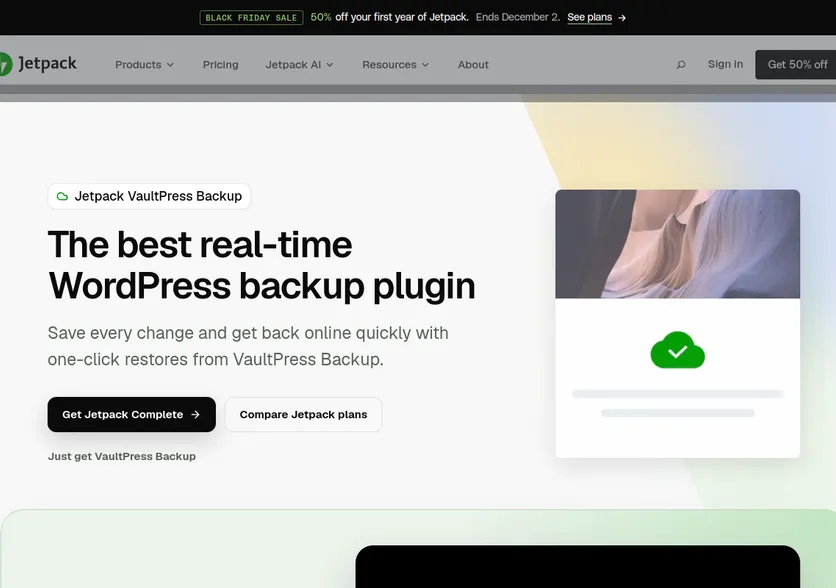
Paid tool Starting price: $9.95/month · VaultPress Backup is $9.95 a month billed yearly ($119.40 a year); first year intro is $4.95 a month
Free plan: No free plan for Backup itself
Jetpack VaultPress Backup saves every change in real time to Automattic cloud storage, so a WooCommerce order placed a minute ago is already backed up. This Jetpack VaultPress Backup plan costs about ten dollars a month on annual billing and restores from the Jetpack dashboard, even on a phone. It is the pick for a store that cannot lose a single order.
What we like
- Real time backups for WooCommerce
- Restore from the dashboard or phone
- Ten gigabytes of cloud storage included
Watch out for
- No free plan for Backup itself
- Yearly billing only, no monthly option
How to try it
- Open the Jetpack Backup page and pick the plan
- Connect the site to the Jetpack cloud
- Check that real time backup is running
Prices above were checked on each vendor’s own website on Nov 26, 2026 and can change — the vendor’s page is the final word. Vendor links are editorial: nobody paid to be listed or ranked here. Vendors who want a featured listing can see how it works on our Get listed page.
How to read the price before you commit
Backup prices hide in two places: the renewal price and the storage location. BlogVault and Duplicator show a low first year price and renew at the full list price, so budget on the list figure, while WPvivid and BackWPup charge the same every year. Storage matters too: BlogVault and Jetpack include their own cloud, while WPvivid and WP Time Capsule use your Dropbox or Drive. Before paying, test a restore, because a backup you cannot restore is worth nothing.
Before you buy
- Budget on the renewal price, not the first year discount. A builder that stores content in shortcodes can lock a site in for years, so check the export story before you commit.
- Check whether storage is included or uses your own cloud account.
- Confirm the restore works when WordPress itself is down.
- Count the sites covered, since most plans cap at two.
- Test a restore to staging before trusting any backup. A backup that restores in staging in minutes is the one to trust, while a backup that has never been tested is only a hope.
Official websites
Official websites of the products reviewed above. Features and prices were checked against these sites when this guide was written, and they can change, so confirm on the vendor site before you buy.
Frequently asked questions
What is the best free WordPress backup plugin?
WPvivid has the best free version, with full backups, one click restore, scheduling and cloud storage destinations at no cost. BackWPup free also schedules real backups, and ManageWP free covers basic backups for agencies. The free versions all need WordPress working to restore, so a business site should still pay for an off server restore option.
Can I restore my site if WordPress is down?
Only with an off server service. BlogVault and Jetpack VaultPress Backup restore from their own dashboards even when WordPress is down, because the backup lives on their servers. WPvivid, BackWPup and WP Time Capsule restore from your own cloud storage and need WordPress running, or a manual restore. Pick BlogVault or Jetpack if downtime recovery matters.
How much storage do I need for backups?
A small blog needs a few gigabytes, while a WooCommerce store with product images needs tens of gigabytes. BlogVault Personal includes 20 GB, Jetpack Backup includes 10 GB, and WPvivid and WP Time Capsule use your own Dropbox or Drive, so storage is whatever you already pay for. Check the retention period too, since 30 days is standard and a year costs more.
Are lifetime backup licences worth it?
WPvivid sells a lifetime licence at $99 for two sites, which pays for itself in two years against its $49 a year plan. No other tool here sells a genuine lifetime licence, so compare carefully. A lifetime licence wins if you keep the same sites for years, while an annual plan wins if you want steady updates and support.
Which backup plugin is best for WooCommerce?
Jetpack VaultPress Backup is the best WooCommerce pick, with real time backups that save every order the moment it is placed, at $9.95 a month billed yearly. BlogVault WooCommerce at $499 a year adds hourly backups with a year of retention for larger stores. A small shop should start with Jetpack, while a high volume store should budget for BlogVault.
Backed up your site this week? Try free backup, WordPress and developer tools on Toolsvine right in your browser.
Browse Developer Tools tools


