
On this page
Moving a WordPress site is the job everyone puts off, because a failed migration means a dead site and a long night. Duplicator is the pick that makes the move boring, with a package and installer that rebuild a site anywhere from 79 dollars a year. This guide compares eight WordPress migration alternatives, from a 39 dollar a month done for you service to a 99 dollar a year developer tool, with live 2026 prices and free plans, so you can pick by site size and how much of the move you want to do yourself.
How we researched this
We checked the pricing page of every vendor on this list on November 26, 2026, and kept only tools that publish a real dollar price. Each tool had to move a full WordPress site to a new host or domain, and we compared entry prices, free plans, site limits and whether the move needs WordPress running at the destination.
Compare the tools
| Name | Best for | Starting price | Free plan | |
|---|---|---|---|---|
| Duplicator | Anyone who moves sites between hosts and wants a reliable package | $79/year | Free Lite version with manual backups and migration | Visit |
| All-in-One WP Migration | Beginners who want the simplest export and import flow | $69/year | Free version with export and import | Visit |
| WP Migrate | Developers who sync databases between environments every week | $99/year | Free Lite version with database export | Visit |
| WPvivid | Budget migrations with staging and a lifetime option | $49/year | Free version with migration, scheduling and staging | Visit |
| UpdraftPlus Premium | Backup and migration in one familiar tool | $70/year | Free version with backup, download and restore | Visit |
| BlogVault | Business sites that need migration plus off server backups | $99/year | 7-day full free trial | Visit |
| Jetpack VaultPress Backup | WooCommerce stores that need real time backups during a move | $9.95/month | No free plan for Backup itself | Visit |
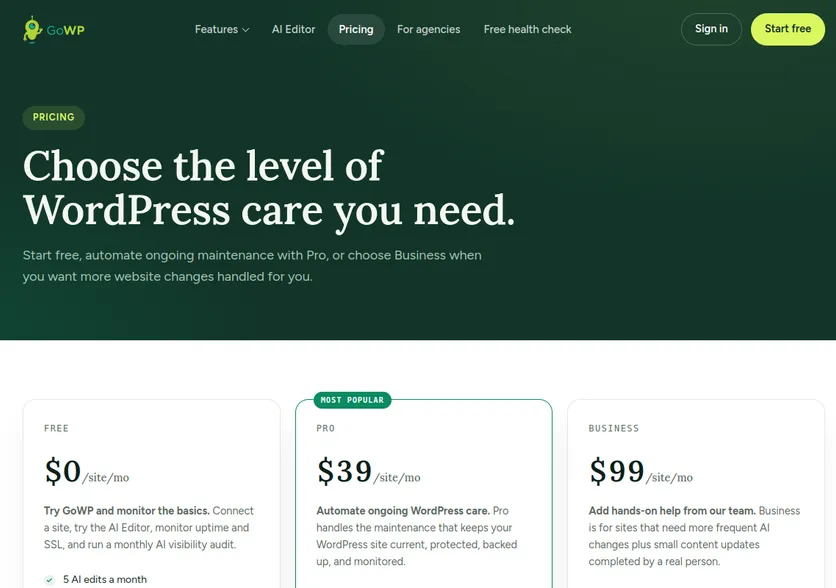
| GoWP | Agencies that want migration done for them under their own brand | $39/month | Free plan with 5 AI edits a month | Visit |
The WordPress migration tools, compared
1. Duplicator
Best for: Anyone who moves sites between hosts and wants a reliable package
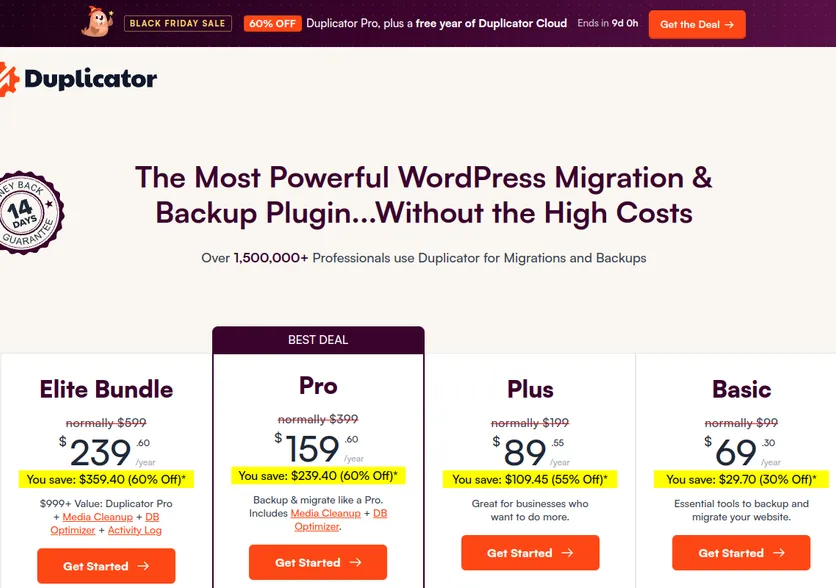
Paid tool Starting price: $79/year · Basic lists at $79 a year for 2 sites; Plus is $199 a year; Pro is $399 a year with staging and multisite
Free plan: Free Lite version with manual backups and migration
When a site has to move hosts, Duplicator turns the whole thing into an archive plus a small installer file, which makes it a backup tool and a migration tool at the same time. This Duplicator Basic plan lists at 79 dollars a year for two sites and adds scheduled backups, cloud storage and drag and drop imports. It fits anyone who moves sites between hosts as often as they back them up.
What we like
- One package backs up and migrates
- Installer rebuilds a site with no WordPress
- Cloud storage on Pro plans
Watch out for
- First year is 79 dollars; renewals are at full price
- Staging needs the 399 dollar Pro tier
How to try it
- Open the Duplicator pricing page and install Lite
- Create a package and download the archive
- Run the installer on the new host to rebuild the site
2. All-in-One WP Migration
Best for: Beginners who want the simplest export and import flow
Paid tool Starting price: $69/year · Unlimited Extension is $69 a year for up to 50 sites; Pro bundle is $99 a year with cloud storage
Free plan: Free version with export and import
All-in-One WP Migration is the most installed migration plugin on WordPress, with more than five million active installs and the simplest export and import flow. This All-in-One WP Migration Unlimited Extension costs 69 dollars a year for up to 50 sites and removes the import size cap. It suits a beginner who wants to move a site by dragging one file.
What we like
- Simplest export and import flow
- Most installed migration plugin
- One file moves the whole site
Watch out for
- Free version caps imports by host limit
- No rollback if the import fails
How to try it
- Open the All-in-One WP Migration page and install the free plugin
- Export the site to a single file
- Import it on the new host with the Unlimited Extension
3. WP Migrate
Best for: Developers who sync databases between environments every week
Paid tool Starting price: $99/year · Basic lists at $99 a year for 1 site; Standard lists at $149 a year for 2 sites; Premier lists at $299 a year
Free plan: Free Lite version with database export
WP Migrate is built for developer workflows, with push and pull syncing of databases and files between local, staging and live sites. This WP Migrate Basic plan lists at 99 dollars a year for one site and adds push and pull for the database. It fits a developer who syncs environments several times a week, not someone moving a blog once.
What we like
- Push and pull between environments
- Find and replace built into every export
- Built for daily developer workflows
Watch out for
- List price is 99 dollars, intro is lower
- Full site moves need the higher tiers
How to try it
- Open the WP Migrate pricing page and install Lite
- Export the database with find and replace
- Upgrade to Basic for push and pull between sites
4. WPvivid
Best for: Budget migrations with staging and a lifetime option
Paid tool Starting price: $49/year · Blogger Pro is $49 a year or $99 lifetime for 2 sites; Freelancer is $69 a year for 10 sites
Free plan: Free version with migration, scheduling and staging
WPvivid is the cheapest paid migration on this list, and its free version already moves a full site by uploading an archive. This WPvivid Pro plan costs 49 dollars a year for two domains and adds incremental backups, selective migration and a lifetime licence option at 99 dollars. It suits a hobbyist who moves sites occasionally and wants the cheapest paid step up.
What we like
- Free version moves a full site
- Lifetime licence at 99 dollars
- Staging included in the free version
Watch out for
- Incremental backups need the Pro plan
- Restore needs WordPress working
How to try it
- Open the WPvivid pricing page and install the free plugin
- Create a backup and download the archive
- Upload it on the new host to migrate the site
5. UpdraftPlus Premium
Best for: Backup and migration in one familiar tool
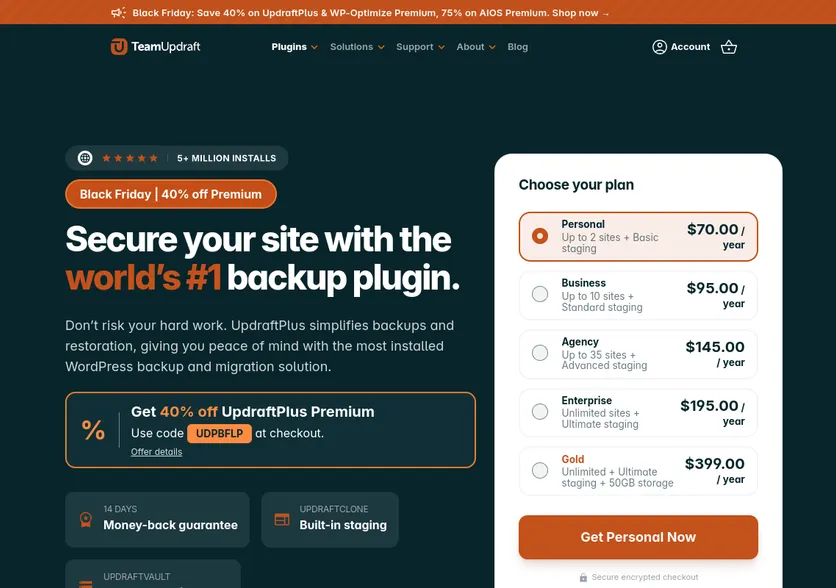
Paid tool Starting price: $70/year · Personal is $70 a year for 2 sites; Business is $95 a year; Gold is $399 a year for unlimited sites
Free plan: Free version with backup, download and restore
UpdraftPlus Premium turns the most installed backup plugin into a migration tool, by downloading a backup on one site and restoring it on another. This UpdraftPlus Premium Personal plan costs 70 dollars a year for two sites and adds multisite support, extra storage destinations and premium support. It fits a site owner who already backs up with UpdraftPlus.
What we like
- Backup and migration in one plugin
- Most installed backup tool on WordPress
- Extra storage destinations on Premium
Watch out for
- Migration is a restore workaround
- Multisite needs the Premium plan
How to try it
- Open the UpdraftPlus pricing page and install the free plugin
- Back up the site and download the archive
- Restore it on the new host with Premium
6. BlogVault
Best for: Business sites that need migration plus off server backups
Paid tool Starting price: $99/year · Personal is $99 a year list ($49.50 intro) for 1 site; Business is $299 a year; WooCommerce is $499 a year
Free plan: 7-day full free trial
BlogVault runs backups and migrations on its own servers, so a move never slows the site and a restore works even when WordPress itself is down. This BlogVault Personal plan lists at 99 dollars a year for one site, with one click restore and migration from its dashboard. It is the safest choice for a business site that cannot afford downtime during a move.
What we like
- Migration runs off server, site stays fast
- Restore works when WordPress is down
- Staging and migration included
Watch out for
- List price is 99 dollars, intro is lower
- No free plan, trial only
How to try it
- Open the BlogVault pricing page and start the trial
- Connect the site and let the first backup run
- Migrate from the dashboard with one click
7. Jetpack VaultPress Backup
Best for: WooCommerce stores that need real time backups during a move
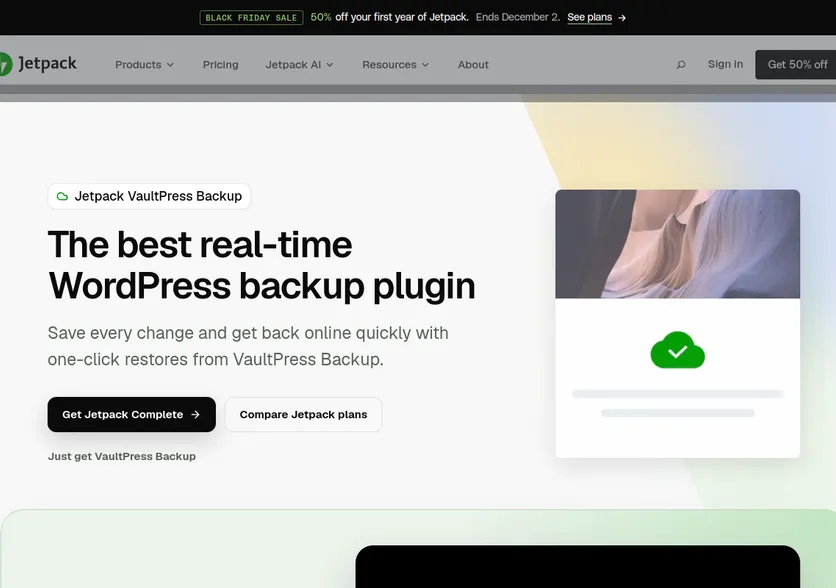
Paid tool Starting price: $9.95/month · VaultPress Backup is $9.95 a month billed yearly ($119.40 a year); first year intro is $4.95 a month
Free plan: No free plan for Backup itself
Jetpack VaultPress Backup saves every change in real time to Automattic cloud storage, so a store can move hosts without losing a single order. This Jetpack VaultPress Backup plan costs about ten dollars a month on annual billing and restores from the Jetpack dashboard, even on a phone. It is the pick for a store that migrates while still taking orders.
What we like
- Real time backups for WooCommerce
- Restore from the dashboard or phone
- Ten gigabytes of cloud storage included
Watch out for
- No free plan for Backup itself
- Yearly billing only, no monthly option
How to try it
- Open the Jetpack Backup page and pick the plan
- Connect the site to the Jetpack cloud
- Restore the backup on the new host
8. GoWP
Best for: Agencies that want migration done for them under their own brand
Paid tool Starting price: $39/month · Pro maintenance is $39 a month per site; Business with unlimited content edits is $99 a month per site
Free plan: Free plan with 5 AI edits a month
GoWP is a white label maintenance service, so an agency can hand a migration to a team that does it under the agency brand. This GoWP Pro plan costs 39 dollars a month per site and covers updates, daily backups, security scans and migration support. It suits an agency that resells care plans and never wants a client to see another brand.
What we like
- White label, clients never see GoWP
- Migration handled by a human team
- Daily backups and security included
Watch out for
- Priced per site, many sites add up
- Migration is part of maintenance, not standalone
How to try it
- Open the GoWP pricing page and pick the Pro plan
- Add the client site and request the migration
- Let the GoWP team move it under your brand
Prices above were checked on each vendor’s own website on Nov 26, 2026 and can change — the vendor’s page is the final word. Vendor links are editorial: nobody paid to be listed or ranked here. Vendors who want a featured listing can see how it works on our Get listed page.
How to read the price before you commit
Migration tools bill per site per year, and the site limit is the number that matters most. All-in-One WP Migration covers 50 sites for 69 dollars a year, while WP Migrate covers one site for 99 dollars, so the cheapest headline price is not always the cheapest per site. Before paying, check the size of the site, whether the free version moves it fully, and whether the destination needs WordPress installed first, because Duplicator is the only tool here that rebuilds a site with no WordPress at all.
Before you buy
- Count the sites first, because most licences cover one or two.
- Check the site size, since free versions cap imports or moves.
- Confirm whether the destination needs WordPress installed first.
- Budget on the renewal price, not the first year discount. A builder that stores content in shortcodes can lock a site in for years, so check the export story before you commit.
- Test the move on a staging copy before pointing the domain. A move that has never been tested on staging is a gamble, not a plan.
Official websites
Official websites of the products reviewed above. Features and prices were checked against these sites when this guide was written, and they can change, so confirm on the vendor site before you buy.
Frequently asked questions
What is the best free WordPress migration plugin?
WPvivid has the best free migration, with a full site move by uploading an archive, plus scheduling and staging at no cost. All-in-One WP Migration free exports a site of any size, though the import is capped by the host upload limit. Migrate Guru is free for host to host moves up to 200 GB, with a cap of five sites a month. Pick WPvivid for a simple archive move.
Can I migrate a site without WordPress at the destination?
Yes, with Duplicator. Its installer rebuilds the site on a server that has no WordPress installed yet, which no other tool on this list does. All-in-One WP Migration, WPvivid and UpdraftPlus all need WordPress running at the destination to import the archive. If the new host is empty, Duplicator is the only DIY option here.
How long does a WordPress migration take?
A small blog moves in under an hour with Duplicator or All-in-One WP Migration, including the DNS change. A large WooCommerce store with thousands of images can take several hours, because the archive is large and the database needs search and replace. A done for you service such as GoWP handles the move while the site stays live, so the owner does nothing.
Will my site go down during migration?
A plugin migration usually needs a short downtime while the DNS points to the new host, often a few minutes to an hour. BlogVault and Jetpack restore from their own dashboards, which keeps the old site live until the new one is ready. GoWP moves the site for you with no downtime. Always keep the old host live until the new site is tested.
Which migration tool is best for developers?
WP Migrate is the best developer pick at $99 a year, with push and pull syncing of databases and files between local, staging and live sites. Duplicator at $79 a year is the best all rounder for one off moves. All-in-One WP Migration at $69 a year is the simplest pick for a beginner, while GoWP at $39 a month suits an agency that wants the move done for them.
Moving your WordPress site? Try free migration, WordPress and developer tools on Toolsvine right in your browser.
Browse Developer Tools tools


