
Writing a bio, a tweet or a form field with a strict limit? This free character counter shows your character count the moment you paste text in. It counts with spaces and without them, so you always know which number a platform is asking for.
Everything is counted on your own device, so drafts and private messages stay private. If you also need word totals, use the Word Counter for the full breakdown, or fix capitalization first with the Uppercase Converter.
How to use
- Paste or type your text into the box above.
- Watch the counts update live — characters, characters without spaces, words and lines.
- Use Copy result to copy a one-line summary, or Clear to start over.
Why use Toolsvine
Character limits are where most writers get caught out, so this counter shows both counts side by side instead of making you guess. It runs entirely in your browser, costs nothing, and needs no account — paste, read the number, move on. Emoji count as single characters here, and line breaks are counted too, so the numbers match the limits platforms actually enforce.
What counts as a character?
Every letter, digit, punctuation mark and space counts as one character, and line breaks count too. The “without spaces” figure drops every space, tab and line break, which is the number some forms and editors ask for. Emoji and non-Latin letters are counted as single characters, not as the several bytes they take up in storage.
The count uses code points, so a single emoji such as the sun face counts as one character even though it takes four bytes in UTF-8 storage. That matches how most character limits are written, but a few platforms count certain emoji as two characters, so leave a little headroom when a limit is very tight.
Why two character counts?
Different places measure differently. Social media bios, meta descriptions and SMS messages usually count every character including spaces, while some essay forms and code editors count only letters and numbers. Showing both figures means you never have to recount by hand for a second platform.
Common character limits
| Where | Typical limit |
|---|---|
| X (Twitter) post | 280 characters |
| Meta description | 155–160 characters |
| Instagram bio | 150 characters |
| SMS (single message) | 160 characters |
| Google Ads headline | 30 characters |
When a limit is close, trim filler words first — “very”, “really” and “just” are the usual suspects — and re-check here before you publish.
Worked example: a short greeting and a bio
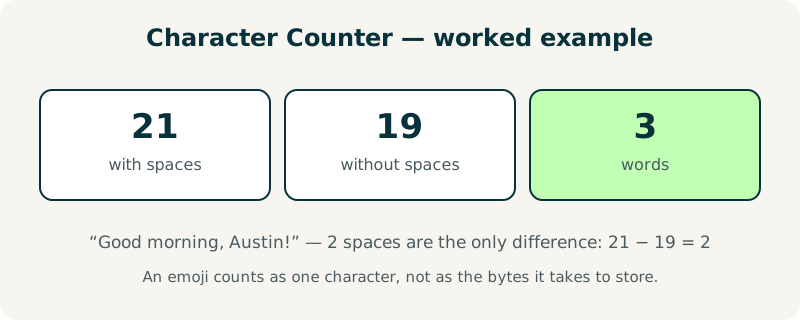
Type “Good morning, Austin!” and the counter reports 21 characters with spaces, 19 characters without spaces, and 3 words. The two spaces are the only difference between the two counts, so the gap of 2 is exactly the number of spaces in the sentence.
A longer line shows the same rule at work. “Coffee lover. Austin, TX. Weekend hiker.” has 40 characters with spaces and 35 without, because it contains 5 spaces. Add a sun-face emoji to the end and the with-spaces count rises to 42 while the without-spaces count rises to 36, because the emoji counts as one character and the space before it is removed.
| Text | With spaces | Without spaces | Words |
|---|---|---|---|
| Good morning, Austin! | 21 | 19 | 3 |
| Coffee lover. Austin, TX. Weekend hiker. | 40 | 35 | 6 |
| Coffee lover. Austin, TX. Weekend hiker. 🌞 | 42 | 36 | 7 |
What mistakes should I avoid when counting characters?
The most common mistake is checking the wrong figure for the platform. A bio limit of 150 characters almost always includes spaces, so use the with-spaces count; if you use the without-spaces count by accident, your bio will be cut off mid-word when you publish it.
A second mistake is trusting a word processor's character count for social media. Word and Google Docs count line breaks and hidden formatting characters, and they count an emoji as one character, just like this tool — but a platform may count the same emoji as two. When a post sits within a few characters of the limit, keep a margin of five characters to be safe.
Frequently asked questions
Is my text uploaded anywhere?
No. The counting runs entirely in your browser with JavaScript. Your text never leaves your device, and the tool works offline once the page has loaded. That makes it safe for private messages, bios, passwords in notes and any draft you would never paste into a stranger's server.
Do spaces count as characters?
Yes, in the main count — a space is a character on almost every platform. The separate “without spaces” figure is there for the forms and editors that ignore spaces. If a limit does not say which it means, assume spaces count and use the larger figure, because that is the safer number.
How are emoji counted?
Each emoji counts as one character here, even though it takes several bytes to store. Some platforms count certain emoji as two characters, so leave a little headroom on very tight limits. A skin-tone modifier or a joined emoji sequence can also count differently elsewhere, so test the exact post before publishing.
What is the difference between characters and words?
Characters are the individual letters and symbols; words are groups of them separated by spaces. A 280-character post is usually around 40–50 words, depending on word length. Short words pack more meaning into a character limit, which is why concise writing wins on character-limited platforms.
Can I count characters in a document?
Not directly — this tool counts text you paste in. Open the document, copy the passage you need, and paste it here to check it. For a PDF, extract the text first with the PDF to Text tool, then paste the result. Watch for headers and footers, which add characters the limit does not cover.