
Convert PNG images to TIFF without uploading anything. Drop one file or a whole batch, and each picture is converted in your browser — the originals never leave your device. Download files one by one, or grab everything as a single ZIP.
TIFF is the archival format of print shops, scanners and photographers. It stores pixels losslessly and supports layers, high bit depth and CMYK — none of which a web format bothers with. If you need a different output first, the Image Compressor handles the most common swap, and the Image Resizer shrinks pictures before you convert them.
How to use
- Drop your PNG file(s) on the box above, or click to browse — you can add several at once.
- Each file converts automatically; watch the before-and-after sizes in the list.
- Download a single file, or use Download all (ZIP) for the whole batch.
- Press Start over to clear the list and convert more files.
Why use Toolsvine
Every PNG file you drop here becomes a TIFF in seconds, with the real sizes shown. Most image converters upload your pictures to a server, queue them, and show you ads while you wait. This one converts locally with the same engines browsers use, reports the real before-and-after size of every file, and never asks for an account — your PNG files stay on your device from start to finish.
Why is TIFF the print industry's format?
TIFF was designed in 1986 as a container that could hold anything a scanner or a print shop might produce: lossless pixels, an alpha channel, 8 or 16 bits per channel, multiple pages, and color spaces like CMYK that the web never uses. This tool writes an uncompressed TIFF with an alpha channel — the flavor most desktop software expects — so nothing is compressed away and the file is ready for any program that reads TIFF.
Uncompressed means big. A TIFF stores every pixel as raw bytes, so the file size is a plain function of the dimensions, and it will always be much larger than the PNG it came from. That is normal for TIFF, not a bug: the format trades size for absolute fidelity and universal compatibility in print workflows.
PNG vs TIFF, at a glance
| Property | PNG | TIFF |
|---|---|---|
| Compression | Lossless | None (uncompressed) |
| Transparency | Yes, full alpha | Kept as an alpha channel |
| Bit depth | 8 bits per channel | 8 bits per channel |
| Best for | Web, screenshots | Print, scanning, archiving |
Worked example: a 1,200 × 800 photo as TIFF
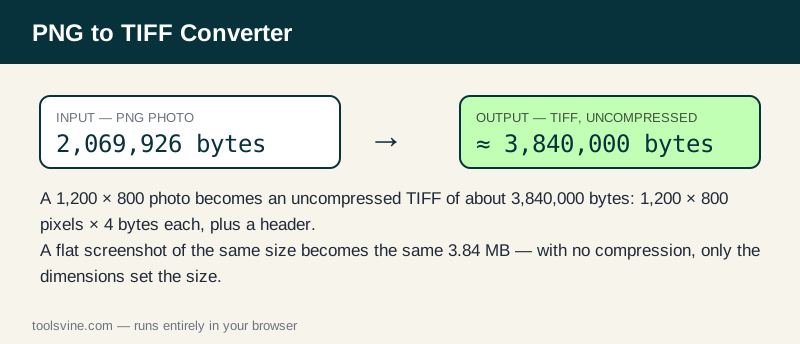
Take the same 1,200 × 800 test photo used on the other converter pages: as a PNG it is 2,069,926 bytes. As an uncompressed RGBA TIFF it is 1,200 × 800 pixels × 4 bytes per pixel — 3,840,000 bytes of pixel data — plus a small header of a few hundred bytes, for a total of about 3.84 MB. A flat screenshot of the same dimensions, whose PNG is only 4,696 bytes, becomes the same roughly 3.84 MB TIFF: with no compression, the picture content cannot change the size, only the dimensions can.
| Image | PNG size | TIFF size | Change |
|---|---|---|---|
| 1,200 × 800 photo | 2,069,926 bytes | About 3,840,000 bytes | 86% larger |
| 1,200 × 800 screenshot | 4,696 bytes | About 3,840,000 bytes | 818× larger |
Transparency is kept as a real alpha channel, so a logo with a see-through background survives the conversion intact — a difference from BMP, which drops alpha entirely. If a printer asks for TIFF, this is the file they expect.
When should I use TIFF?
Use TIFF when a printer, a scanner workflow, or an archive asks for it. Print shops accept TIFF because every pixel is stored exactly and the format carries the color information their presses need. For the web, PNG or WebP is always the smaller, faster choice — a TIFF on a web page will load slowly, and many browsers cannot display it at all. If you only need a smaller file, the PNG to JPG Converter is the better move.
Frequently asked questions
Is converting PNG to TIFF free?
Yes — free, with no account and no limit on the number of files. Everything runs in your browser, so there is no server queue and no waiting for an upload. You can convert one image or a whole folder of PNGs in a single session.
Will my PNG files be uploaded anywhere?
No. The conversion happens entirely on your device using browser technology. Your files never leave your computer or phone, and the tool keeps working offline once the page has loaded, so private screenshots and client work stay private at any stage of the process.
Can I convert several images at once?
Yes — drop as many PNG files as you like and they convert one after another. Use the Download all (ZIP) button to save the whole batch in one click instead of downloading files one by one, which is handy when a printer needs a whole set of files.
Why is my TIFF file so much bigger than the original PNG?
That is normal for TIFF, not a bug. This tool writes an uncompressed TIFF, so a 1,200 × 800 image is always about 3.84 MB regardless of what it shows. Only use TIFF when a printer, scanner, or archive specifically requires it.
Does TIFF keep my image's transparency?
Yes. The TIFF is written with an alpha channel, so transparent areas stay transparent. That is one advantage over BMP, which drops alpha, and it is why TIFF is the safer choice for logos headed to a print shop or a design team.