
Paste JSON data and get XML back instantly — no upload, no account, no waiting. The conversion runs in your browser with the fast-xml-parser library, so your data never leaves your device. Copy the result, or download it as a .xml file ready for a config file, a feed, or a legacy system that still speaks XML.
XML is the format older systems, RSS feeds, and many enterprise APIs still expect, so JSON data often needs to become XML before another tool will accept it. The root element defaults to <root>, and you can rename it in the box above the output. For config files, try the JSON to YAML converter, or JSON to CSV when a spreadsheet is the destination.
How to use
- Paste your JSON data into the input box, or press Sample to load a book record.
- The XML output appears automatically as you type, formatted with two-space indentation.
- Change the root element name in the box above the output if your target system needs a specific one.
- Copy the result, or download it as a .xml file with the Download button.
Why use Toolsvine
XML is still the language of sitemaps, RSS feeds, SOAP services, and a thousand internal tools, and most online JSON-to-XML converters route your data through their server to do the job. This one builds the XML locally with fast-xml-parser, shows a live preview so you can check the structure before downloading, and explains invalid input in plain English instead of a stack trace.
How does JSON to XML work?
JSON to XML walks your JSON object and turns every key into an element: a string becomes the element's text, a nested object becomes child elements, and an array becomes one repeated element per item. Every XML document needs exactly one root element, so this tool wraps the whole result in <root> unless you type a different name.
The output starts with an XML declaration and uses two-space indentation so the structure is easy to scan. Numbers and booleans become plain text inside their elements, so 1965 and true arrive as the text 1965 and true, and a null value becomes an empty self-closing element such as <note/>. Arrays of simple values repeat the key as the tag, so tags ["a", "b"] becomes two <tags> elements.
What happens to tricky values
| Detail | How it is handled |
|---|---|
| Arrays of objects | One repeated <item> element per object |
| Arrays of simple values | The key repeats, once per value |
| Null values | Empty self-closing element, like <note/> |
| Numbers and booleans | Plain text inside the element |
| Nested objects | Child elements, indented one level deeper |
Keys become tag names, so a key with a space or a leading digit produces XML another parser may reject — rename fields like first name to first_name before converting. The tool does not add attributes: every value becomes an element, which keeps the output predictable even if it is longer than hand-written XML. If your target system needs attributes, add them in your editor after the conversion.
Worked example: a book record becomes XML
Take the sample the tool loads when you press Sample: one book object with a title, an author, and a publication year. The converter wraps it in <root>, turns book into a child element, and gives each field its own element. The year 1965 is a number in JSON and plain text in XML.
Example input:
{"book":{"title":"Dune","author":"Frank Herbert","year":1965}}
Becomes:
<?xml version="1.0" encoding="UTF-8"?>\n<root>\n <book>\n <title>Dune</title>\n <author>Frank Herbert</author>\n <year>1965</year>\n </book>\n</root>
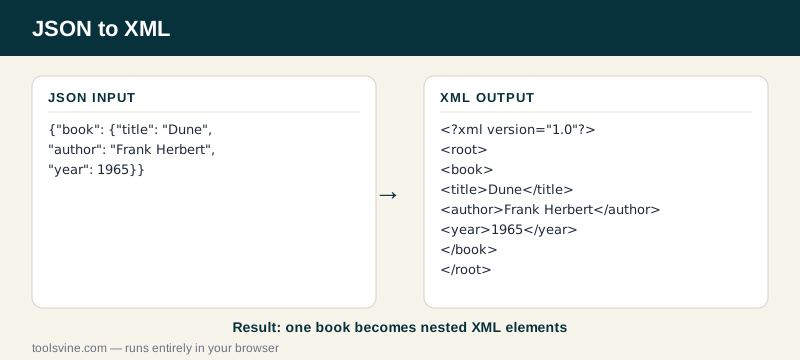
Try it yourself: paste an array of two books instead of one object and watch each entry become its own <item> element inside <root>. That is the shape most feeds expect — one repeated element per record — and it is also how the JSON to CSV converter lays the same data out as rows.
Why does XML need a root element, and what should I name it?
XML requires exactly one top-level element because parsers read a document as a single tree, and a document with two top-level elements has no single tree to build. The name does not matter to the parser — <root> works — but the system reading your file may expect a specific name, like catalog or feed, so check its documentation.
Rename the root in the box above the output before you copy the result — the tool rebuilds the XML the moment you change it. Common choices are the name of the thing the file describes: books for a book list, products for a catalog, or feed for an RSS-style file.
Frequently asked questions
Is converting JSON to XML free?
Yes — completely free, with no account, no upload limits, and no watermark on the output. The conversion runs entirely in your browser using the fast-xml-parser library, so there is no server involved and no cost to pass on. You can convert one object or a thousand records and the price stays the same: nothing.
Is my JSON data uploaded anywhere?
No — the XML is built on your device by a library running in the page, and nothing is sent anywhere. This matters when the JSON holds customer records, internal IDs, or API keys: data you would never paste into a stranger's server stays safe here because it never leaves your browser. The tool even works offline once the page has loaded.
What happens if my JSON is invalid?
The tool shows a plain-English error naming the line with the problem — a missing quote, a trailing comma, or an unclosed bracket, for example — and leaves the output empty instead of guessing. Fix the error in the input box and the XML rebuilds automatically, usually before you finish typing the correction.
Can I change the root element name?
Yes. The box above the output holds the root name, and it defaults to root. Type catalog, feed, or whatever your target system expects, and the XML rebuilds the moment you change it. The name only labels the wrapper — it does not change any of the data inside, so any valid name works for a parser.
What happens to arrays in my JSON?
An array of objects becomes one repeated item element per object, and an array of simple values repeats the key once per value. A book list with two entries therefore becomes two item elements inside the root, which is the shape most feeds and imports expect. Nested arrays keep the same pattern at every level.