
Every employee should be able to see exactly what they earned, what was withheld, and what landed in their account. The Payslip Generator builds a clean, professional payslip from a few fields — employer, employee, pay period, gross pay, and deductions — and downloads it as a PDF that is ready to hand out or email.
Fill in the employer and employee details, the pay period, gross pay, and each deduction. The net pay is worked out for you. To see the take-home figure from the employee's side, the Paycheck Calculator estimates pay after tax.
How to use
- Enter the employer and employee names.
- Enter the pay period and gross pay.
- Enter federal tax, state tax, and other deductions.
- Preview the payslip, then download the PDF.
Why use Toolsvine
A payslip is not just paperwork — it is the document an employee uses to rent an apartment, apply for a loan, or prove their income. A clear payslip shows every number in one place, so there are no questions at payday and no disputes later. Small businesses that hand out proper payslips look professional and build trust with every payment.
What makes a good payslip?
A good payslip shows the employer and employee names, the pay period, gross pay, each deduction listed separately, and the net pay, so a 3,250-dollar gross with 390 dollars of federal tax, 162.50 dollars of state tax, and 125 dollars of other deductions gives a net pay of 2,572 dollars and 50 cents. Year-to-date gross is included when you have it.
The net pay is gross pay minus all deductions. Federal tax, state tax, and other deductions — retirement contributions, health insurance premiums, or wage garnishments — are each shown on their own line, because an employee should be able to verify every number. The year-to-date figure helps with loan applications, which usually ask for income so far this year.
Use the exact gross pay for the period, not the annual salary, and list deductions exactly as they appear on your payroll records. A payslip that does not match the bank deposit will generate questions, so check the net pay against the actual transfer before you send it out.
Worked example
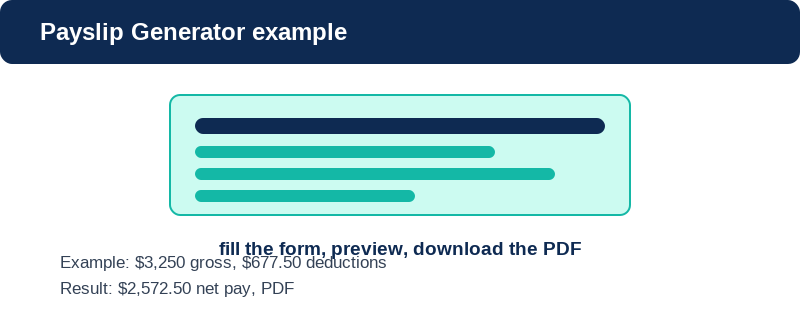
Acme Design Co. pays Jordan Lee for November 1–15, 2026. Gross pay is 3,250 dollars. Federal tax withheld is 390 dollars, state tax is 162.50 dollars, and other deductions are 125 dollars. Total deductions are 677.50 dollars, so net pay is 2,572.50 dollars — the amount that lands in Jordan's account.
| Item | Amount |
|---|---|
| Gross pay | $3,250.00 |
| Federal tax withheld | −$390.00 |
| State tax withheld | −$162.50 |
| Other deductions | −$125.00 |
| Net pay | $2,572.50 |
| Year-to-date gross | $68,250.00 |
Every line is shown separately, so the employee can check the math in seconds.
How do I print or share it?
The most common mistake is mixing up the pay period and the pay date — the period is the work the payment covers, not the day the money moved. Another is rounding the deductions: use the exact cents from your payroll records, not rounded dollars, because a payslip that is a few dollars out will not match the bank statement. Keep a copy of every payslip you issue, dated and filed.
Print one copy for the employee and keep one for your records, in a folder by pay period. If you also need a matching invoice or receipt for a payment, the Invoice Generator builds one with the same clean layout and a PDF download, so your paperwork stays consistent.
Frequently asked questions
Is the Payslip Generator free to use?
Yes, the Payslip Generator is completely free, with no sign-up, no account, and no limits on how many times you use it. Everything runs in your browser, so there is no waiting for a server and no file ever leaves your device. You can use it as often as you like, on any device, and download or copy the result without paying anything.
What should a payslip include?
At minimum: the employer name, the employee name, the pay period, gross pay, each deduction on its own line, and the net pay. Year-to-date gross is very useful for loan and rental applications. Some businesses also add hours worked, the pay rate, and the payment method. Keep it to one page — if the list of deductions runs long, group small ones under other deductions and keep the detail in your payroll records.
Is a generated payslip official?
A payslip you generate yourself is a record of the payment, and it is accepted as proof of income by most landlords and lenders when it matches bank deposits and your payroll records. It is not a government form. For employees who need official proof for taxes, the W-2 at year end is the authoritative document — a payslip supports it, but it does not replace it.
Can I use the Payslip Generator on my phone or tablet?
Yes, the Payslip Generator works on phones, tablets, laptops, and desktop computers. The form and buttons are sized for touch screens, and the result stays readable on a small display. Downloads go straight to your device's normal downloads folder, so you can save a PDF, PNG, or file from your phone just as easily as from a computer.
Is my information uploaded or saved anywhere?
No. The Payslip Generator runs entirely in your browser, and nothing you type is uploaded to a server, stored in an account, or shared with anyone. Your numbers, names, and documents stay on your own device. If you close the tab, the page forgets everything, so you can safely use it for real business numbers and personal details.