
Paste any URL, add your campaign details, and get a tagged link ready for Google Analytics: utm_source, utm_medium, utm_campaign, plus the optional utm_term and utm_content. The tagged URL appears live as you type, and you can copy it with one click.
The builder runs entirely in your browser — your URLs never leave your device. For tagging many links with the same campaign at once, use the Bulk UTM Builder, and for a clean destination URL, start from the URL Slug Generator.
How to use
- Paste the page URL into the URL box.
- Fill in the source (e.g. newsletter), medium (e.g. email) and campaign name.
- Copy the finished tagged link from the preview below.
Why use Toolsvine
Without UTM tags, every click from a post, an email, or an ad lands in your analytics as the same anonymous “direct” traffic, and you cannot tell which post actually worked. This builder exists because hand-typing five tracking parameters is how typos happen — one wrong underscore and a whole campaign's data splits into two — and a tool that builds the URL for you keeps the naming consistent across every link you share.
What are UTM parameters?
UTM parameters are five small labels added to a URL — utm_source, utm_medium, utm_campaign, utm_term, and utm_content — that tell your analytics tool where a visitor came from. The page loads exactly the same; the labels only tell the analytics report which post, email, or ad sent the click, so you can compare campaigns instead of guessing.
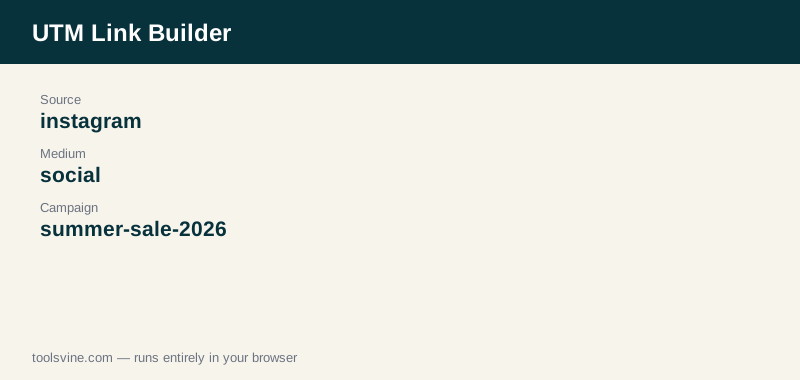
The three required ones are the source (where the click came from, such as instagram), the medium (the channel type, such as social or email), and the campaign (the push it belongs to, such as summer-sale-2026). The term marks the keyword for paid search, and the content distinguishes two versions of the same link, such as two buttons in one email. Empty fields are left out, and if the URL already has a utm_source, the builder replaces it with the new value.
Worked example
Tag the page https://www.example.com/best-running-shoes-flat-feet/ with source “instagram”, medium “social”, and campaign “summer-sale-2026”. The builder returns “https://www.example.com/best-running-shoes-flat-feet/?utm_source=instagram&utm_medium=social&utm_campaign=summer-sale-2026”. Each parameter is appended with an ampersand, and because the page URL had no query string, the first parameter starts with a question mark.
Which UTM values should I use?
Use lowercase, hyphenated values and keep the same spelling everywhere: “instagram” today and “Instagram” tomorrow splits one campaign into two reports. Pick a source that names the platform, a medium that names the channel type, and a campaign name that includes the date or the offer so you can tell campaigns apart a year from now.
A short naming table keeps a team consistent: source “newsletter” with medium “email”, source “google” with medium “cpc” for paid search, source “facebook” with medium “social” for organic posts, and source “instagram” with medium “social” for a story link. Write the scheme down once, share it with anyone who posts links, and the analytics will stay clean without anyone having to remember the rules.
Frequently asked questions
Do UTM parameters affect SEO?
No. UTM parameters do not change the page, and search engines see the same content at the tagged and untagged addresses. To avoid duplicate-content confusion, point the page's canonical tag at the clean URL without parameters, and Google will treat the tagged versions as the same page.
What if my URL already has a question mark in it?
The builder appends the UTM parameters with an ampersand, keeping the existing query string intact. If the URL already contains a utm_source, utm_medium, or utm_campaign, the new value replaces the old one instead of duplicating it, so the link never ends up with the same parameter twice.
Do I need to fill in all five parameters?
No. Only source, medium, and campaign are needed for most links. The term is useful for paid search keywords, and the content is useful when two links in the same email or post need to be told apart. Leave the ones you do not need empty — they are simply left off the URL.
Why do spaces in my campaign name turn into a plus sign?
URLs cannot contain spaces, so the builder encodes them: a space becomes a plus sign in the query string. Analytics tools read it back as a space, so the data is fine, but a hyphen reads better in a shared link. Use lowercase, hyphenated names such as summer-sale-2026 and the problem never appears.
Is my URL uploaded anywhere?
No. The builder runs entirely in your browser, and the URL and campaign details never leave your device. You can tag links for unreleased pages or private campaigns without sending them to any server. There is no account and no sign-up — just the page and your links.