
Running a site in more than one language? Add one row per language version — language, region, and URL — and this generator writes the hreflang link tags for you, including an optional x-default tag for the fallback page. Copy the tags and paste them into the head of every version.
The generator runs entirely in your browser and uploads nothing. hreflang works hand in hand with the Canonical Tag Generator — every version keeps its own canonical — and clean slugs from the URL Slug Generator make the language versions easier to tell apart.
How to use
- Add a row for each language version of the page.
- Enter the language (and region, if any) and that version's URL.
- Copy the generated link tags into the head of every version.
Why use Toolsvine
Hreflang is the one tag that tells Google “this page exists in French too, and the French reader should see that one, not this one” — without it, search engines guess, and they often guess wrong, showing the English page to a French searcher or splitting one page's authority across three near-duplicates. This generator exists because the tags are fiddly to write by hand, the language codes are easy to mistype, and one wrong tag can send every language's traffic to the wrong page.
What is hreflang and when do I need it?
Hreflang is a set of link tags that tells a search engine which language and region each version of a page is for, so the right version shows in the right country's results. You need it whenever the same content exists in more than one language.
It also applies when one language has more than one regional version, such as US and UK English.
Each tag pairs a language code with a URL: hreflang="en-US" means the American English version, hreflang="fr" means the French version for any French-speaking region. The tags go in the head of every version of the page — including the version they describe, so each page links to itself and to every other version — and the optional x-default tag points at the fallback page for searchers whose language matches none of the versions.
Worked example
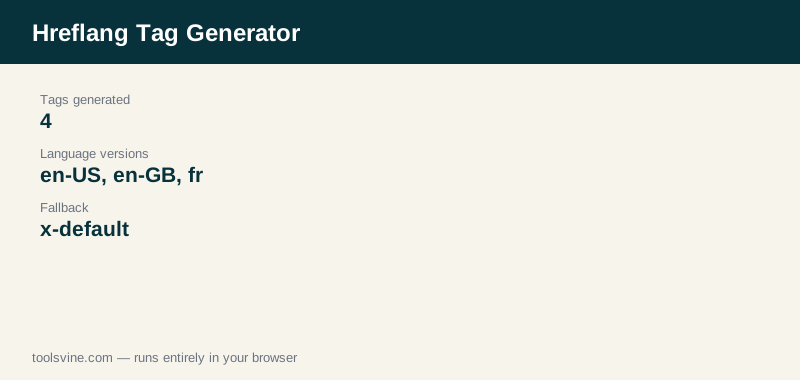
A guide exists in American English, British English, and French, with a language picker as the fallback. That is four tags: <link rel="alternate" hreflang="en-US" href="https://example.com/en-us/guide/" />, the same for “en-GB” at /en-gb/guide/ and “fr” at /fr/guide/, plus <link rel="alternate" hreflang="x-default" href="https://example.com/guide/" />. The generator writes all four from four rows, and reports “4 hreflang tags generated”.
Where do hreflang tags go, and what mistakes break them?
Every tag goes in the head of every version of the page, and each version must link back to the others — one-way tags are ignored. The three mistakes that break hreflang most often are wrong language codes, relative URLs instead of absolute ones, and a tag set that is missing the page's own version.
Language codes are two or three lowercase letters (en, fr, es), regions are two uppercase letters (US, GB, CA), and the pair is written with a hyphen, “en-US”. A row with a bad code or a missing URL is skipped with a warning, so check the count line — if it says fewer tags than you expected, one of your rows was rejected. And never point a tag at a page that redirects or returns an error: hreflang only works between live, indexable pages.
Frequently asked questions
What is the difference between en and en-US?
“en” means English for any region, while “en-US” means English specifically for the United States. Use the plain language code when you have one version per language, and add the region when you have separate versions for different countries, such as US and UK English with different spelling, prices, or shipping information.
What is x-default for?
It points at the fallback page for searchers whose language matches none of your versions — usually a language picker page, or your main English page. It is optional, but adding it means Google has a sensible page to show when no language version matches, instead of guessing.
Do I need hreflang if my site is only in one language?
No. Hreflang only matters when the same content exists in more than one language or regional version. A single-language site needs no hreflang tags at all, and adding them with only one version achieves nothing — the tag set has to describe at least two versions to be useful.
Can hreflang use relative URLs?
No. Every hreflang tag must use a full absolute URL, such as https://example.com/fr/guide/. A relative URL is not valid in a hreflang tag, and search engines will ignore the tag. The generator only writes the URL you type, so always paste the complete address including the protocol.
What if a language version does not exist?
Do not write a tag for it. Every hreflang URL must point at a real, live page in that language — pointing at a missing page, a redirect, or the wrong language breaks the whole set, and search engines may ignore all of the tags. Add the tag only when that version is actually published.