
Paste any URL and get its canonical link tag, ready to drop into the head of the page: <link rel="canonical" href="…" />. One tag, one click to copy, no sign-up — and if the URL carries tracking parameters, the tool warns you that the canonical usually points at the clean URL instead.
The generator runs entirely in your browser and uploads nothing. Canonicals pair with the Hreflang Tag Generator on multilingual pages, and with clean tracking from the UTM Link Builder — tagged links share well, but the canonical should point at the untagged page.
How to use
- Paste the page's preferred URL into the box above.
- Read the canonical tag generated below.
- Copy it into the head of the page.
Why use Toolsvine
The same content almost always exists at more than one URL: the plain address, the address with UTM tracking, the address with a session parameter, the http version, the trailing-slash version. Without a canonical tag, a search engine has to guess which of those is the real page, and it may split the page's ranking power across all of them — or pick the wrong one. This generator exists to make the right tag effortless, because the tag itself is only one line and there is no good reason to type it by hand and risk a typo in the URL.
What is a canonical tag?
A canonical tag is a single line in a page's head that tells search engines which URL is the preferred version of the page when duplicate or near-duplicate versions exist, and it is a hint for search engines, not a redirect for visitors.
It does not change what people see — the page loads the same — it only tells the search engine which address to index, rank, and show in the results.
The tag is the page's own URL, absolute and complete, starting with https://. Every page should carry exactly one, pointing at itself when there are no duplicates — a self-referencing canonical — and pointing at the preferred version when duplicates exist. A canonical is a strong hint, not an order: search engines follow it when the pages are genuinely near-duplicates, and may ignore it when the pages differ too much.
Worked example
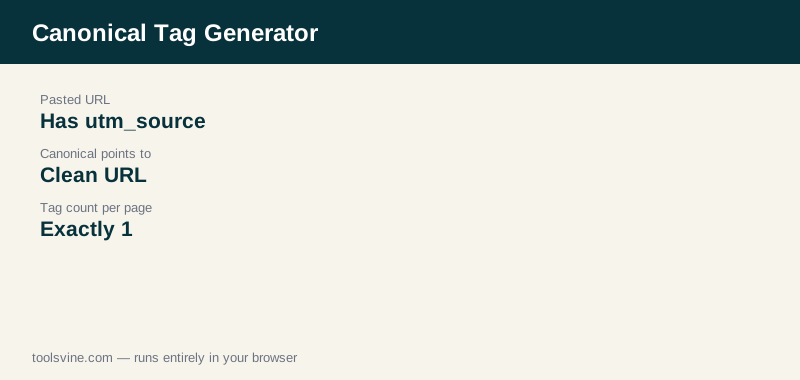
A product page shared on Facebook carries a tracking address: “https://www.example.com/blog/best-running-shoes/?utm_source=facebook”. Paste it and the tool returns <link rel="canonical" href="https://www.example.com/blog/best-running-shoes/?utm_source=facebook" /> and adds a note: this URL has tracking parameters, so the canonical usually points at the clean URL without them — https://www.example.com/blog/best-running-shoes/ — because the parameters do not change the page.
When should I use a canonical tag?
Use one whenever the same content can be reached at more than one address: tracking parameters, print or sort versions, http and https variants, or trailing-slash differences. Put a self-referencing canonical on every page even when there are no duplicates, so there is never any doubt about which address is the real one.
Canonicals also work across domains — a syndicated article can point its canonical at the original publication, telling search engines where the credit belongs. The one thing a canonical must never do is point at a page that redirects, returns an error, or shows different content: a canonical to a dead or unrelated page is ignored, and the duplicate problem comes straight back.
Frequently asked questions
Does a canonical tag redirect visitors?
No. Visitors see nothing different — the tag lives in the page's head and only search engines read it. A person who lands on a tracked or duplicate URL stays on that URL. If you want visitors sent to the preferred address, use a 301 redirect instead; a canonical tag is a hint for search engines, not a redirect.
Should every page have a canonical tag?
Yes. Every page should carry exactly one canonical tag, and when there are no duplicates it should point at the page itself — a self-referencing canonical. That removes all doubt about which address is the real one, and it protects the page if a tracking parameter or a stray variant ever appears.
Can a canonical point at a different domain?
Yes. A canonical can point at a page on another domain, which is how syndicated content credits the original: the copy points its canonical at the original article. The target page must show the same or very similar content, or search engines will ignore the tag.
What if Google ignores my canonical?
A canonical is a hint, not an order. Google ignores it when the pages differ too much to be duplicates, when the target redirects or returns an error, or when other signals — such as internal links — point elsewhere. Make the target live, matching, and linked consistently, and the hint is usually followed.
Should the canonical URL be absolute or relative?
Absolute, always. A canonical tag must contain the full URL including the protocol and domain, such as https://www.example.com/page/. A relative URL is not valid in a canonical tag and will be ignored, which leaves the duplicate-content problem exactly where it was.